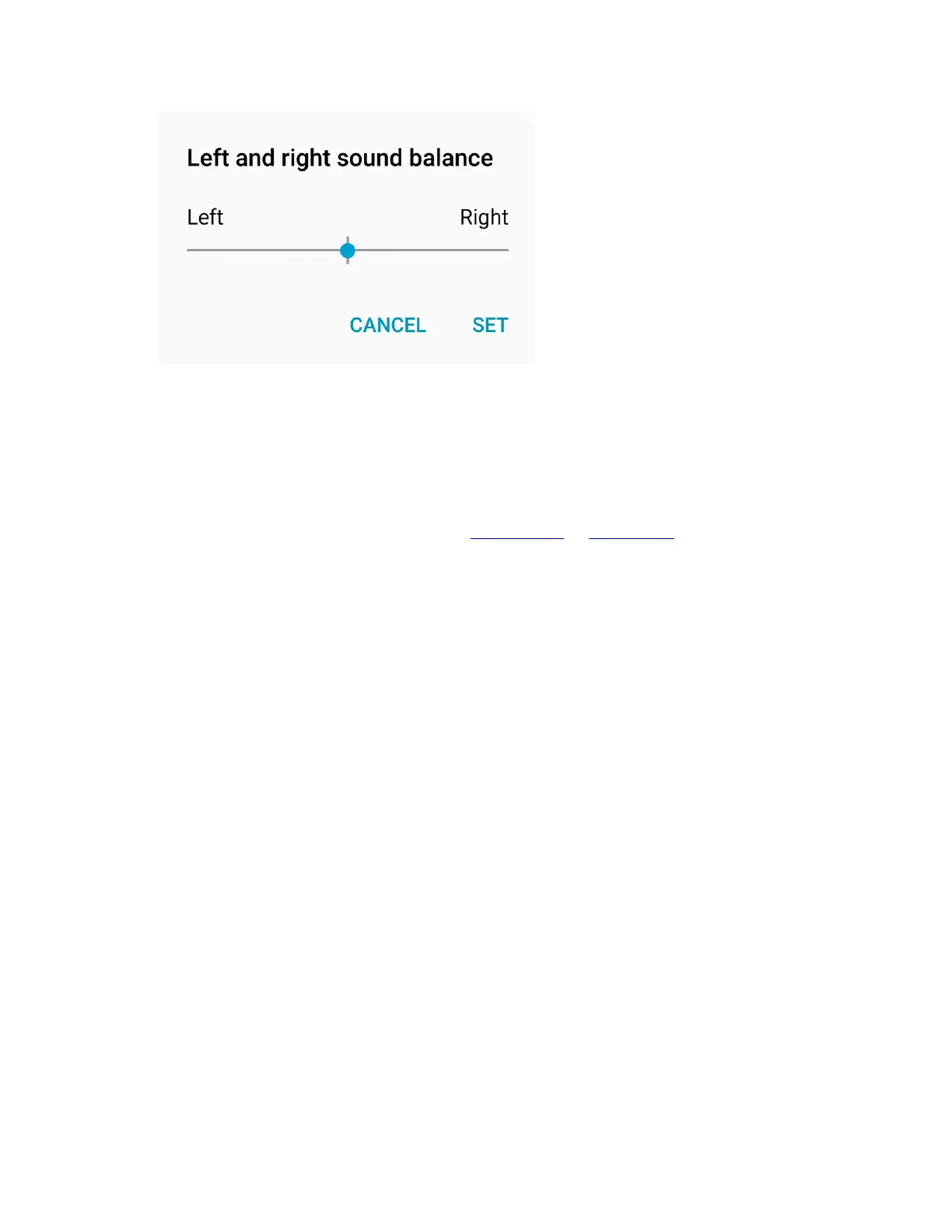
NOTE: In order for Kinsa to work every time you take a temperature reading:
“Mono Audio” and “Turn off all sounds” need to be off
Audio balance needs to be centered
Apps that amplify sounds or music, like BoomSound or PowerAmp, need to be disabled
in order to use Kinsa. This is because Kinsa utilizes the headphone jack for calibration,
and requires the audio settings to be at the system default values.
Update the Kinsa App
Finally let’s update the app in case it is an older version (skip these steps if you just installed the
app).
1. On your phone, go to the Google Play app store.
2. Tap “Menu > My Apps & Games”.
3. Scroll down and see if there is an update for the Kinsa app. If so, update the app.
Reopen the Kinsa app, navigate to the menu option (upper left), and tap “Set up
Thermometer”. Do not touch the volume during setup.
If the app doesn’t appear to sense the adapter/thermometer, make sure the flat side of the
thermometer is even with the surface it is resting on. You can even give the adapter and
thermometer a quarter or half turn each. Turning the audio plug(s) may help the phone detect the
connection and initiate setup.
If still an issue, restart your phone and try setup once more (leaving volume untouched).


 To Next Page