-- --
4. STOP PROCEDURE
First disconnect the unit and load, then stop the generator.
1. Normal stop
1) Cut off the load from the generator.
2) Turn the breaker to “OFF” position.
3) Turn the starter switch to “STOP” position after running for 1-3 minutes with
zero load.
4) Turn off the fuel switch after the generator stopped.
2. Emergence stop
a. When generator set is running, the operator should keep eyes on its running
state. If there is anything wrong, stop the generator according to the normal
procedure.
b. If there is any emergency which may cause serious damage to the generator
or person injuries, eg. short circuit, electric shock and so on. The operator should
immediately apply the emergency stop: pressing hard the “Emergency stop”
button could stop the generator at once. (Caution: there is no emergency stop on
the KGE12E/KGE12E3 generator, please turn the “Starting switch” to the “stop”
position.
c. When the problem has been solved after stopping the generator, you should
reset the “Emergency stop” button before restarting the machine, rotate the
“Emergency stop” in the arrow direction and the button will reset.
Reset the pressed “Emergency stop”, then the generator will run again. And
restart the generator according to the normal procedure.
Do not use “Emergency stop” when in non-emergency situations. If that,
“Emergency stop” may cause some damage to the generator.
CAUTION
CAUTION
CAUTION
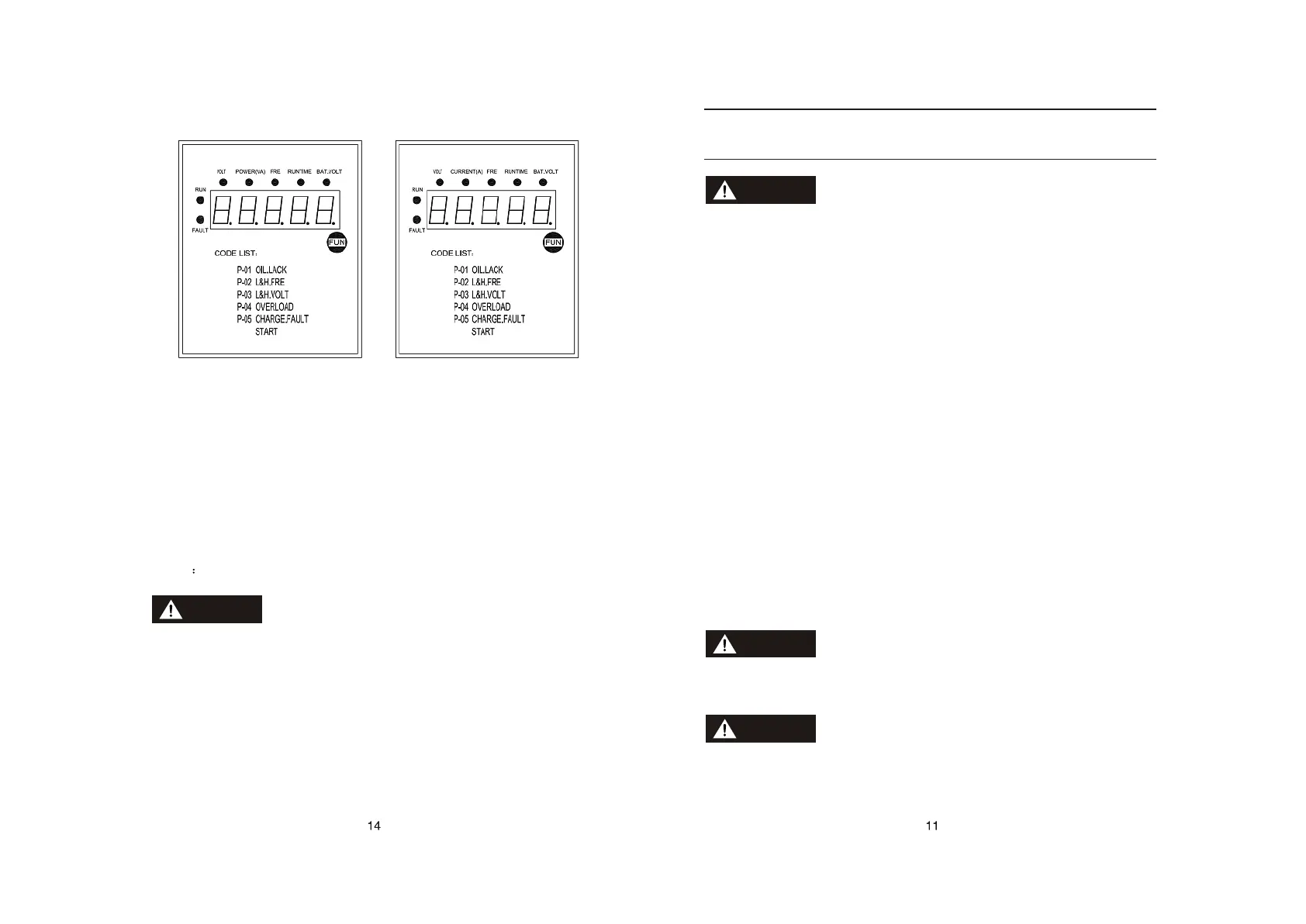
Single phase Three-phase
3. Code indicator light function
P-01 Low oil pressure: indicating the generator oil pressure is too low, the
generator will auto-stop.
P-02 Over-frequency: indicating the frequency over-high or over-low, the
generator will auto-stop.
P-03 Over-voltage: indicating the voltage over-high or over-low, the generator will
auto-stop.
P-04 Generator set overload: indicating the generator overload, it will auto-stop.
P-05 Charging fault: indicating charging system fault.
START indicating generator set start
The control panel operation refer to the Simple-style Panel Manual.
CAUTION



 To Next Page