
EasyManua.ls Logo

Kipor KP310V1.0 - User Manual

Kipor KP310V1.0
36 pages
Print Icon
To Next Page IconTo Next Page
Loading...
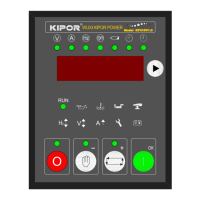
KP310V1.0 Controller
Operation Manual
V
A
R
Model KP310V1.0
V
O
RUN
V
A
R
Model KP310V1.0
V
O
RUN
www.kipor.com
Version No.KP310.1.1.0
July 20
th
, 2011

Questions and Answers

  • L
    Laura TylerAug 15, 2025
    What to do if Kipor Controller has a start failure?
    • S
      Sean YoungAug 15, 2025
      If the Kipor Controller fails to start, begin by inspecting the fuel pipe and its connections. Next, check the batteries. Also, examine the RPM sensor and its connections to ensure they are properly configured.
  • D
    David AndersonAug 18, 2025
    How to troubleshoot Kipor Controller with no electricity?
    • E
      Elizabeth BrownAug 18, 2025
      To troubleshoot a Kipor Controller that has no electricity, first check the batteries. Then, check the controller connections. Finally, check the DC fuse.
  • C
    Christopher NelsonAug 22, 2025
    What to do if Kipor KP310V1.0 Controller has no start signals?
    • M
      Matthew ReynoldsAug 22, 2025
      If the Kipor Controller is showing no start signals, check the start motor and its connections. Also, check the batteries.
  • M
    Madison DonaldsonAug 25, 2025
    How to check emergency stop on Kipor KP310V1.0 Controller?
    • K
      Kimberly JacksonAug 26, 2025
      To check the emergency stop function on the Kipor Controller, verify the emergency function. Also, check the connections of the batteries with the emergency stop button. Finally, check if the circuits are open.
  • D
    dunlapantonioAug 28, 2025
    What to do if Kipor KP310V1.0 alarm and stop during running?
    • T
      Tamara GarciaAug 28, 2025
      If the Kipor Controller alarms and stops during running, check the relevant connections. Also, check the Set Input parameters.
  • C
    Christian HenrySep 1, 2025
    Why does my Kipor KP310V1.0 Controller genset stop?
    • D
      David WestSep 1, 2025
      The Kipor Controller genset might stop because the water temperature is too high. Check the AC Generator voltage. Also, check the DC fuse.
  • D
    David SalinasSep 4, 2025
    How to fix RS232 failure on Kipor KP310V1.0?
    • V
      vaverySep 4, 2025
      To fix an RS232 failure on the Kipor Controller, check the connections. Also, check if the COM port is correctly set up. Then, check the connections between RS232 TXD with RXD. Lastly, check the PC communication port.
  • T
    Terry WashingtonSep 7, 2025
    What to do for high water temperature alarm after Kipor KP310V1.0 start?
    • J
      juangoodwinSep 7, 2025
      If there is a high water temperature alarm after the Kipor Controller starts, check the water temperature sensor and its connections.
  • D
    Dr. Lisa WilliamsSep 12, 2025
    What to do if low oil pressure alarm after start in Kipor KP310V1.0?
    • R
      Roger ObrienSep 12, 2025
      If you receive a low oil pressure alarm after starting the Kipor Controller, check the oil pressure sensor and its connections.

Summary

Brief Introduction

Model Nomenclature Explained

Performance and Features

Specifications

Operation

Function of Keys

Details the functionality of each button on the controller panel for user interaction.

Controller Layout

Provides a visual overview of the controller's panel, indicators, and display elements.

Manual Operation

Guides users through the process of starting and operating the genset manually.

Remote Operation

Explains how to remotely control the genset using the controller.

Protection

Alarm

Describes alarms that indicate non-critical issues and do not immediately stop the genset.

Time Delayed Stop Alarms

Details alarms that trigger a delayed shutdown of the genset.

Emergency Stop Alarms

Covers alarms that result in an immediate and critical shutdown of the genset.

Wiring

Parameter Set

Parameters Set List

Lists all settable engine parameters with their codes, ranges, and defaults.

Programmable Output List

Details the programmable output functions and their terminal assignments.

Remote Set

Explains the configuration options for remote start/stop functionality.

Set Input

Describes the setup and behavior of user-definable input signals for fault detection.

Programmable Output List

Lists specific functions assignable to programmable output terminals 17 and 18.

Commission

Applications

Installations

Trouble shooting

Serial Communication

Physical Layer of Communication Protocol

Specifies the physical layer parameters for serial communication between devices.

Enquiry; Response Period

Describes the host inquiry and slave response sequence in serial communication.

Comm RTU

Details the RTU mode communication protocol, including address, function, and data fields.

Appendix 1 CRC16-CCITT Sheet

Appendix 2 CRC16-CCITT

Appendix 3 Wiring Diagram

3-Phase 4-Line

Shows the wiring diagram for a 3-phase, 4-line generator setup.

3-Phase 3-Line

Illustrates the wiring diagram for a 3-phase, 3-line generator setup.

1-Phase 2-Line

Shows the wiring diagram for a 1-phase, 2-line generator setup.

2-Phase 3-Line

Illustrates the wiring diagram for a 2-phase, 3-line generator setup.

Kipor KP310V1.0 Specifications

General IconGeneral
BrandKipor
ModelKP310V1.0
CategoryController
LanguageEnglish