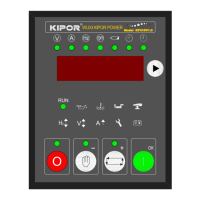
KP310V1.0 Controller Operation Manual
- 10 -
★DELAY OF REMOTE START
★DELAY OF REMOTE STOP
★NUMBER OF REMOTE START
★INPUT 1 TYPE
★INPUT 1 FAULT DELAY
★INPUT 2 TYPE
★INPUT 2 FAULT DELAY
★CONFIGURATION INPUT 1
★CONFIGURATION INPUT 2
★START IDLE DELAY
★STOP IDLE DELAY
★PASSWORD
For example:
When genset is stopped, and is in “Manual” Mode, press
and for 5 seconds at the
same time, it displays password test mode
.
After inputting the right password, press
to enter the “Parameters Set” menu. Take the
settings of flywheel tooth for example, after enter the flywheel tooth menu, press
to set the
number, the default value is 100. While the value twinkles, press
or to increase or
decrease the value. After inputting the value, press
to confirm and save the value. Press
to get back to “Parameters Set” menu.
5.3 Manual Operation
When the KP310V1.0 controller is working, it is initialized to “Manual” Mode, with
indicator lighting. Press
or turn the ignition lock to start genset.
Start steps:
Preheat relay output, meanwhile the preheating timer start counting down. If the preheating time is
set as zero, the preheat relay won’t output.
After preheating, the preheating relay stop working, the fuel relay and starting relay begin to
output. The maximum starting timer begins to count down. If genset can start successfully during
the countdown, the starting relay stops outputting. If failed, the fuel relay and starting relay stop


 To Next Page
 Loading...