EasyManua.ls Logo

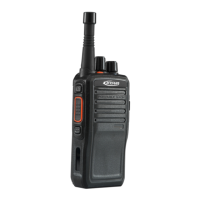
Kirisun PT260 - User Manual

Kirisun PT260
11 pages
Print Icon
To Next Page IconTo Next Page
Loading...
PT260
FM HANDHELD TRANSCEIVER
INSTRUCTION MANUAL
Kirisun Communications Co.,Ltd.

Other manuals for Kirisun PT260

Questions and Answers

  • R
    Robert MasseyJul 27, 2025
    How to fix a Kirisun Transceiver that won't switch on or has no display?
    • D
      Darrell CollinsJul 27, 2025
      If your Kirisun Transceiver doesn't switch on or the display remains blank after switching on, try these steps: * Recharge or replace the battery pack. * Remove the battery pack and then reinstall it.
  • A
    Adrian LeAug 6, 2025
    Why can't I talk to or hear other group members on my Kirisun Transceiver?
    • K
      Kathy HarmonAug 6, 2025
      If you can't communicate with other members using your Kirisun Transceiver, it might be because you are out of the effective communication range. Also, ensure that your CTCSS/DCS signal matches that of your group members.
  • J
    Jerry HuertaAug 15, 2025
    What to do if I hear other voices from non-group members on my Kirisun Transceiver?
    • J
      Jeffrey PayneAug 15, 2025
      If you are hearing voices from people outside your group on your Kirisun Transceiver, try changing the CTCSS/DCS signal.

Summary

Notice to the User

Safety

Essential safety guidelines for the proper and secure use of the radio.

Unpacking and Checking

Supplied Accessories

List of all items included in the package with the radio.

Preparation

Charging the Battery

Procedure for charging the radio's battery pack correctly.

Installing;Removing the Battery

Guide on how to attach and detach the battery pack from the radio.

Radio Overview

Basic Operation

Fundamental steps for powering on and adjusting the radio's volume.

Scan Function

Scan Operation Modes

Explanation of different scan modes, including ON, OFF, and resume options.

Auxiliary Functions

Time-Out Timer (TOT) Settings

Configuration of the TOT feature to limit transmission duration and prevent overheating.

Channel Lockout and Battery Saving

Settings for Busy Channel Lockout (BCL) and power-saving modes.

Squelch, CTCSS;DSC, and Cloning

Configuration of squelch levels, privacy tones, and data cloning.

Troubleshooting

Major Specifications

Technical details and performance characteristics of the PT260 radio.

Status Setting by Dealer

Information regarding settings configurable by authorized service personnel.

Kirisun PT260 Specifications

General IconGeneral
BrandKirisun
ModelPT260
CategoryPortable Radio
LanguageEnglish

Related product manuals