3. How to recharge the battery
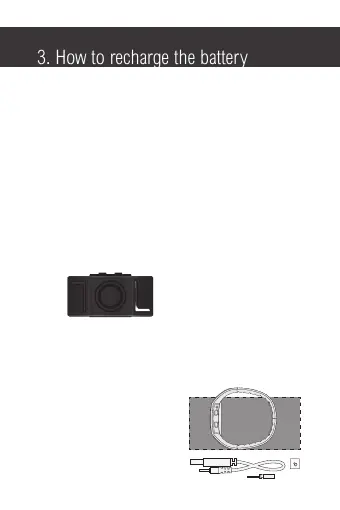
• This watch uses a USB rechargeable battery.
• When the lights become dim or do not light up, you should
recharge the battery.
• To recharge the battery, unscrew the USB cap using the
screw driver provided and connect the USB charging cable
to the USB charging jack.
• Connect the charging cable to a power source,
e.g. your computer.
• When charging, the LED charging indicator will blink.
• The charging indicator will stop blinking during recharging.
however, it is advised that you continue to charge the battery
for a full 3 hours to ensure the battery is 100% charged.
Charging indicator
• It is advised that you use the screw driver provided when
opening the USB cap so as not to damage the head of
the screw.
• Items included in the box:
• Watch
• USB cable
• Spare USB cap
• Screwdriver
• Instruction Manual


 To Next Page