EasyManua.ls Logo

KitchenAid KBNU367TSS - Remove Battery, Cabinet Door, and Transformer

KitchenAid KBNU367TSS
68 pages
Print Icon
To Next Page IconTo Next Page
To Previous Page IconTo Previous Page
Loading...
4-11
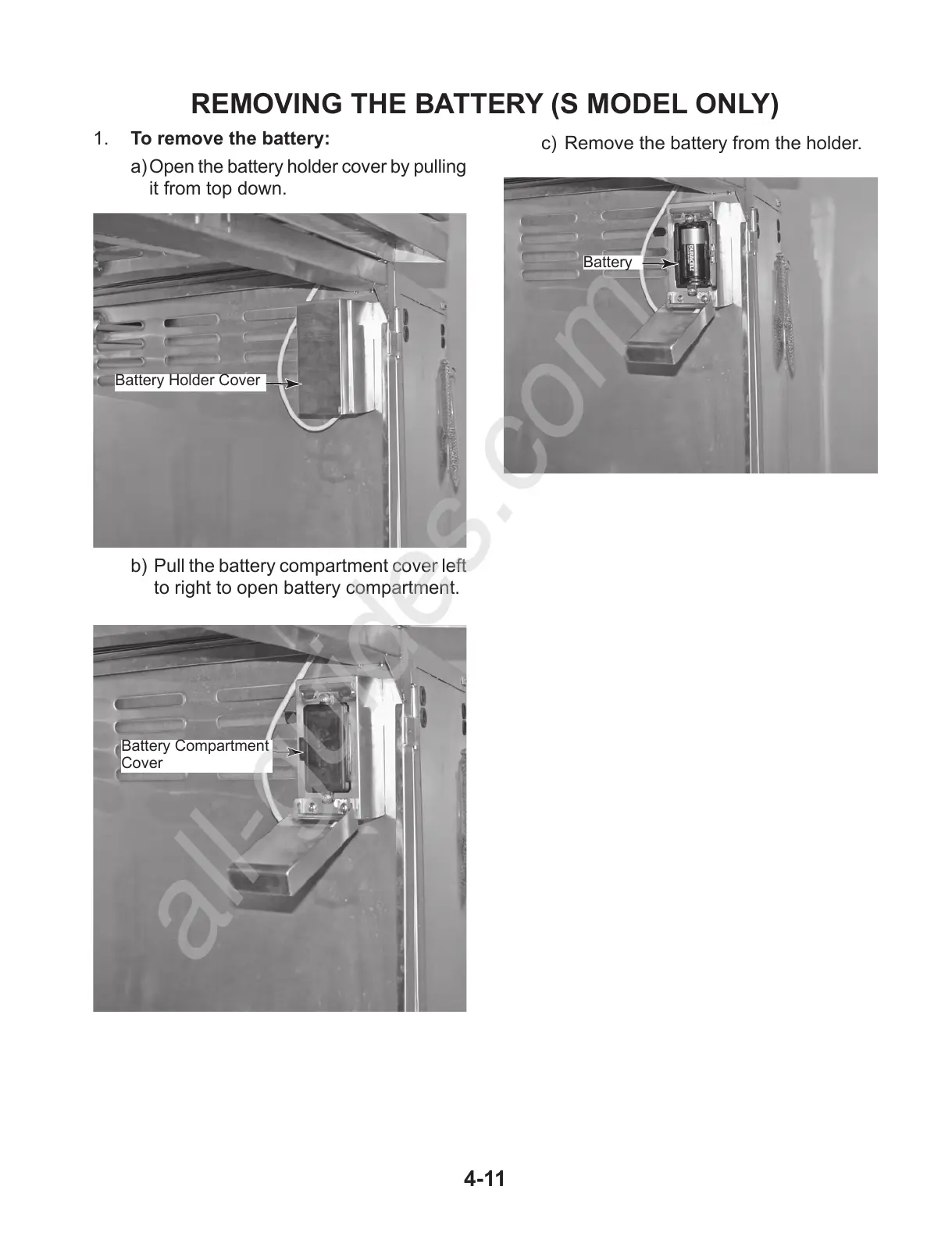
REMOVING THE BATTERY (S MODEL ONLY)
1. To remove the battery:
a) Open the battery holder cover by pulling
it from top down.
b) Pull the battery compartment cover left
to right to open battery compartment.
Battery Holder Cover
Battery Compartment
Cover
c) Remove the battery from the holder.
Battery

All manuals and user guides at all-guides.com
all-guides.com

Other manuals for KitchenAid KBNU367TSS

Related product manuals