EasyManua.ls Logo

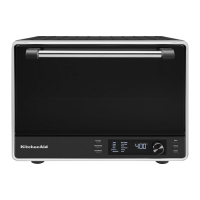
KitchenAid KCO224 - User Manual

KitchenAid KCO224
48 pages
Print Icon
To Next Page IconTo Next Page
Loading...
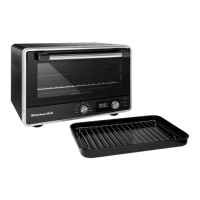
Countertop Oven
KCO224

Questions and Answers

  • E
    Emily MilesAug 7, 2025
    What to do if “PLUg” appears on the display of my KitchenAid Oven?
    • D
      Debra GarciaAug 8, 2025
      If “PLUg” appears on the display, and the probe icon flashes, ensure the temperature probe is properly plugged in. Verify that the jack is fully pushed into the socket. Try removing and replugging the temperature probe to assure good contact.
  • B
    Benjamin WheelerAug 15, 2025
    What to do if “E4” flashes on the display of my KitchenAid KCO224?
    • M
      Michael LangAug 15, 2025
      If “E4” flashes on the display, it indicates that the temperature probe is not correctly inserted in the food. Make sure the probe is inserted in the dense part of the protein for accurate cooking. Check the internal food temperature before serving, or restart the cycle with the desired temperature. To reset the oven, press the cancel button, or unplug and re-plug the unit.
  • M
    Matthew ChapmanAug 22, 2025
    What to do if “E3” flashes on the display of my KitchenAid KCO224?
    • H
      harrispatriciaAug 22, 2025
      If “E3” flashes on the display, make sure the temperature probe is inserted in the food and kept inside the oven while using Meat Probe functions. To reset the oven, press the cancel button, or unplug and re-plug the unit.
  • J
    Joshua StephensAug 30, 2025
    Why does “E1 or E2” flash on the display of my KitchenAid KCO224?
    • C
      Charles SmithAug 30, 2025
      If “E1 or E2” flashes on the display, the NTC Sensor may not be working. This issue can not be corrected.

Summary

Parts and Features

High-contrast LCD Display

Overview of the oven's digital interface for controls and status.

Product Safety

Important Safeguards

Essential safety precautions for operating the countertop oven.

Electrical Requirements

Specifications for safe power connection, including voltage, frequency, and plug type.

Getting Started

Product Functions

Details on the 12 cooking functions and memory settings available.

Even-Heat Technology

Explanation of the system providing consistent cooking without cold spots.

Preheating

Process to saturate oven walls for consistent cooking temperatures.

Toasting Functions

Cooking Functions

Air Fry

Ideal for pre-breaded foods like chicken nuggets and tenders.

Bake

Use for baking cakes, breads, casseroles, pastries, and muffins.

Broil

Use for chops, fish, seafood, and browning.

Roast

Use for chicken, meat, and vegetables.

Meat Probe

Cook meats to a set internal temperature for perfect results.

Product Usage

Using the Toasting Functions

Step-by-step guide for operating toasting functions.

Using the Cooking Functions

Guide for operating various cooking functions like Air Fry.

Using the Meat Probe Functions

Instructions for using the meat probe for precise cooking.

Care and Cleaning

Troubleshooting Guide

Warranty and Service

KitchenAid KCO224 Specifications

General IconGeneral
Oven size-
Oven typeElectric
Number of ovens1
Total oven power1800 W
Convection cookingYes
Number of cooking programs12
Total oven(s) interior capacity- L
Maximum temperature (convection)232 °C
Cord length3 m
Control typeButtons, Rotary
Display typeLCD
CertificationProp 65
Product colorBlack
Control positionFront
Appliance placementCountertop
Clock typeElectronic
Timer typeDigital
Wi-Fi controlledNo
AC input voltage120 V
AC input frequency60 Hz
Energy consumption (conventional)- kWh
Package weight11340 g
Weight and Dimensions IconWeight and Dimensions
Depth417 mm
Width470 mm
Height330 mm
Weight9072 g
Installation compartment width- mm

Related product manuals