EasyManua.ls Logo

KitchenAid KEBS207D - Page 12

KitchenAid KEBS207D
50 pages
Print Icon
To Next Page IconTo Next Page
To Previous Page IconTo Previous Page
Loading...
losing
Your
Oven
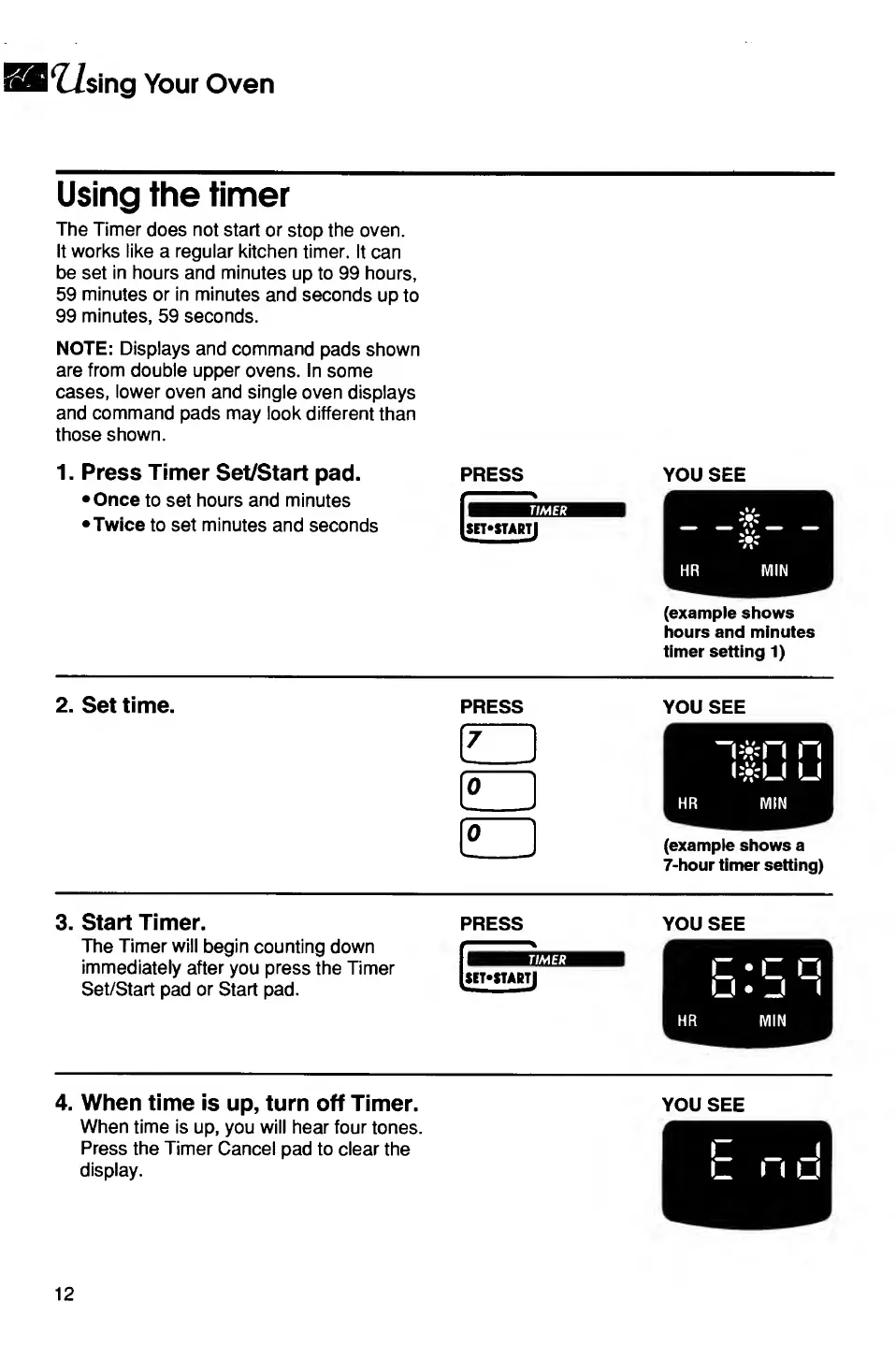
Using
the
timer
The
Timer
does
not
start
or
stop
the
oven.
It
works
like
a
regular
kitchen
timer.
It
can
be
set
in
hours
and
minutes
up
to
99
hours,
59
minutes
or
in
minutes
and
seconds
up
to
99
minutes,
59
seconds.
NOTE:
Displays
and
command
pads
shown
are
from
double
upper
ovens.
In
some
cases,
lower
oven
and
single
oven
displays
and
command
pads
may
look
different
than
those
shown.
1.
Press
Timer
Set/Start
pad.
Once
to
set
hours
and
minutes
•Twice
to
set
minutes
and
seconds
PRESS
YOU
SEE
(example
shows
hours
and
minutes
timer
setting
1)
2.
Set
time.
press
you
see
[7
r
^
n*n
n
e:
l#U
u
HR
MIN
(E
[example
shows
a
7-hour
timer
setting)
3.
Start
Timer.
The
Timer
will
begin
counting
down
immediately
after
you
press
the
Timer
Set/Start
pad
or
Start
pad.
YOU
SEE
r
c
c
U
_(
(
HR
MIN
4.
When
time
is
up,
turn
off
Timer.
When
time
is
up,
you
will
hear
four
tones.
Press
the
Timer
Cancel
pad
to
clear
the
display.
YOU
SEE
12

Related product manuals