EasyManua.ls Logo

KitchenAid KEBS207D - Page 13

KitchenAid KEBS207D
50 pages
Print Icon
To Next Page IconTo Next Page
To Previous Page IconTo Previous Page
Loading...
Rising
Your
Oven
To
change
the
timer
during
its
operation:
1.
Press
Timer
Set/Start
pad.
2.
Enter
new
desired
time.
3.
Press
Timer
Set/Start
pad.
To
cancel
the
timer
during
its
operation:
You
can
cancel
the
Timer
any
time
during
its
operation.
Press
the
Timer
Cancel
pad.
Baking
or
convection
baking
NOTE:
Displays
and
command
pads
shown
are
from
double
upper
ovens.
In
some
cases,
lower
oven
and
single
oven
displays
and
command
pads
may
look
different
than
those
shown.
1.
Position
racks.
For
correct
rack
placement,
see
“Rack
positions”
on
page
34
and
“Rack
placement”
chart
on
page
35.
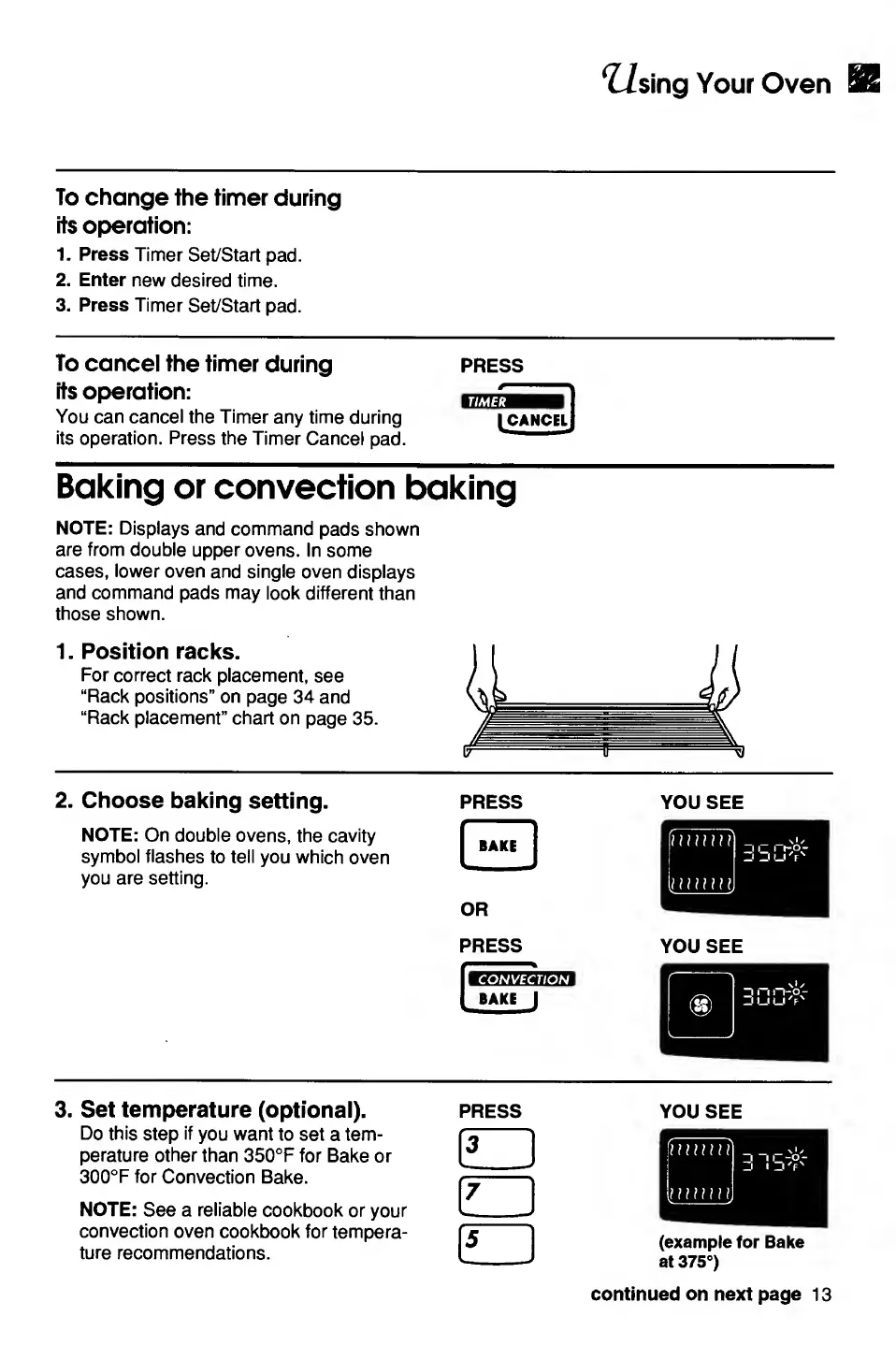
2.
Choose
baking
setting.
NOTE:
On
double
ovens,
the
cavity
symbol
flashes
to
tell
you
which
oven
you
are
setting.
YOU
SEE
3.
Set
temperature
(optional).
press
you
see
Do
this
step
if
you
want
to
set
a
tem¬
perature
other
than
350°F
for
Bake
or
300°F
for
Convection
Bake.
NOTE:
See
a
reliable
cookbook
or
your
convection
oven
cookbook
for
tempera¬
ture
recommendations.
continued
on
next
page
13

Related product manuals