EasyManua.ls Logo

KitchenAid KEBS207D - Page 20

KitchenAid KEBS207D
50 pages
Print Icon
To Next Page IconTo Next Page
To Previous Page IconTo Previous Page
Loading...
BlC/sing
Your
Oven
1.
Place
food
in
cold
oven.
If
you
need
the
Temperature
Probe
for
your
cycle
{settings
6-0
in
chart
on
page
21),
insert
probe
into
food.
(Follow
Steps
1-4
in
“Using
the
temperature
probe”
on
page
17.)
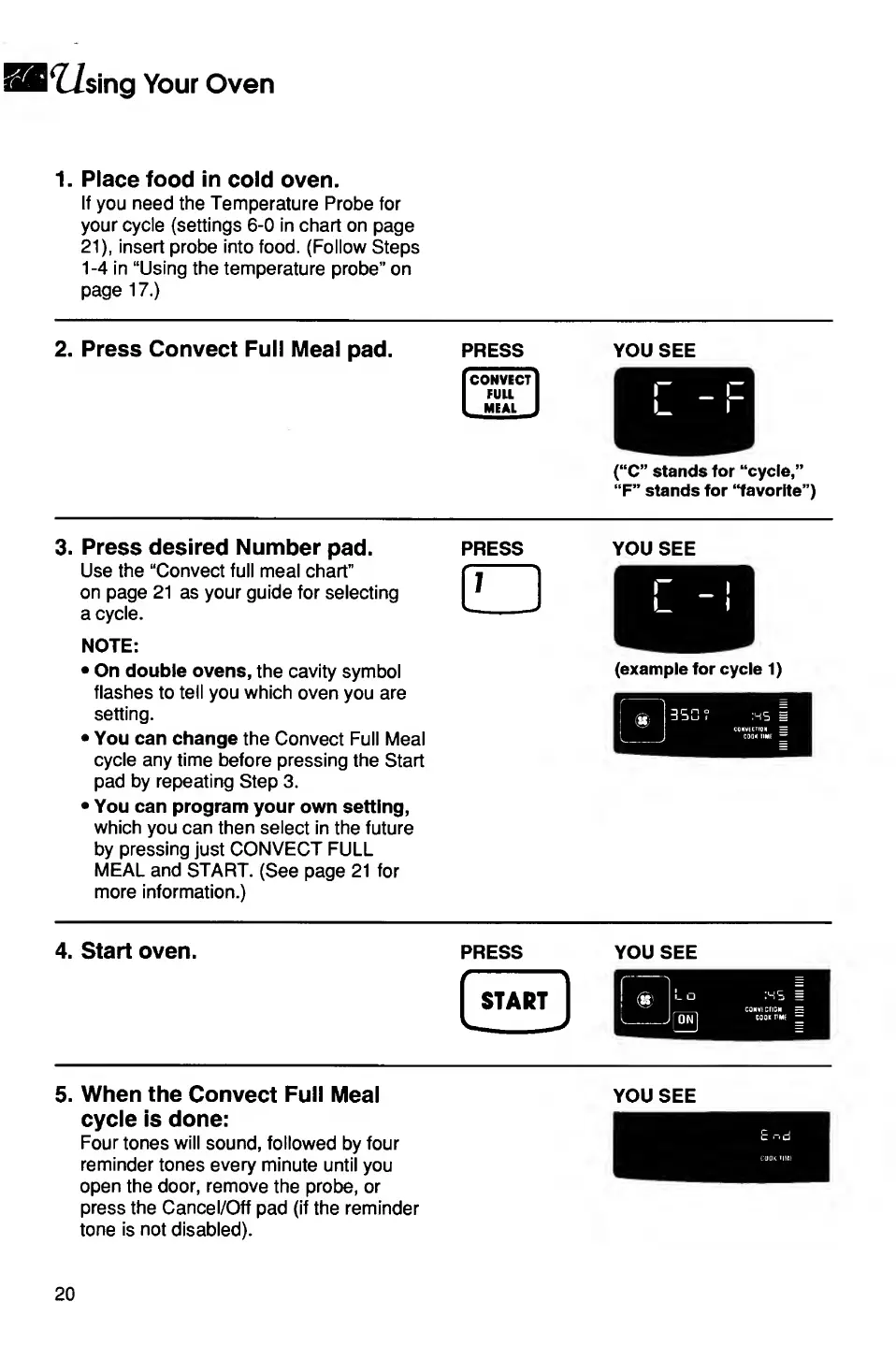
2.
Press
Convect
Full
Meal
pad.
PRESS
you
see
(“C”
stands
for
“cycle,”
“F”
stands
for
“favorite”)
3.
Press
desired
Number
pad.
Use
the
“Convect
full
meal
chart”
on
page
21
as
your
guide
for
selecting
a
cycle.
NOTE:
On
double
ovens,
the
cavity
symbol
flashes
to
tell
you
which
oven
you
are
setting.
You
can
change
the
Convect
Full
Meal
cycle
any
time
before
pressing
the
Start
pad
by
repeating
Step
3.
You
can
program
your
own
setting,
which
you
can
then
select
in
the
future
by
pressing
just
CONVECT
FULL
MEAL
and
START.
(See
page
21
for
more
information.)
PRESS
YOU
SEE
(example
for
cycle
1)
4.
Start
oven.
press
you
see
5.
When
the
Convect
Full
Meal
cycle
is
done:
Four
tones
will
sound,
followed
by
four
reminder
tones
every
minute
until
you
open
the
door,
remove
the
probe,
or
press
the
Cancel/Off
pad
(if
the
reminder
tone
is
not
disabled).
YOU
SEE
20

Related product manuals