EasyManua.ls Logo

KitchenAid KEBS207D - Page 25

KitchenAid KEBS207D
50 pages
Print Icon
To Next Page IconTo Next Page
To Previous Page IconTo Previous Page
Loading...
^sing
Your
Oven
H
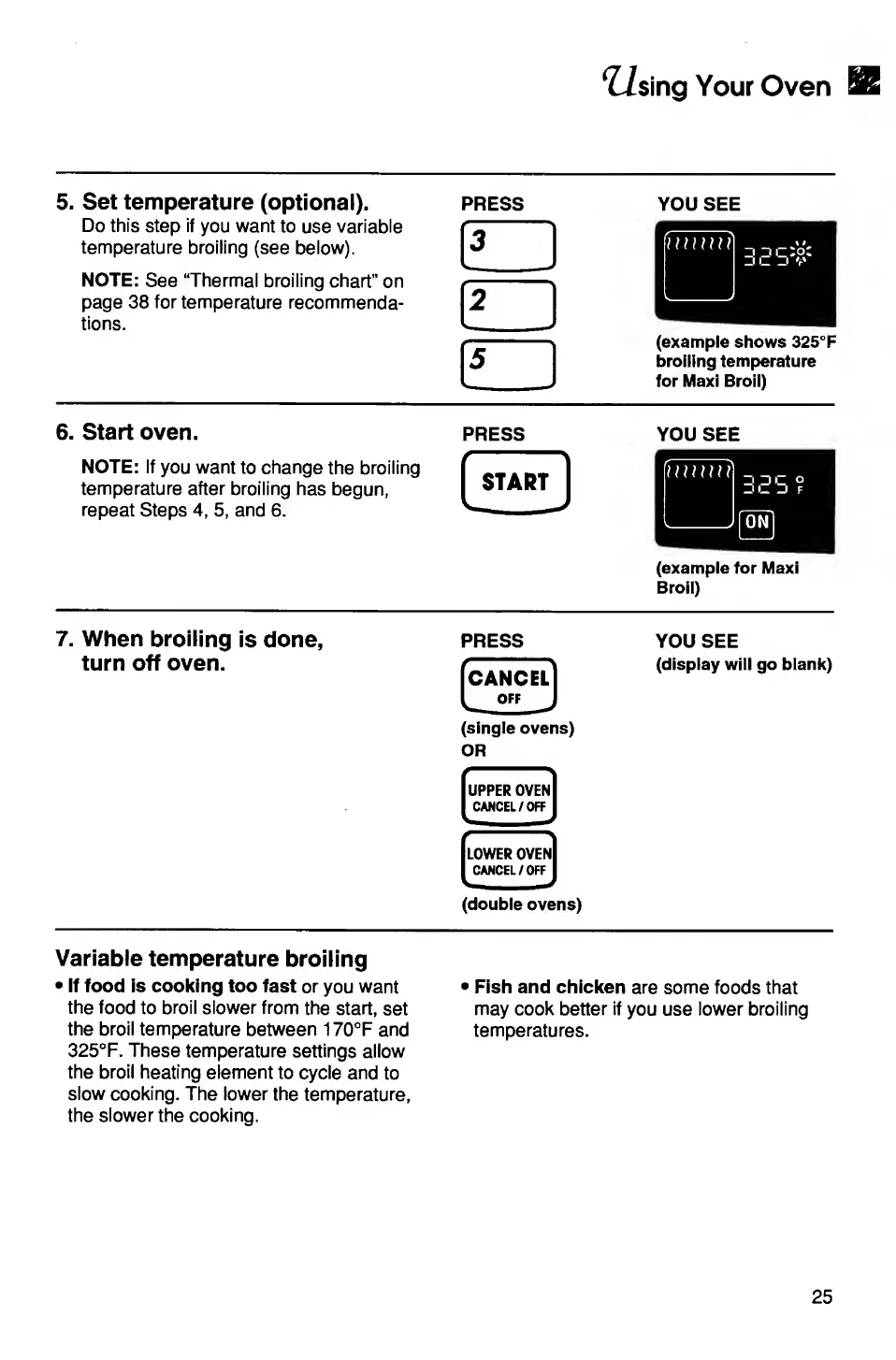
5.
Set
temperature
(optional).
Do
this
step
if
you
want
to
use
variable
temperature
broiling
(see
below).
NOTE:
See
“Thermal
broiling
chart”
on
page
38
for
temperature
recommenda¬
tions.
PRESS
f
1
3
1
111,1
2
|5
YOU
SEE
(example
shows
325°F
broiling
temperature
for
Maxi
Broil)
6.
Start
oven.
press
NOTE:
If
you
want
to
change
the
broiling
temperature
after
broiling
has
begun,
repeat
Steps
4,
5,
and
6.
START
YOU
SEE
(example
for
Maxi
Broil)
7.
When
broiling
is
done,
turn
off
oven.
PRESS
CANCEL
IoffJ
(single
ovens)
OR
*
'
UPPER
OVEN
CANCEL/OFF
LOWER
OVEN
CANCEL/OFF
(double
ovens)
YOU
SEE
(display
will
go
blank)
Variable
temperature
broiling
If
food
is
cooking
too
fast
or
you
want
the
food
to
broil
slower
from
the
start,
set
the
broil
temperature
between
170°F
and
325°F.
These
temperature
settings
allow
the
broil
heating
element
to
cycle
and
to
slow
cooking.
The
lower
the
temperature,
the
slower
the
cooking.
Fish
and
chicken
are
some
foods
that
may
cook
better
if
you
use
lower
broiling
temperatures.
25

Related product manuals