EasyManua.ls Logo

KitchenAid KEBS207D - Page 26

KitchenAid KEBS207D
50 pages
Print Icon
To Next Page IconTo Next Page
To Previous Page IconTo Previous Page
Loading...
iSSh./sing
Your
Oven
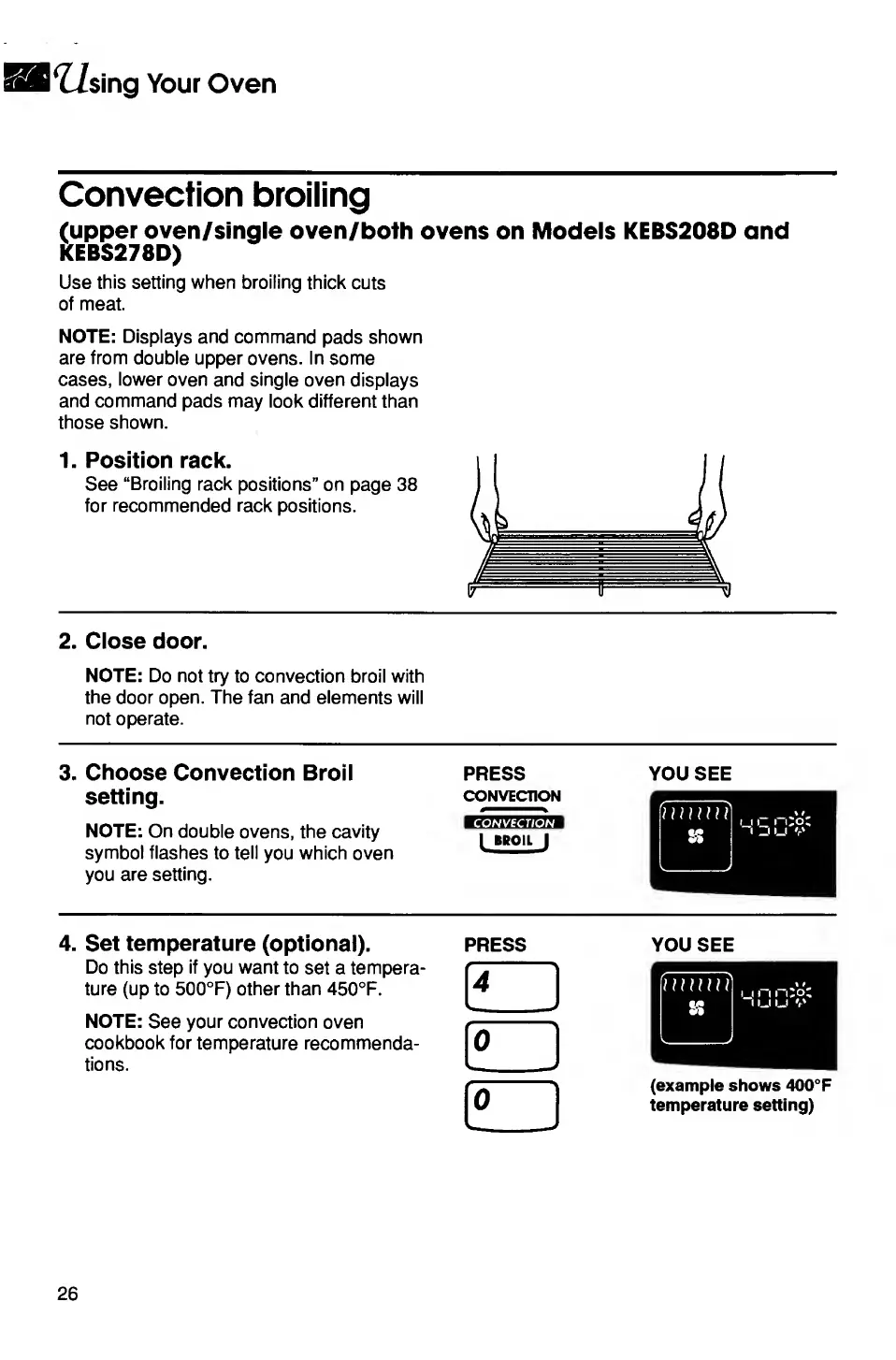
Convection
broiling
(upper
oven/single
oven/both
ovens
on
Models
KEBS208D
and
KEBS278D)
Use
this
setting
when
broiling
thick
cuts
of
meat.
NOTE:
Displays
and
command
pads
shown
are
from
double
upper
ovens.
In
some
cases,
lower
oven
and
single
oven
displays
and
command
pads
may
look
different
than
those
shown.
1.
Position
rack.
See
“Broiling
rack
positions”
on
page
38
for
recommended
rack
positions.
2.
Close
door.
NOTE:
Do
not
try
to
convection
broil
with
the
door
open.
The
fan
and
elements
will
not
operate.
3.
Choose
Convection
Broil
setting.
NOTE:
On
double
ovens,
the
cavity
symbol
flashes
to
tell
you
which
oven
you
are
setting.
PRESS
CONVECTION
CONVECTION
LMOILJ
YOU
SEE
4.
Set
temperature
(optional).
Do
this
step
if
you
want
to
set
a
tempera¬
ture
(up
to
500°F)
other
than
450°F.
NOTE:
See
your
convection
oven
cookbook
for
temperature
recommenda¬
tions.
PRESS
o
o
YOU
SEE
(example
shows
400°F
temperature
setting)

Related product manuals