EasyManua.ls Logo

KitchenAid KEBS207D - Page 27

KitchenAid KEBS207D
50 pages
Print Icon
To Next Page IconTo Next Page
To Previous Page IconTo Previous Page
Loading...
Rising
Your
Oven
5.
Preheat
oven.
press
NOTE:
If
you
want
to
change
the
convec¬
tion
broiling
temperature
after
broiling
has
begun,
repeat
Steps
3,
4,
and
5.
START
YOU
SEE
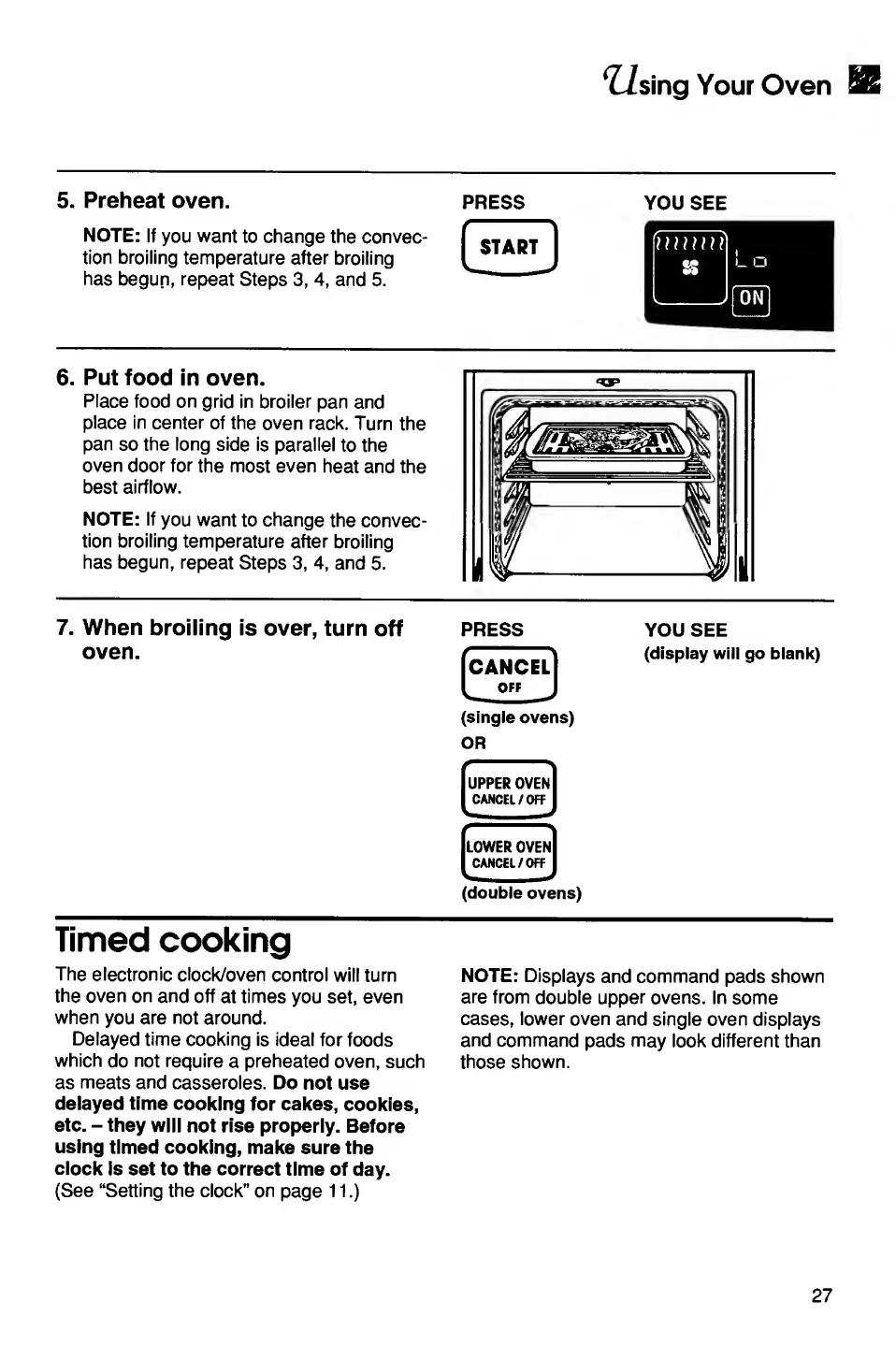
6.
Put
food
in
oven.
Place
food
on
grid
in
broiler
pan
and
place
in
center
of
the
oven
rack.
Turn
the
pan
so
the
long
side
is
parallel
to
the
oven
door
for
the
most
even
heat
and
the
best
airflow.
NOTE:
If
you
want
to
change
the
convec¬
tion
broiling
temperature
after
broiling
has
begun,
repeat
Steps
3,
4,
and
5.
7.
When
broiling
is
over,
turn
off
oven.
PRESS
[cancel]
IoffJ
(single
ovens)
OR
UPPER
OVEN
CANCEL/OFF
i
LOWER
OVEN
CANCEL/OFF
(double
ovens)
YOU
SEE
(display
will
go
blank)
Timed
cooking
The
electronic
clock/oven
control
will
turn
the
oven
on
and
off
at
times
you
set,
even
when
you
are
not
around.
Delayed
time
cooking
is
ideal
for
foods
which
do
not
require
a
preheated
oven,
such
as
meats
and
casseroles.
Do
not
use
delayed
time
cooking
for
cakes,
cookies,
etc.
-
they
will
not
rise
properly.
Before
using
timed
cooking,
make
sure
the
clock
is
set
to
the
correct
time
of
day.
(See
“Setting
the
clock”
on
page
11.)
NOTE:
Displays
and
command
pads
shown
are
from
double
upper
ovens.
In
some
cases,
lower
oven
and
single
oven
displays
and
command
pads
may
look
different
than
those
shown.
27

Related product manuals