EasyManua.ls Logo

KitchenAid KEBS207D - Page 29

KitchenAid KEBS207D
50 pages
Print Icon
To Next Page IconTo Next Page
To Previous Page IconTo Previous Page
Loading...
Rising
Your
Oven
SB
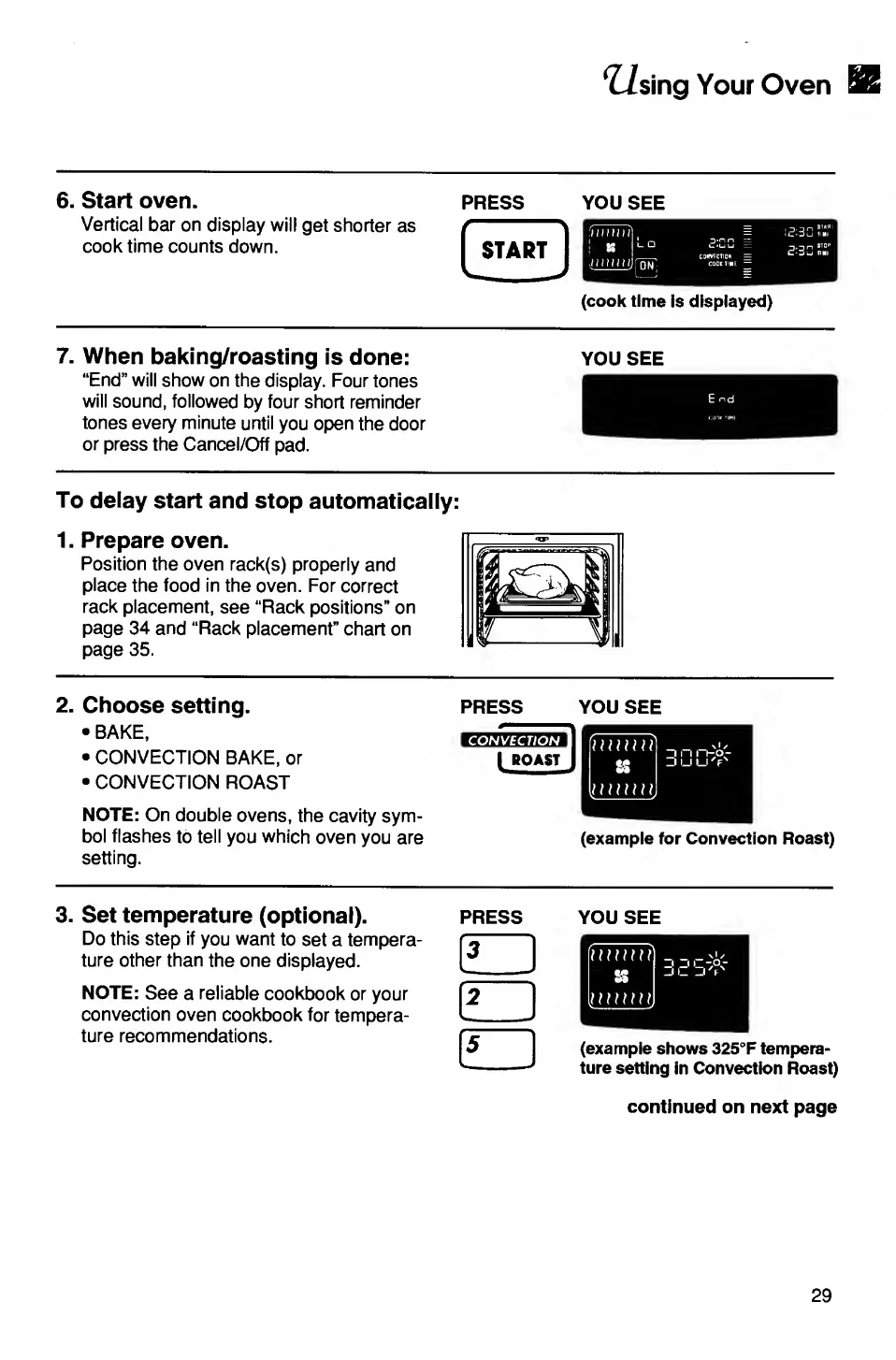
6.
Start
oven.
Vertical
bar
on
display
will
get
shorter
as
cook
time
counts
down.
PRESS
(cook
time
is
displayed)
*
'
START
YOU
SEE
7.
When
baking/roasting
is
done:
“End”
will
show
on
the
display.
Four
tones
will
sound,
followed
by
four
short
reminder
tones
every
minute
until
you
open
the
door
or
press
the
Cancel/Off
pad.
YOU
SEE
To
delay
start
and
stop
automatically:
1.
Prepare
oven.
Position
the
oven
rack(s)
properly
and
place
the
food
in
the
oven.
For
correct
rack
placement,
see
“Rack
positions”
on
page
34
and
“Rack
placement”
chart
on
page
35.
2.
Choose
setting.
BAKE,
CONVECTION
BAKE,
or
CONVECTION
ROAST
NOTE:
On
double
ovens,
the
cavity
sym¬
bol
flashes
to
tell
you
which
oven
you
are
setting.
PRESS
YOU
SEE
(example
for
Convection
Roast)
3.
Set
temperature
(optional).
press
Do
this
step
if
you
want
to
set
a
tempera¬
ture
other
than
the
one
displayed.
NOTE:
See
a
reliable
cookbook
or
your
convection
oven
cookbook
for
tempera¬
ture
recommendations.
YOU
SEE
(example
shows
325°F
tempera¬
ture
setting
in
Convection
Roast)
continued
on
next
page
29

Related product manuals