EasyManua.ls Logo

KitchenAid KEBS207D - Page 30

KitchenAid KEBS207D
50 pages
Print Icon
To Next Page IconTo Next Page
To Previous Page IconTo Previous Page
Loading...
Hi'L/sing
Your
Oven
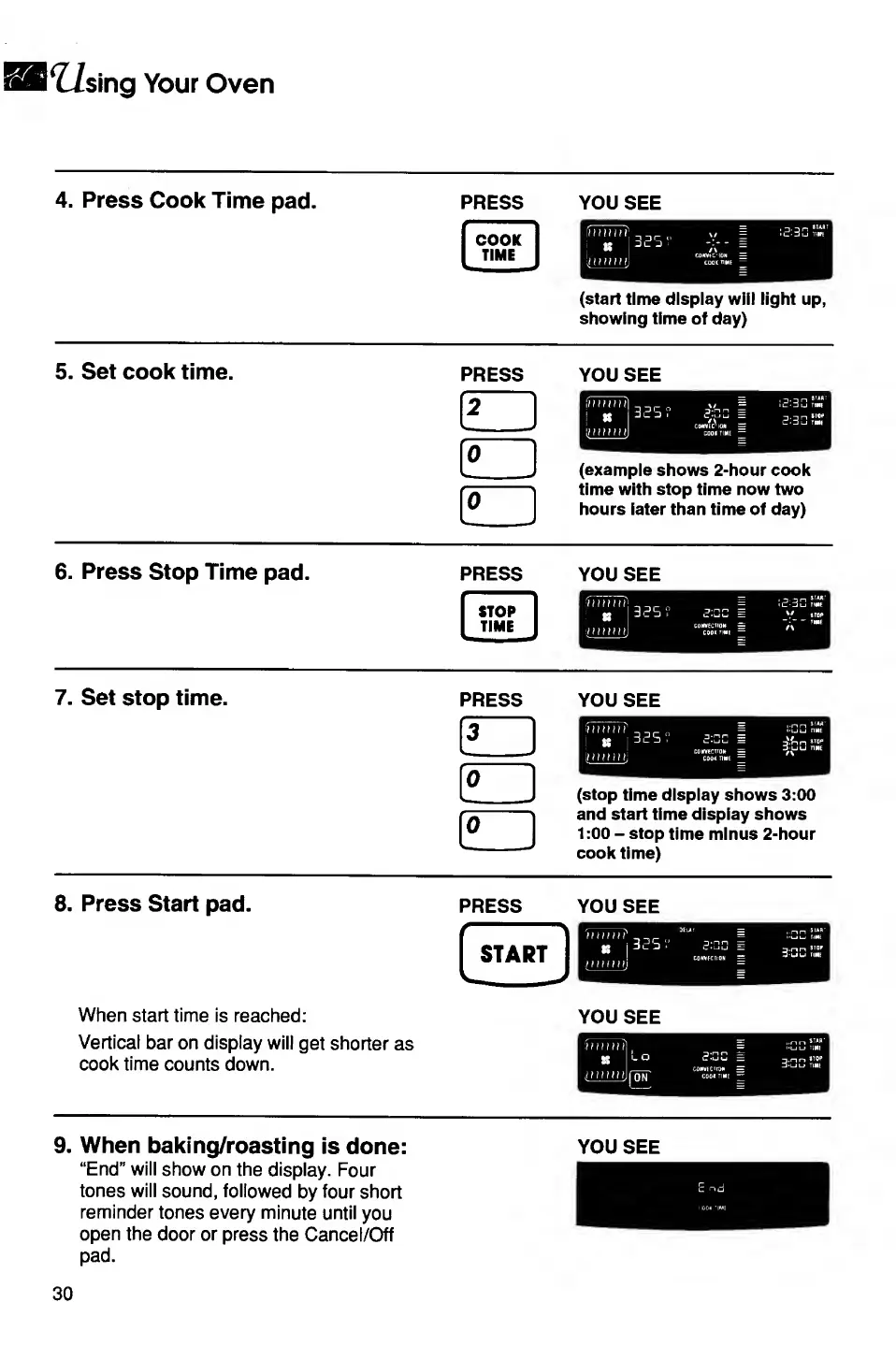
4.
Press
Cook
Time
pad.
press
you
see
(start
time
display
will
light
up,
showing
time
of
day)
5.
Set
cook
time.
press
you
see
(example
shows
2-hour
cook
time
with
stop
time
now
two
hours
later
than
time
of
day)
6.
Press
Stop
Time
pad.
PRESS
YOU
SEE
7.
S
et
stop
time.
PRESS
YOU
SEE
(stop
time
display
shows
3:00
and
start
time
display
shows
1:00
-
stop
time
minus
2-hour
cook
time)
8.
P
ress
Start
pad.
When
start
time
is
reached:
Vertical
bar
on
display
will
get
shorter
as
cook
time
counts
down.
YOU
SEE
9.
W
h
en
baking/roasting
is
done:
“End”
will
show
on
the
display.
Four
tones
will
sound,
followed
by
four
short
reminder
tones
every
minute
until
you
open
the
door
or
press
the
Cancel/Off
pad.
YOU
SEE
E
n
d
30

Related product manuals