EasyManua.ls Logo

KitchenAid KEBS207D - Page 33

KitchenAid KEBS207D
50 pages
Print Icon
To Next Page IconTo Next Page
To Previous Page IconTo Previous Page
Loading...
*£i$ing
Your
Oven
13
Raising
(proofing)
bread
(upper
oven/single
oven/both
ovens
on
Models
KEBS208D
and
KEBS278D)
You
can
use
your
THERMAL-CONVECTION*
NOTE:
If
you
do
not
turn
off
oven
after
oven
to
proof
bread.
For
more
information
proofing
bread,
the
oven
will
keep
running
see
your
convection
oven
cookbook,
pro-
until
you
press
CANCEL/OFF.
vided
with
your
oven.
NOTE:
Displays
and
command
pads
shown
are
from
double
upper
ovens.
In
some
cases,
lower
oven
and
single
oven
displays
and
command
pads
may
look
different
than
those
shown.
1.
Put
dough
in
oven.
NOTE:
Be
sure
to
close
the
door.
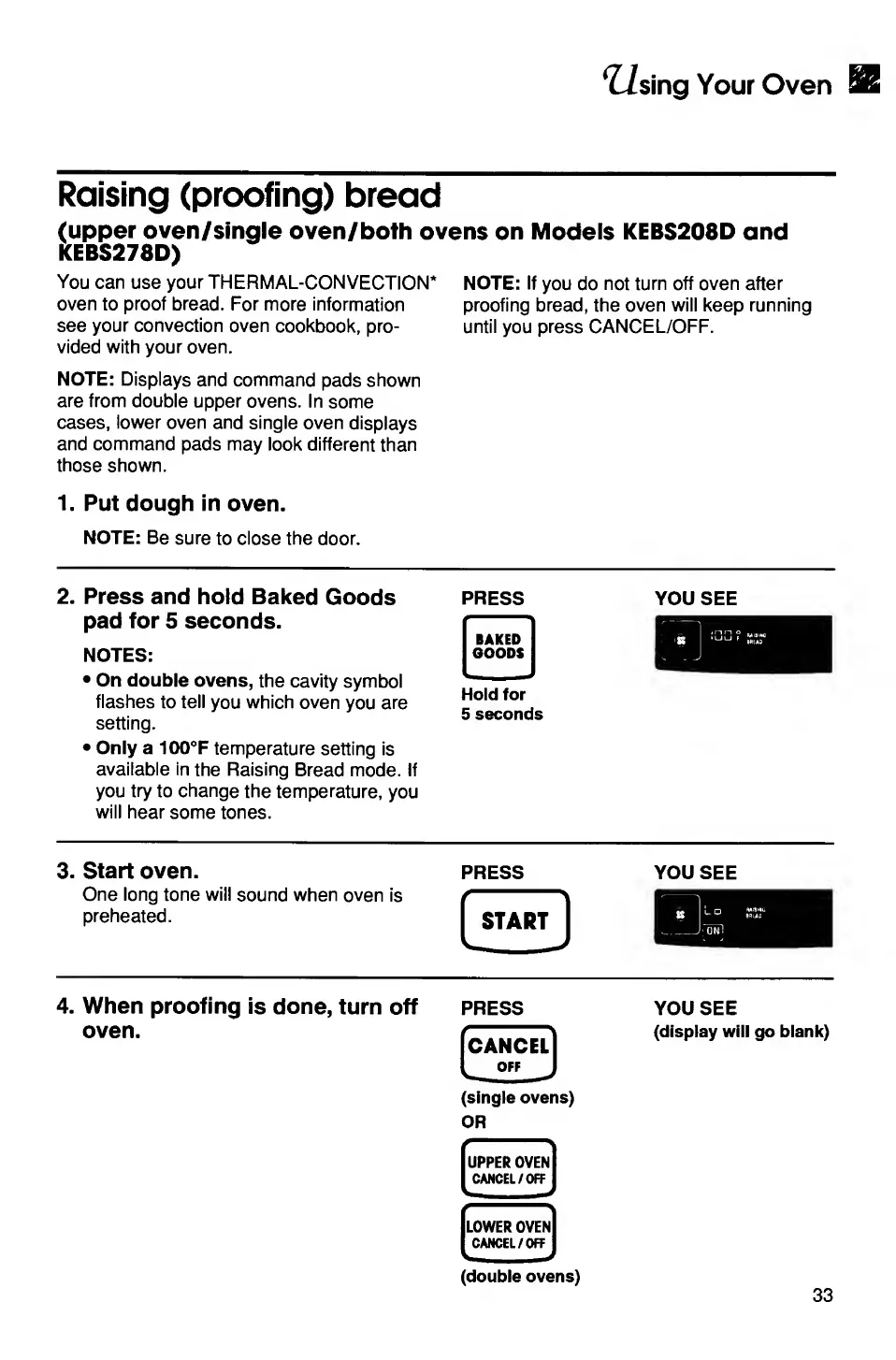
2.
Press
and
hold
Baked
Goods
pad
for
5
seconds.
NOTES:
On
double
ovens,
the
cavity
symbol
flashes
to
tell
you
which
oven
you
are
setting.
Only
a
100°F
temperature
setting
is
available
in
the
Raising
Bread
mode.
If
you
try
to
change
the
temperature,
you
will
hear
some
tones.
3.
Start
oven.
press
you
see
One
long
tone
will
sound
when
oven
is
preheated.
PRESS
YOU
SEE
Hold
for
5
seconds
4.
When
proofing
is
done,
turn
off
oven.
PRESS
[cancel]
IoffJ
(single
ovens)
OR
.
.
^
UPPER
OVEN
CANCEL/OFF
LOWER
OVEN
CANCEL/OFF
YOU
SEE
(display
will
go
blank)
(double
ovens)
33

Related product manuals