EasyManua.ls Logo

KitchenAid KEBS207D - Page 32

KitchenAid KEBS207D
50 pages
Print Icon
To Next Page IconTo Next Page
To Previous Page IconTo Previous Page
Loading...
I
xising
Your
Oven
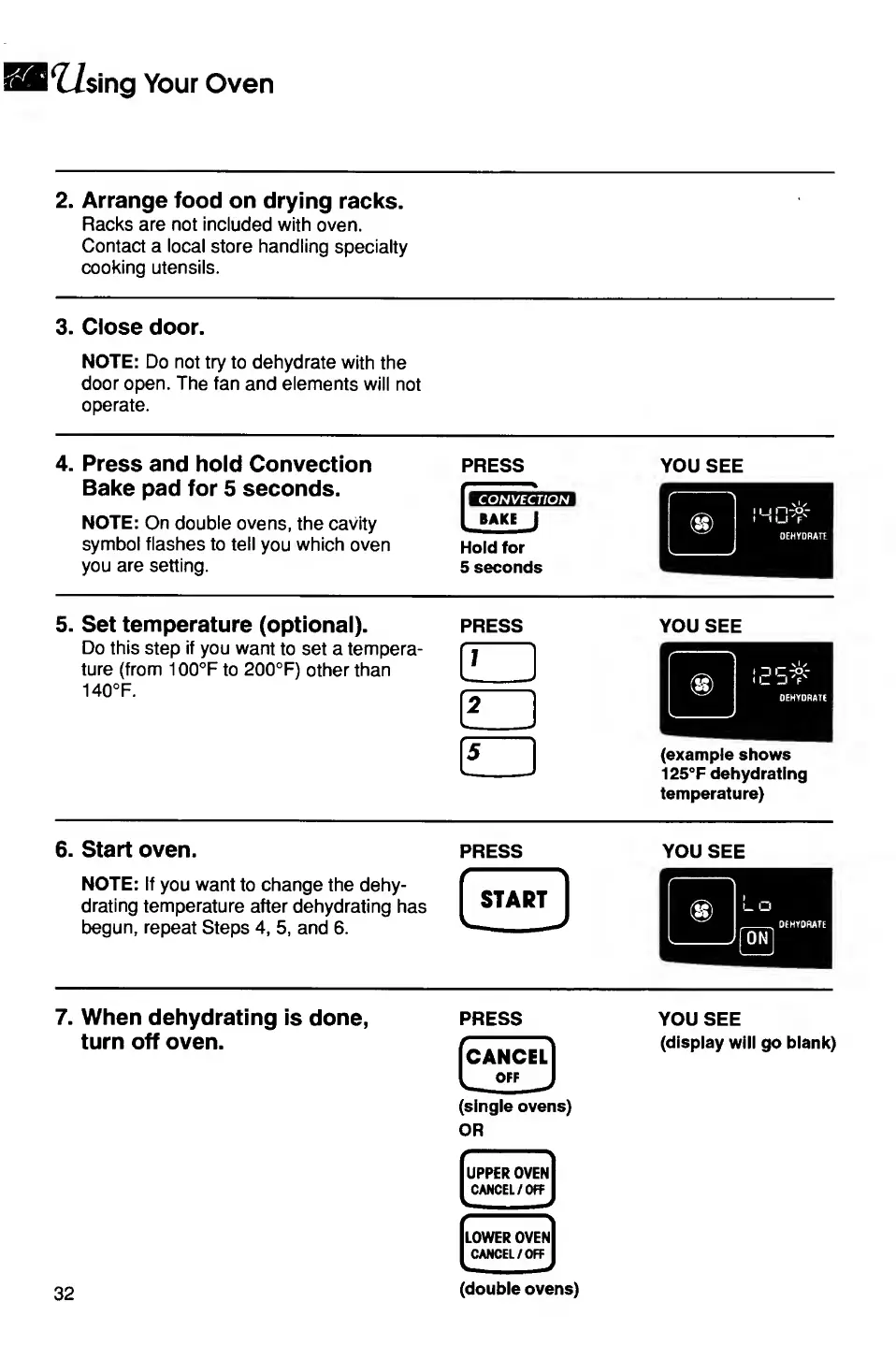
2.
Arrange
food
on
drying
racks.
Racks
are
not
included
with
oven.
Contact
a
local
store
handling
specialty
cooking
utensils.
3.
Close
door.
NOTE:
Do
not
try
to
dehydrate
with
the
door
open.
The
fan
and
elements
will
not
operate.
4.
Press
and
hold
Convection
Bake
pad
for
5
seconds.
NOTE:
On
double
ovens,
the
cavity
symbol
flashes
to
tell
you
which
oven
you
are
setting.
PRESS
CONVECTION
Hold
for
5
seconds
YOU
SEE
5.
Set
temperature
(optional).
Do
this
step
if
you
want
to
set
a
tempera¬
ture
(from
100°F
to
200°F)
other
than
140°F.
PRESS
GZ)
f2
1
5
YOU
SEE
(example
shows
125°F
dehydrating
temperature)
6.
Start
oven.
NOTE:
If
you
want
to
change
the
dehy¬
drating
temperature
after
dehydrating
has
begun,
repeat
Steps
4,
5,
and
6.
PRESS
YOU
SEE
7.
When
dehydrating
is
done,
turn
off
oven.
PRESS
CANCEL
OFF
(single
ovens)
OR
UPPER
OVEN
CANCEL/OFF
LOWER
OVEN
CANCEL/OFF
YOU
SEE
(display
will
go
blank)
32
(double
ovens)

Related product manuals