EasyManua.ls Logo

KitchenAid KEMS306B - Page 18

KitchenAid KEMS306B
23 pages
Print Icon
To Next Page IconTo Next Page
To Previous Page IconTo Previous Page
Loading...
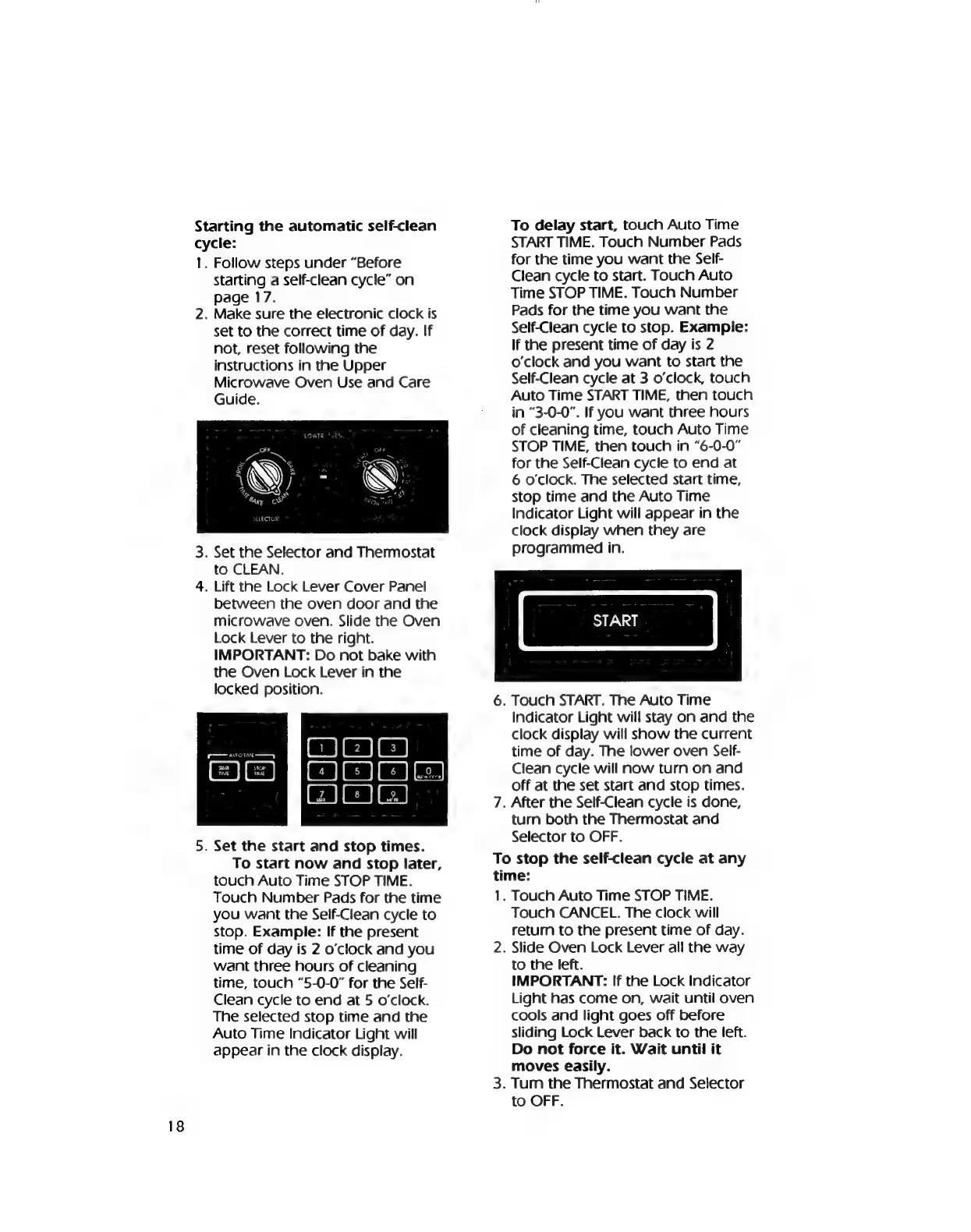
Starting
the
automatic
self-clean
cycle:
1.
Follow
steps
under
“Before
starting
a
self-clean
cycle”
on
page
17.
2.
Make
sure
the
electronic
clock
is
set
to
the
correct
time
of
day.
If
not,
reset
following
the
instructions
in
the
Upper
Microwave
Oven
Use
and
Care
Guide.
3.
Set
the
Selector
and
Thermostat
to
CLEAN.
4.
Lift
the
Lock
Lever
Cover
Panel
between
the
oven
door
and
the
microwave
oven.
Slide
the
Oven
Lock
Lever
to
the
right.
IMPORTANT:
Do
not
bake
with
the
Oven
Lock
Lever
in
the
locked
position.
ra
AIOE
ey
5.
Set
the
start
and
stop
times.
To
start
now
and
stop
later,
touch
Auto
Time
STOP
TIME.
Touch
Number
Pads
for
the
time
you
want
the
Seif-Clean
cycle
to
stop.
Example:
If
the
present
time
of
day
is
2
o’clock
and
you
want
three
hours
of
cleaning
time,
touch
“5-0-0”
for
the
Self-
Clean
cycle
to
end
at
5
o'clock.
The
selected
stop
time
and
the
Auto
Time
Indicator
Light
will
appear
in
the
clock
display.
To
delay
start,
touch
Auto
Time
START
TIME.
Touch
Number
Pads
for
the
time
you
want
the
Self-
Clean
cycle
to
start.
Touch
Auto
Time
STOP
TIME.
Touch
Number
Pads
for
the
time
you
want
the
Self-Clean
cycle
to
stop.
Example:
If
the
present
time
of
day
is
2
o'clock
and
you
want
to
start
the
Self-Clean
cycle
at
3
o'clock,
touch
Auto
Time
START
TIME,
then
touch
in
“3-0-0”.
If
you
want
three
hours
of
cleaning
time,
touch
Auto
Time
STOP
TIME,
then
touch
in
“6-0-0”
for
the
Self-Clean
cycle
to
end
at
6
o'clock.
The
selected
start
time,
stop
time
and
the
Auto
Time
Indicator
Light
will
appear
in
the
clock
display
when
they
are
programmed
in.
START
6.
Touch
START.
The
Auto
Time
7.
Indicator
Light
will
stay
on
and
the
clock
display
will
show
the
current
time
of
day.
The
lower
oven
Self-
Clean
cycle
will
now
turn
on
and
off
at
the
set
start
and
stop
times.
After
the
Self-Clean
cycle
is
done,
turn
both
the
Thermostat
and
Selector
to
OFF.
To
stop
the
self-clean
cycle
at
any
time:
1.
2.
Touch
Auto
Time
STOP
TIME.
Touch
CANCEL.
The
clock
will
retum
to
the
present
time
of
day.
Slide
Oven
Lock
Lever
ail
the
way
to
the
left.
IMPORTANT:
If
the
Lock
Indicator
Light
has
come
on,
wait
until
oven
cools
and
light
goes
off
before
sliding
Lock
Lever
back
to
the
left.
Do
not
force
it.
Wait
until
it
moves
easily.
.
Tum
the
Thermostat
and
Selector
to
OFF.

Related product manuals