17
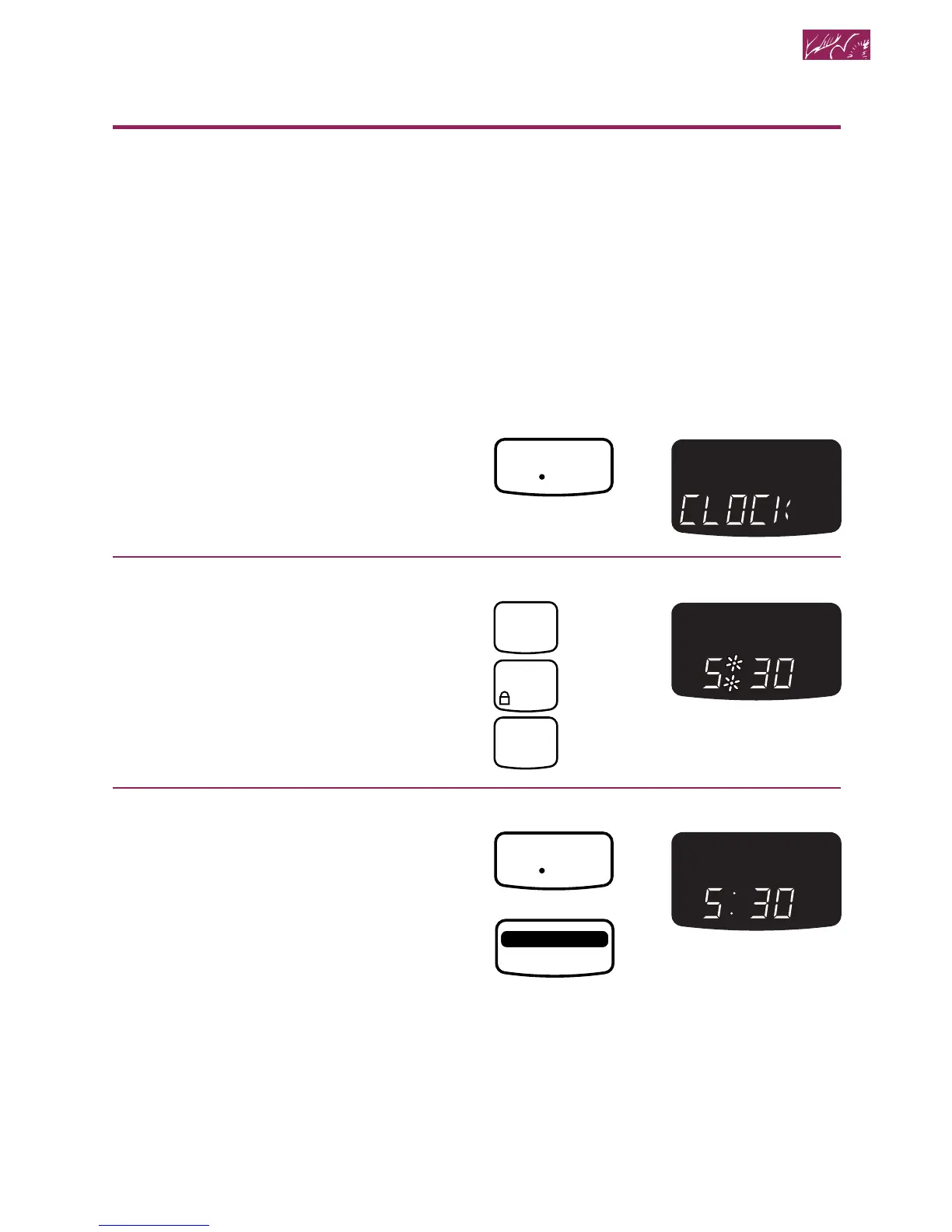
Setting the clock
When your microwave oven is first plugged
in or after a power failure, the colon and time
of day will flash for 5 minutes. “PF” will show
on the lower oven Temperature Display until
any pad is touched.
To set time:
1. Choose the clock.
2. Enter time of day.
Example for 5:30:
3. Complete entry.
NOTES:
• You can only set the clock when the
lower oven and the microwave oven are
not cooking food and when the Minute
Timer is not counting down.
• You can clear the time of day from the
Display by touching and holding CLOCK
SET•START for 5 seconds. Touch CLOCK
SET•START to see the time of day again.




 To Next Page