"Using the Self-CleaningCycle
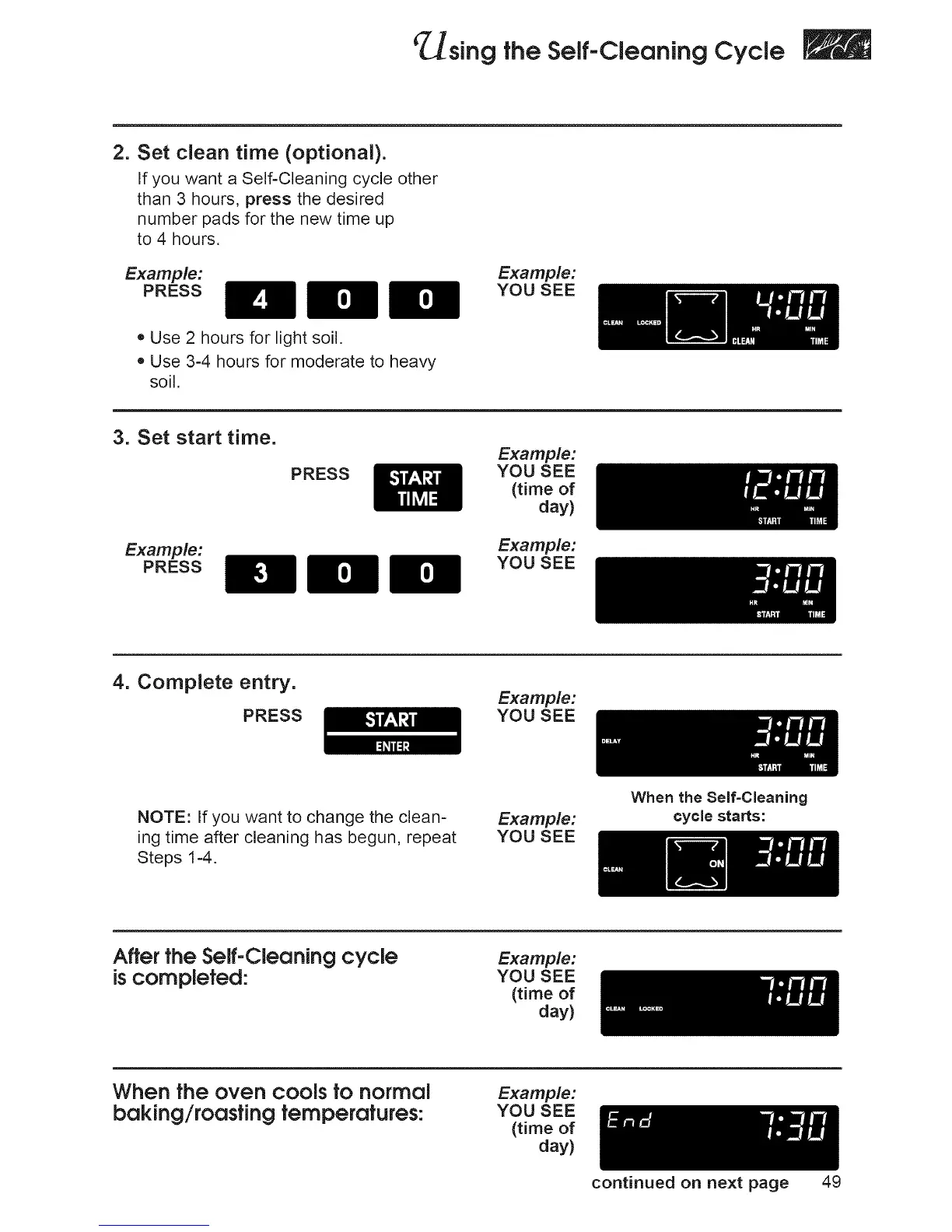
2. Set clean time (optional).
If you want a Self-Cleaning cycle other
than 3 hours, press the desired
number pads for the new time up
to 4 hours.
Example:
PRESS
re'a=re'a=
• Use 2 hours for light soil.
• Use 3-4 hours for moderate to heavy
soil.
Example:
YOU SEE
3. Set start time.
Example:
PRESS
PRESS
Example:
YOU SEE
(time of
day)
Example:
YOU SEE
4. Complete entry.
PRESS
Example:
YOU SEE
NOTE: If you want to change the clean=
ing time after cleaning has begun, repeat
Steps 1-4.
Example:
YOU SEE
When the Self=Cleaning
cycle starts:
After the Self-Cleaning cycle
is completed:
Example:
YOU SEE
(time of
day)
When the oven cools tonormal
beking/roostingtemperatures:
Example:
YOU SEE
(time of
day)
continued on next page 49







 To Next Page