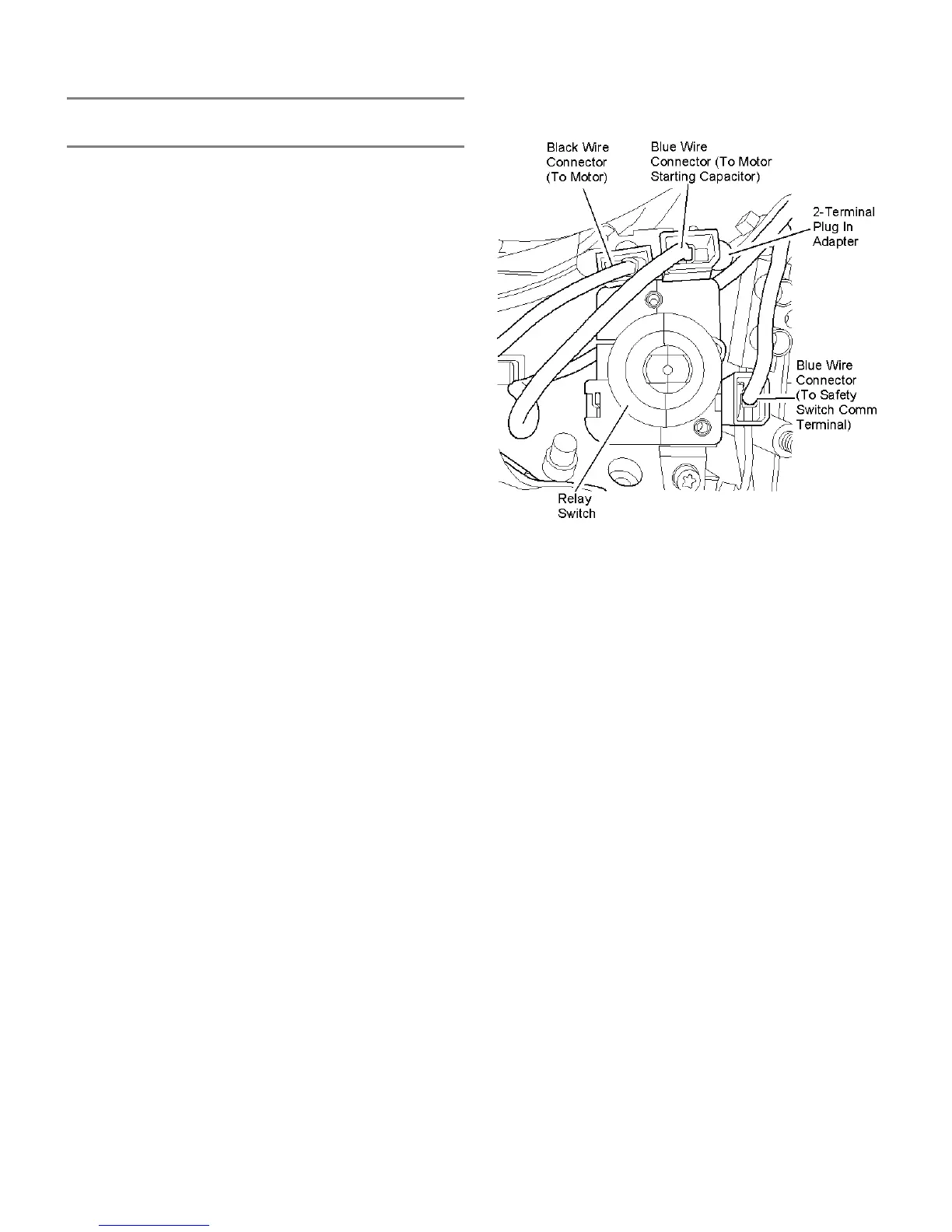
RELAY SWITCH REPLACEMENT
- ALL MODELS -
To replace the relay switch (all models):
NOTE: The following replacement procedure is
described with the motor housing turned
on its side on a cushioned surface and the
relay switch oriented up.
1. Unplug the power cord and remove the housing base.
2. Unplug the blue wire from the terminal on the side of the
relay switch going to the Com terminal on the safety
switch. The safety switch is attached at the inside/top of
the motor housing.
3. Unplug the adapter (containing one (1) blue wire going to
the capacitor and one (1) black wire going to the motor)
out of the end of the relay switch.
4. Manipulate the relay switch/mounting tab out of its rubber
mounting block attached to the switch assembly.
5. Replace the relay switch with the same model type in the
reverse order.
12








 To Next Page