SPECIAL TOASTING FUNCTIONS
The Keep Warm function holds toast in low, gentle heat for 3 minutes after toasting.
3
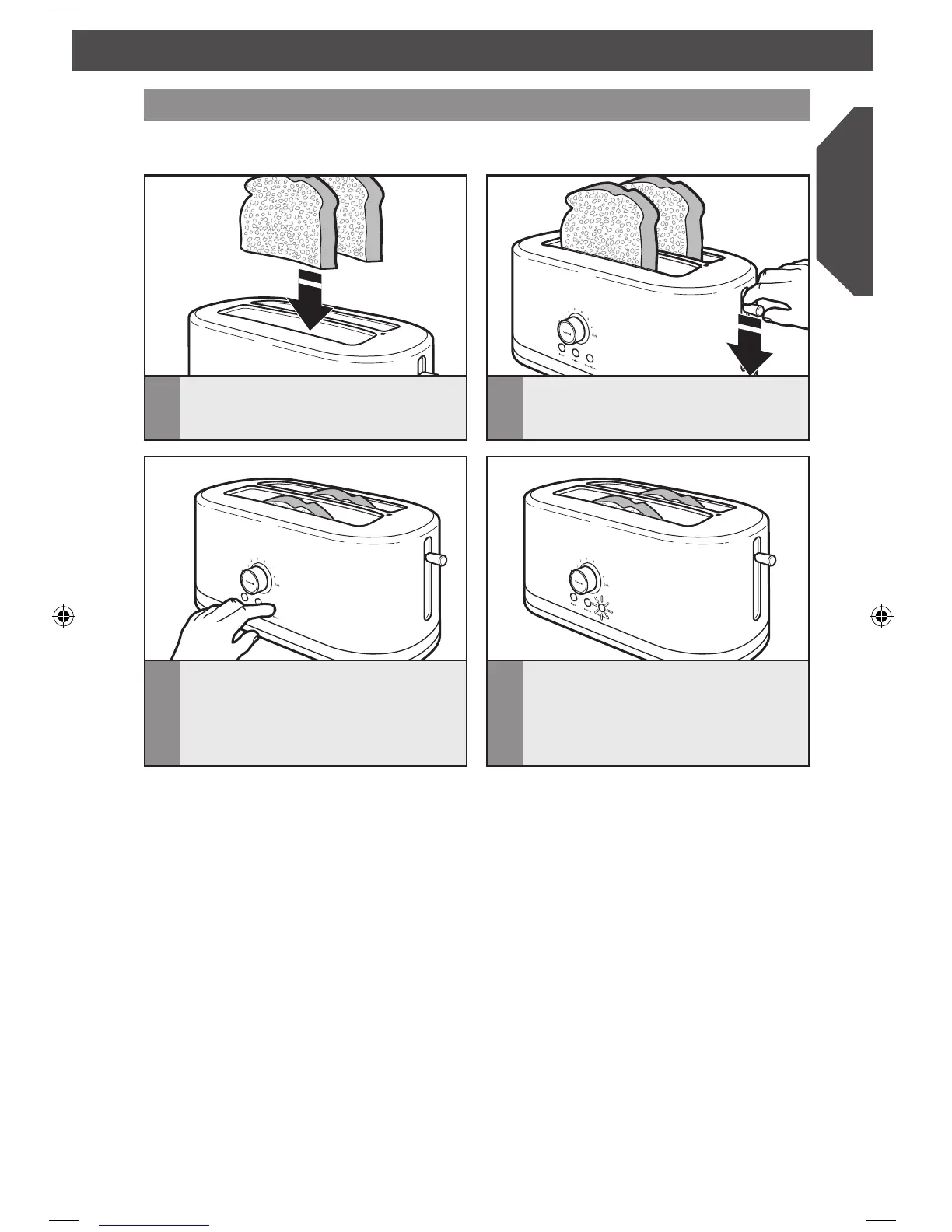
Press the KEEP WARM button. The
Keep Warm indicator light will blink
slowly.
TIP: The Keep Warm function can be
used at the same time as the Bagel and
Defrost functions.
Keep Warm
2
With the shade control knob set to
your desired shade, press down on the
lift lever to start the toasting cycle.
1
Insert bread or other food to be toasted
into the slot(s).
4
When the toasting cycle is complete,
the Keep Warm indicator light will stop
blinking and glow continuously while
the toaster keeps the toast warm for 3
minutes after toasting.
W10739208A_EN_v11.indd 11 2/23/15 2:19 PM




 To Next Page