18
Instructions for using the oven
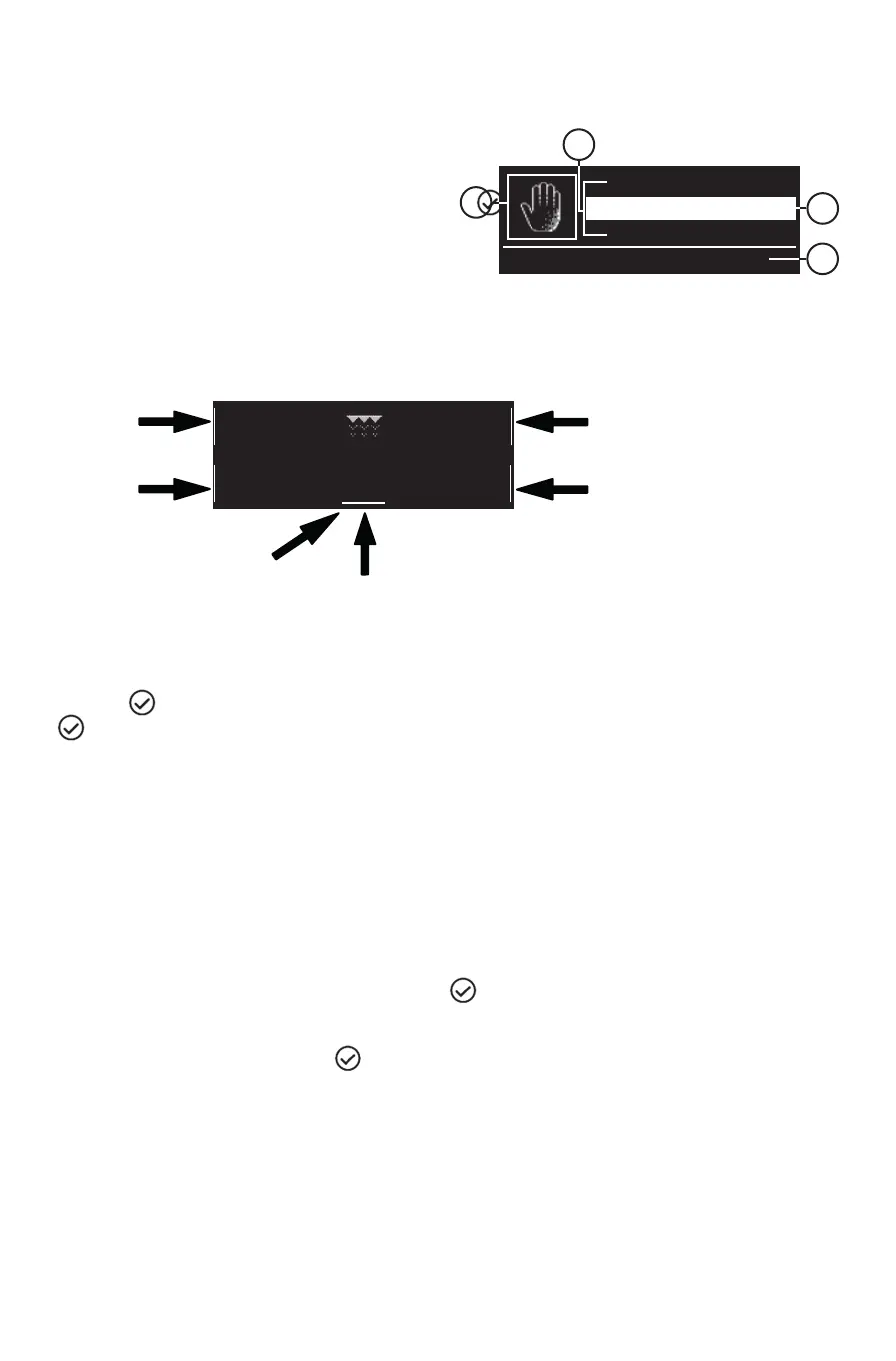
Turn the “Functions” knob to any position and the oven switches on: the display shows the functions or
the associated submenus.
A. Symbol for highlighted function
B. The highlighted function can be selected by pressing
C. Description of highlighted function
D. Other available and selectable functions
FUNCTION DETAILS
After selecting the desired function, the display will show further options and related details.
To move between the dierent zones, use the “Browse” knob: the cursor moves to the adjustable values,
following the order described above.
Press the
button to select the value, change it by turning the “Browse” knob and conrm with the
button.
FIRST USE – SELECTING A LANGUAGE AND SETTING THE TIME
To use the oven correctly, you will need to select the language you require and set the correct time when
you switch the oven on for the rst time.
Proceed as follows:
1. Turn the “Functions” knob to any position: the display will show the list of the rst three available
languages.
2. Turn the “Browse” knob to scroll through the list.
3. When the desired language is highlighted, press
to select it. After language selection, the display
will ash 12:00.
4. Set the time by turning the “Browse” knob.
5. Conrm your setting by pressing
.
Traditional
Professional
Special functions
Traditional manual cooking functions
B
C
A
D
Start
Grill
Medium
GRILL POWER
NO
PREHEAT.
--:--
COOK TIME
--:--
END TIME
Zone 3
Zone 4
Zone 1
Zone 2
Zone 5
CURSOR



 To Next Page