EasyManua.ls Logo

KitchenAid KUDM220T - Page 21

KitchenAid KUDM220T
24 pages
Print Icon
To Next Page IconTo Next Page
To Previous Page IconTo Previous Page
Loading...
OPTION
B
Upper
Panel:
1.
Disconnect
electrical
power
supply.
2.
Pull
door
open.
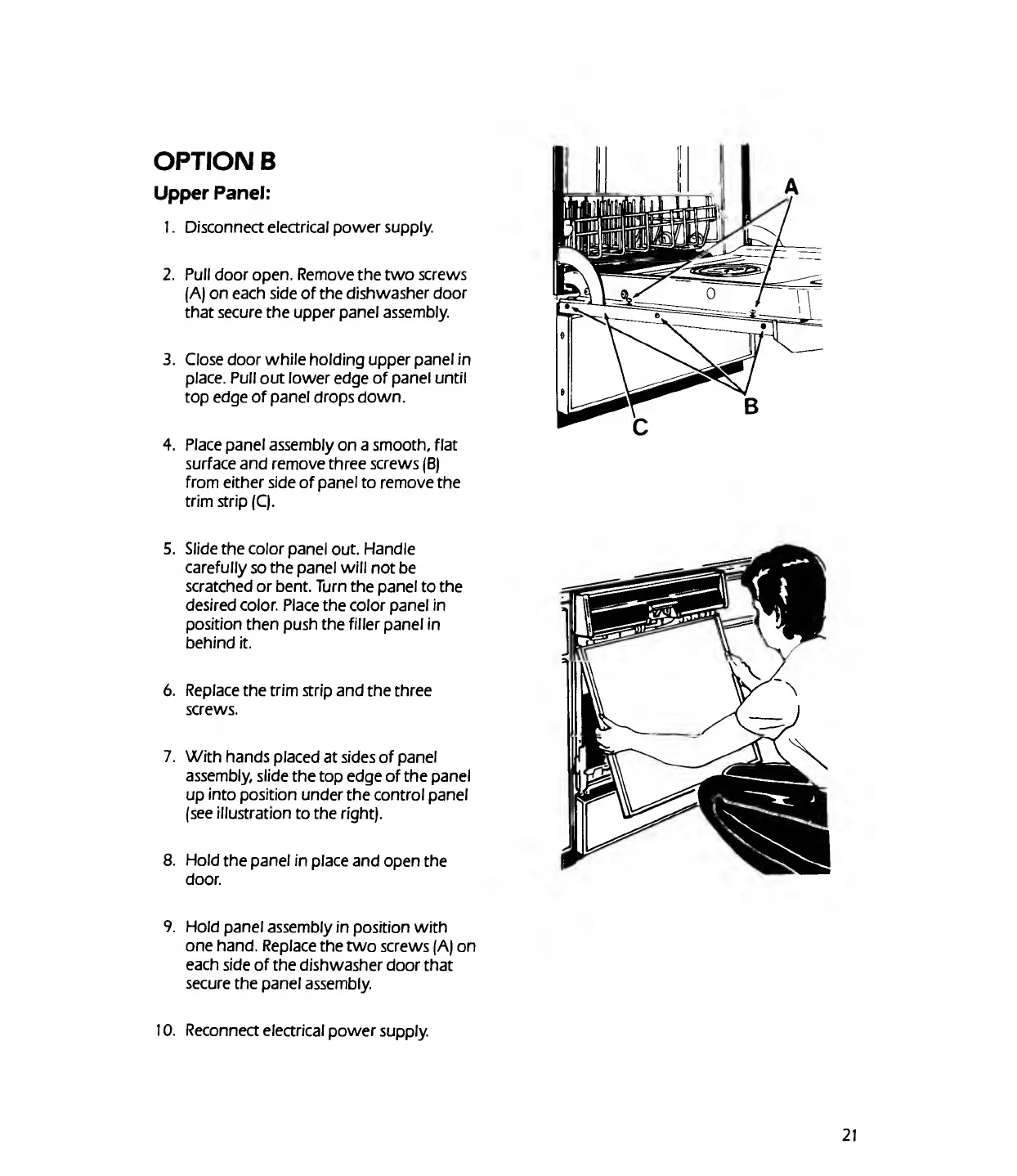
Remove
the
two
screws
(A)
on
each
side
of
the
dishwasher
door
that
secure
the
upper
panel
assembly.
3.
Close
door
while
holding
upper
panel
in
place.
Pull
out
lower
edge
of
panel
until
top
edge
of
panel
drops
down.
4.
Place
panel
assembly
on
a
smooth,
flat
surface
and
remove
three
screws
(B)
from
either
side
of
panel
to
remove
the
trim
strip
(C).
5.
Slide
the
color
panel
out.
Handle
carefully
so
the
panel
will
not
be
scratched
or
bent.
Turn
the
panel
to
the
desired
color.
Place
the
color
panel
in
position
then
push
the
filler
panel
in
behind
it.
6.
Replace
the
trim
strip
and
the
three
screws.
7.
With
hands
placed
at
sides
of
panel
assembly,
slide
the
top
edge
of
the
panel
up
into
position
under
the
control
panel
(see
illustration
to
the
right).
8.
Hold
the
panel
in
place
and
open
the
door.
9.
Hold
panel
assembly
in
position
with
one
hand.
Replace
the
two
screws
(A)
on
each
side
of
the
dishwasher
door
that
secure
the
panel
assembly.
10.
R
econnect
electrical
power
supply.
21

Related product manuals