25
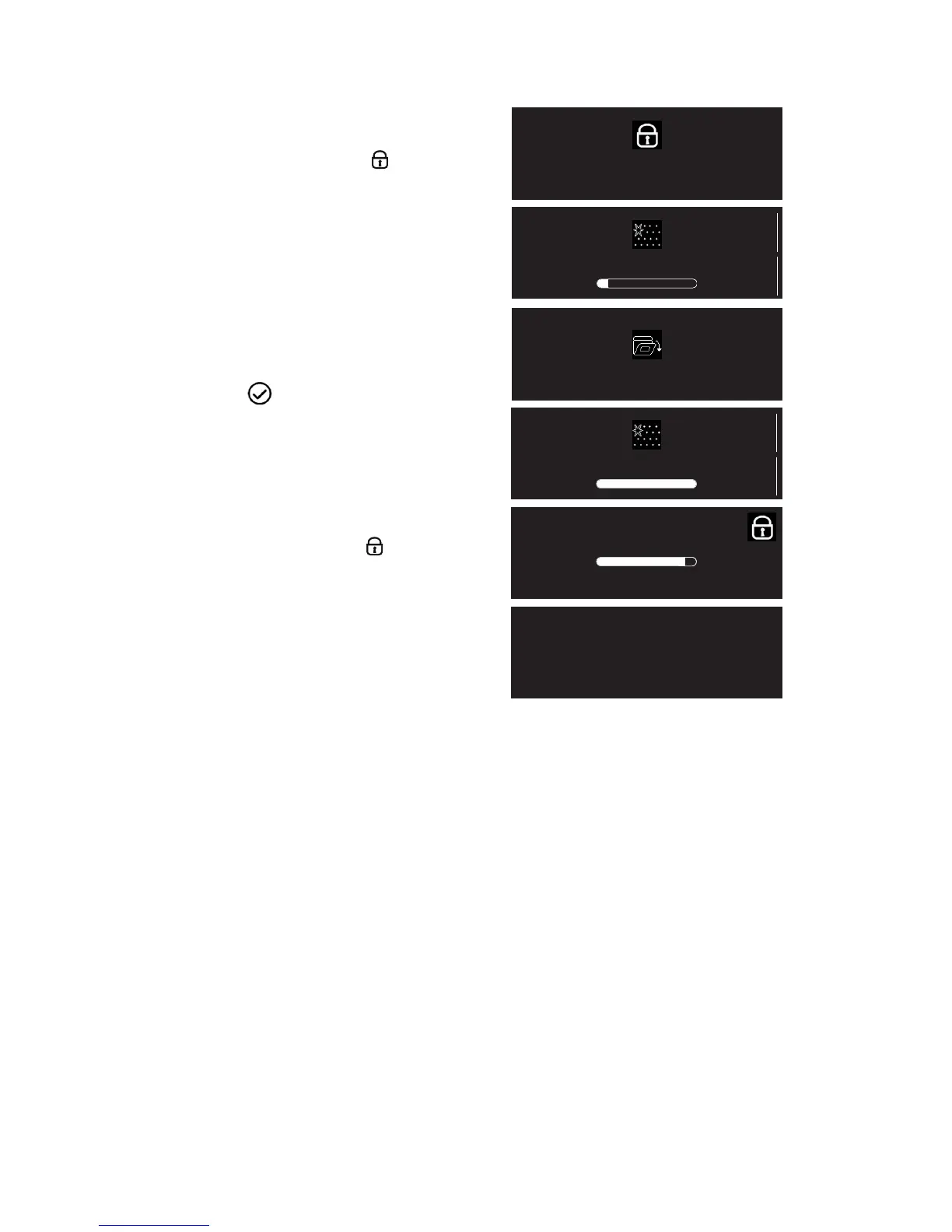
5. Upon the final confirmation, the oven starts the
cleaning cycle and the door is automatically
locked: a warning and the symbol are shown
on the display for around three seconds.
Immediately afterwards, the display shows a
progress bar indicating the cleaning cycle
progress.
Note: If the oven door is opened before it is
unlocked automatically, a warning message
appears on the display. When the door is
reclosed, the cycle must be started again by
pressing button .
6. At the end of the cycle, the relative message
flashes on the display, after which the cooling bar
indicates cooling in progress.
The residual temperature is indicated on the
display together with the symbol .
The door remains locked until the temperature
inside the oven has returned to an acceptably
safe level: the display shows the time of day..
Instructions for oven use
The door will remain locked
during cleaning
Cleaning
-02:59
TIME
15:00
END TIME
Please close door
Finished
-00:00
TIME
15:00
END TIME
257°
Cooling down
18:32





 To Next Page