EasyManua.ls Logo

KitchenAid SUPERBA KEBS176 - Page 14

KitchenAid SUPERBA KEBS176
39 pages
Print Icon
To Next Page IconTo Next Page
To Previous Page IconTo Previous Page
Loading...
BAKING
(Single/Upper
or
Lower
Oven)
To
Use
for
Regular
Baking:
1.
Arrange
the
oven
racks
in
the
desired
positions.
2.
Set
the
Temperature
Control
to
the
recommended
temperature,
see
baking
chart,
page
17.
3.
Turn
the
Selector
to
"BAKE."
Be
sure
to
turn
the
Selector
and
the
Temperature
Control
to
"OFF"
when
cooking
has
been
completed.
CAUTION:
The
Oven
Lock
Lever
should
always
be
unlocked
(posi¬
tioned
to
the
far
left)
except
when
the
Selector
and
Temperature
Con¬
trol
are
in
the
"CLEAN"
mode.
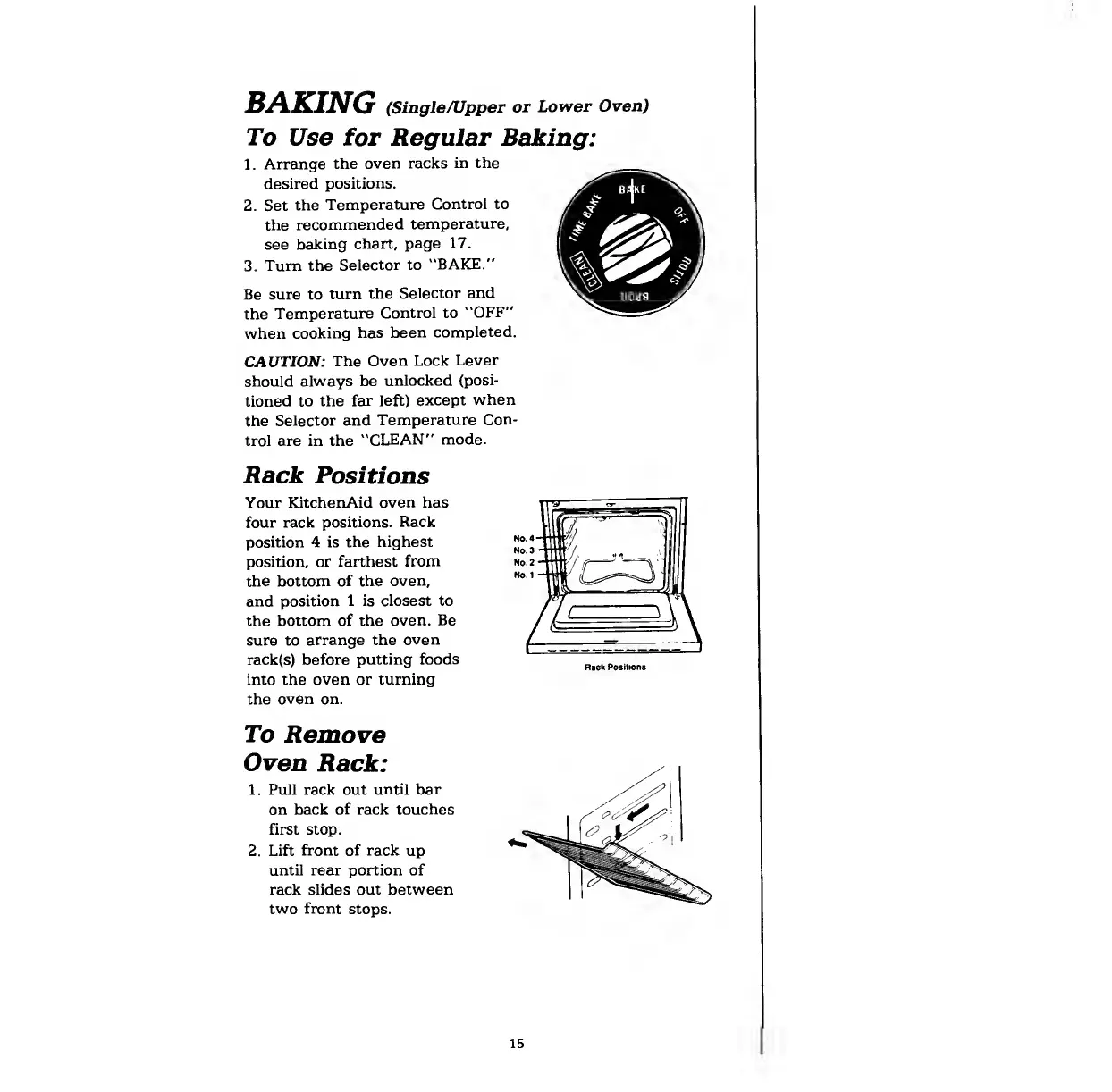
Rack
Positions
Your
KitchenAid
oven
has
four
rack
positions.
Rack
position
4
is
the
highest
position,
or
farthest
from
the
bottom
of
the
oven,
and
position
1
is
closest
to
the
bottom
of
the
oven.
Be
sure
to
arrange
the
oven
rack(s)
before
putting
foods
into
the
oven
or
turning
the
oven
on.
To
Remove
Oven
Rack:
1.
Pull
rack
out
until
bar
on
back
of
rack
touches
first
stop.
2.
Lift
front
of
rack
up
until
rear
portion
of
rack
slides
out
between
two
front
stops.
15

Related product manuals