20 21
3.
4.
5.
6.
7.
8.
kWh
COST
kWh
COST
V
kWh
COST
E44395_Power meter_PT_IM_PRINT.indd 20-21
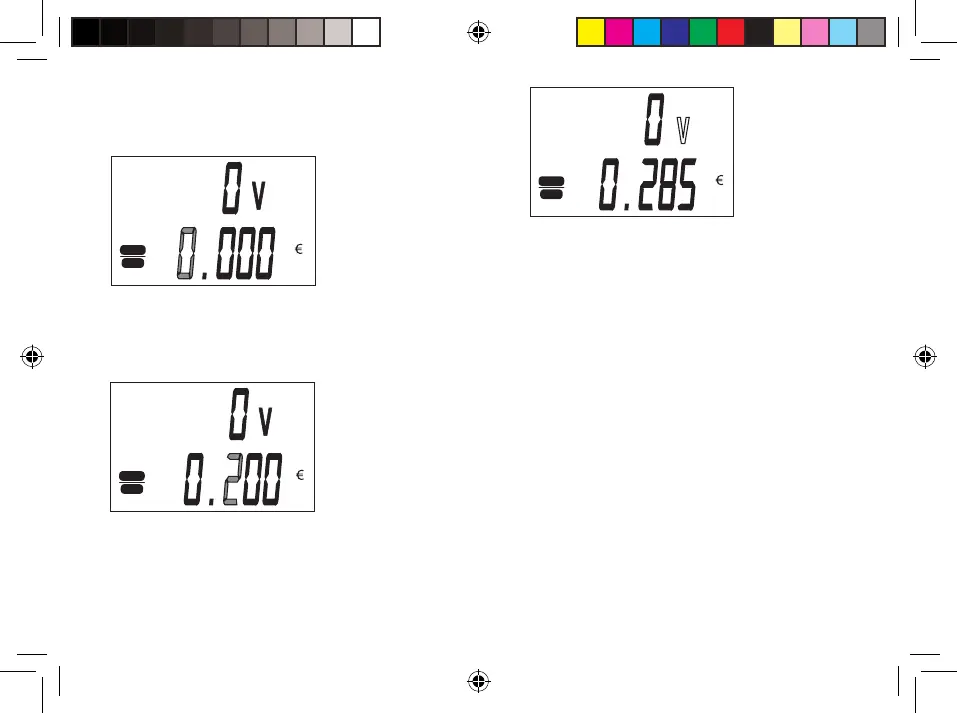
Now enter the price of electricity per
kilowatt-hour. If you have another price
for electricity at night first enter price
for the daily rate.
Adjust the value with the VALUE H/+
or DISPLAY M/- .
Press the SET button. The first
indication of the number of cents
Adjust the value in cents with the buttons
VALUE H+ / or DISPLAY M / - .
The following number of cents should
regulate itself in the same way
(example: 0285 = 28.5 cents).
Complete and confirm the input with the OK
button.
If you have a tariff of electricity
Normal (not bi-clockwise) then finished the
introduction of prices here and can move to
other menus with the DISPLAY M / -.


 To Next Page