18 19
Preparation
Regular time
1.
2.
3.
4.
5.
.
6.
1.
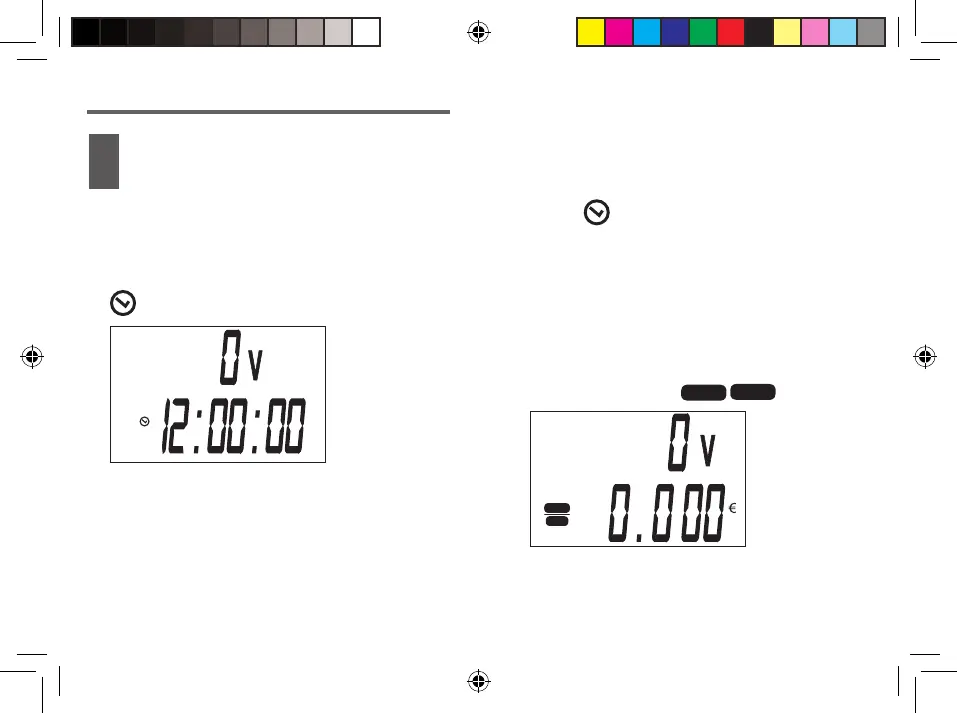
Press the DISPLAY M / - until the display
appears
.
2.
1.
COST
kWh
2.
i
kWh
COST
E44395_Power meter_PT_IM_PRINT.indd 18-19
(no cost estimate) may skip this chapter
and proceed immediately to page 60.
Press the DISPLAY M/- until appears
Press the SET button for 3 seconds.
The hour indication flashes.
Set minutes with the VALUE H / +.
Adjust the minutes with DISPLAY M /-
Place the second zero-click
Complete and confirm the introduction with
the OK button.
Indication of 12/24 hours
Press the OK button to adjust 12 hours or
24 hours.(In case you choose the
indication of 24 hours, PM = after the
12
:00).
Setting the price per kWh
Press the DISPLAY M / - until
the display shows
Keep the SET button pressed during 3
seconds. The Euro zone indication flashes


 To Next Page