16 17
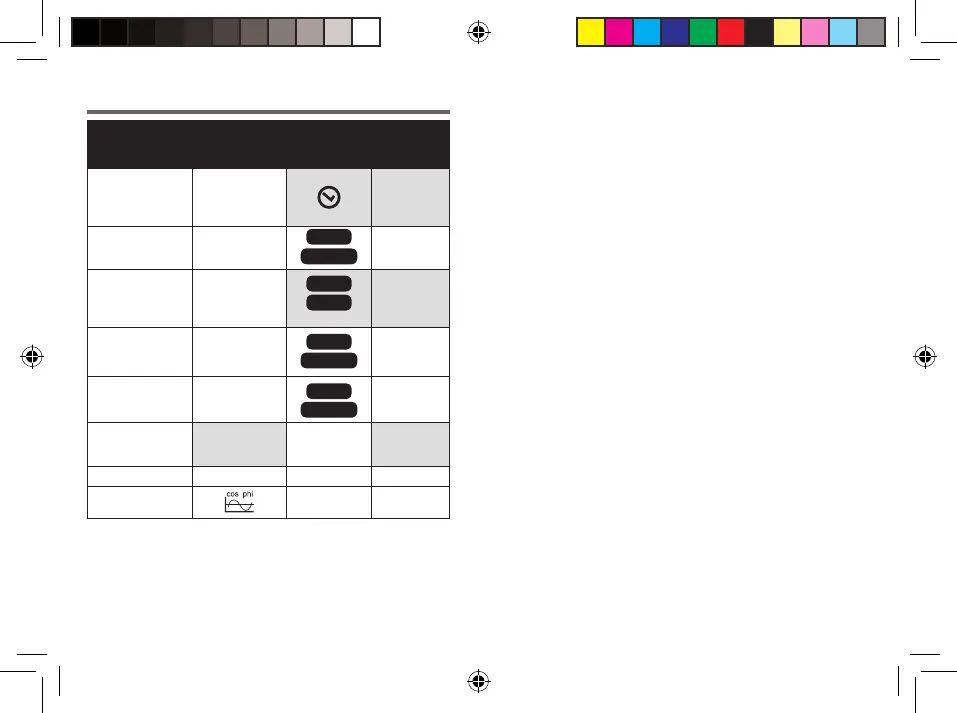
Buttons
OK VALUE DISPLAY SET
Save introductions;
Choose 12 hours
or 24 hours
V
Regular
time
– A
kWh
TOTAL
–
Save introductions;
Show values
A
MAX
COST
kWh
Introduce
costs
of electric/kWh
– W
COST
TOTAL
–
– W
MAX
TIME
TOTAL
–
Save introductions
A
OVERLOAD
Introduce
limits of
overload
– Hz –
–
–
Overview of functions
E44395_Power meter_PT_IM_PRINT.indd 16-17
Press the button VALUE H/+ or DISPLAY M/-
to call the measurement values and particulars.
The settings can only be changed when the
corresponding values appear on the display (here
shown in grey). For this,Press the SET
button for
3 seconds.


 To Next Page