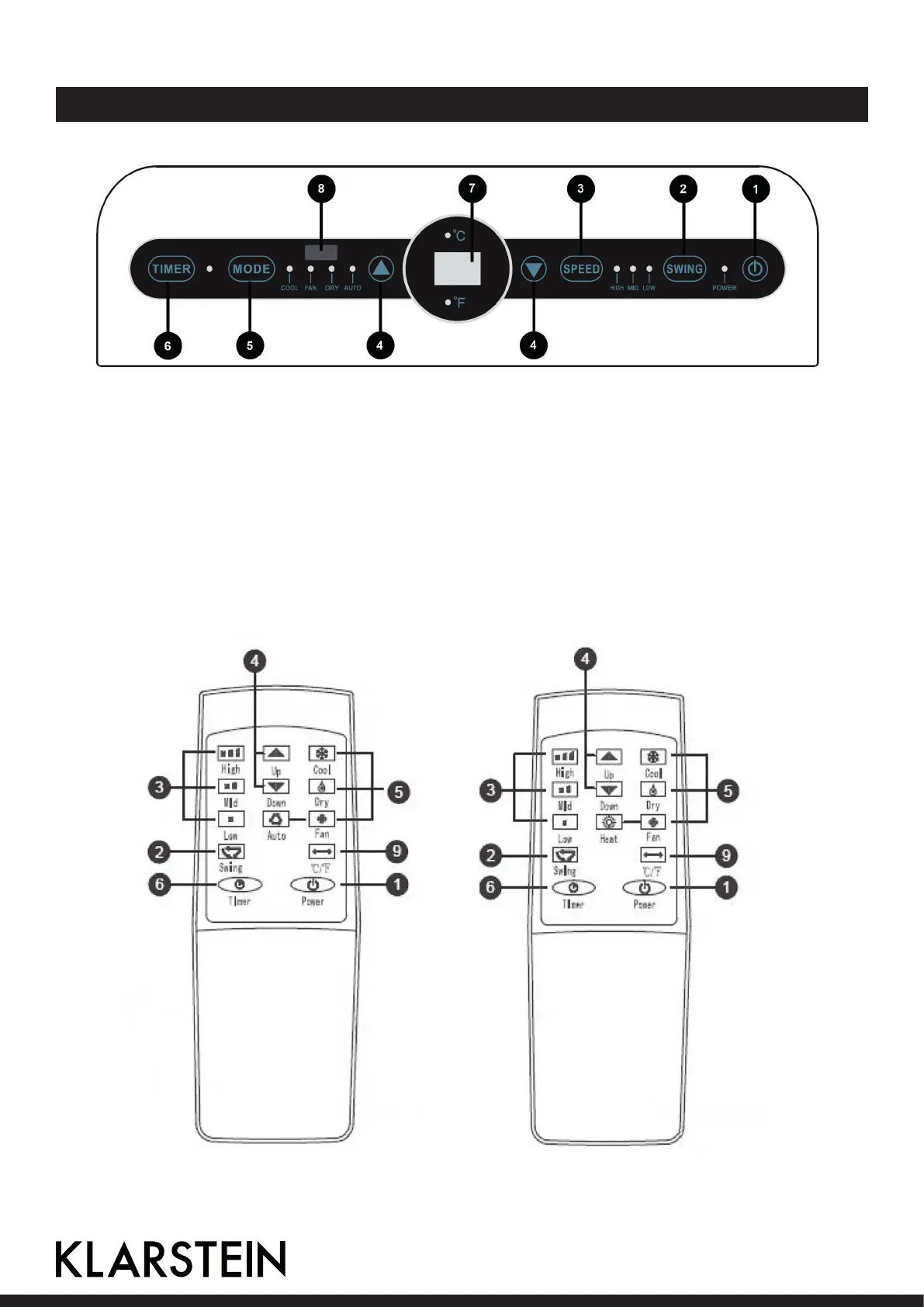
Panel and Remote Control
1 Power Press the button to turn on/o air conditioner
2 Swing Pressing the button can make air guide bar swings automatically.
3 Wind speed Press the button to select high, medium and low wind speed.
4 Up and Down Press to set temperature and time.
5 Mode Press the button to select one of the modes.
6 Timer Press the button to set timed start or shutdown time.
7 Display This window displays the adjust temperature and time.
8 Receiver Receives signals transmitted by remote controller.
9 Celsius/Fahrenheit Realize the display conversion between Temperatures.
Single refrigeration Cold and heat producing
12



 To Next Page