31
EN
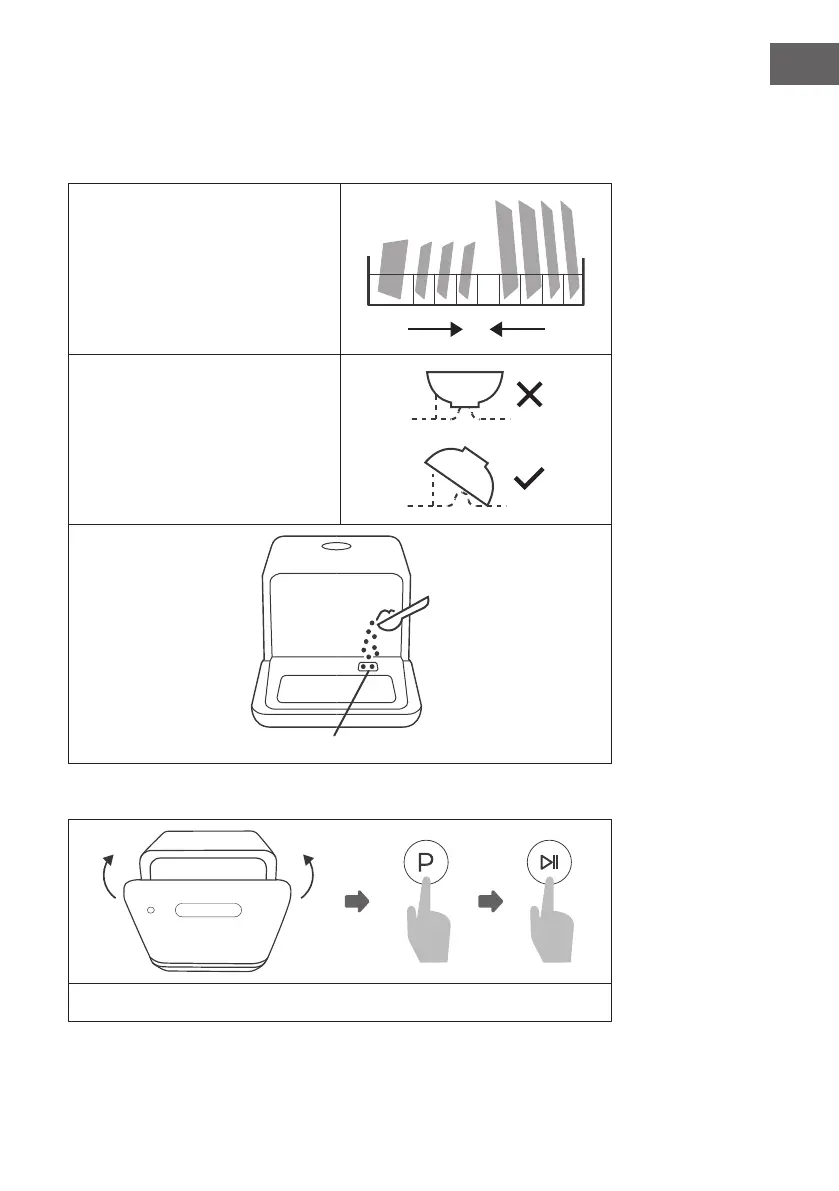
(3) Filling the device
• Remove the larger food residues from the dishes.
• Open the door, place the dishes in the basket and add detergent.
Populate the device by size and from
both sides to the center. All cutlery
should be tilted to improve cleaning
performance. The arm may be blocked
by improper placement of the cutlery, in
which case dishes may not be properly
cleaned.
Place the dishes dirty side down in the
basket and tilt slightly to allow water to
drain off.
At this place the detergent is lled in.
(4) Starting the device
Close the door, select a program and start the device.
Left
Right





 To Next Page