EasyManua.ls Logo

Klarstein 10032679 - User Manual

Klarstein 10032679
116 pages
Go to English
Print Icon
To Next Page IconTo Next Page
Loading...
10032678 10032679
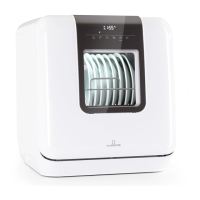
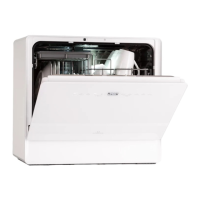
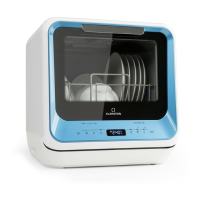
Mini-Geschirrspüler
Mini Dishwasher

Table of Contents

Questions and Answers

  • D
    dustin42Aug 4, 2025
    What to do if my Klarstein Dishwasher won’t start?
    • D
      donnawilliamsAug 4, 2025
      If your Klarstein Dishwasher isn't starting, here's what to check: * Ensure the fuse isn't out or broken; replace it if necessary and remove other devices from the circuit. * Confirm the unit is turned on, the door is firmly closed, and the power cord is securely plugged into the wall outlet. * Make sure the door lock engages properly when closing the door.
  • R
    Renee ThompsonAug 10, 2025
    Why is no water being pumped out of my Klarstein 10032679?
    • J
      John MccarthyAug 10, 2025
      If water isn't being pumped out of your Klarstein Dishwasher, consider these potential causes: * The drain hose might be bent, so check the hose. * A filter might be clogged, so check the filters. * The sink might be clogged. Check your drain and clean it if necessary.
  • C
    Craig WallAug 19, 2025
    Why is there white film on the inside surfaces of my Klarstein 10032679 Dishwasher?
    • S
      Steven WebsterAug 19, 2025
      The white film on the inside of your Klarstein Dishwasher is likely due to mineral residues from hard water. Clean the interior surfaces with a damp cloth and some dishwasher detergent. Remember to use gloves and avoid using any other washing up liquid.
  • P
    Paul WilsonAug 26, 2025
    How to remove colored spots in the tub of my Klarstein Dishwasher?
    • T
      Theresa RichardsonAug 26, 2025
      Colored spots in your Klarstein Dishwasher tub are likely caused by colored detergent. Switch to using detergents without color.

Summary

Safety Instructions

Explosion Hazard Warning

Warning on potential hydrogen gas explosion risk in unused hot water systems.

Quick Start Guide

Setting Up Water Drainage

Instructions for connecting the drain hose to a sink or bucket.

Setting Up Water Supply

Details on filling the device with water via tap or manual filling.

Filling the Device

Guidance on loading dishes and adding detergent.

Starting the Device

Steps to close the door, select a program, and begin operation.

Control Panel and Button Functions

Button Operations and Display

Explanation of control panel buttons, programs, and display indicators.

Adding Rinsing Salt

Salt Container Filling Procedure

Step-by-step guide on how to fill the rinsing salt container.

Troubleshooting

Dishwasher Wont Start Issues

Solutions for problems related to power, fuse, and door closure.

Water Pumping and Filter Issues

Troubleshooting steps for no water pumping, bent drain hose, or clogged filters.

Poor Cleaning Results

Solutions for dishes not clean, fogged glass, and gray stripes.

Error Code Explanations

Meaning and possible causes for error codes E1, E3, E4, E9, Ed, EF, EA.

Klarstein 10032679 Specifications

General IconGeneral
BrandKlarstein
Model10032679
CategoryDishwasher
LanguageEnglish

Related product manuals