30
EN
QUICK START GUIDE
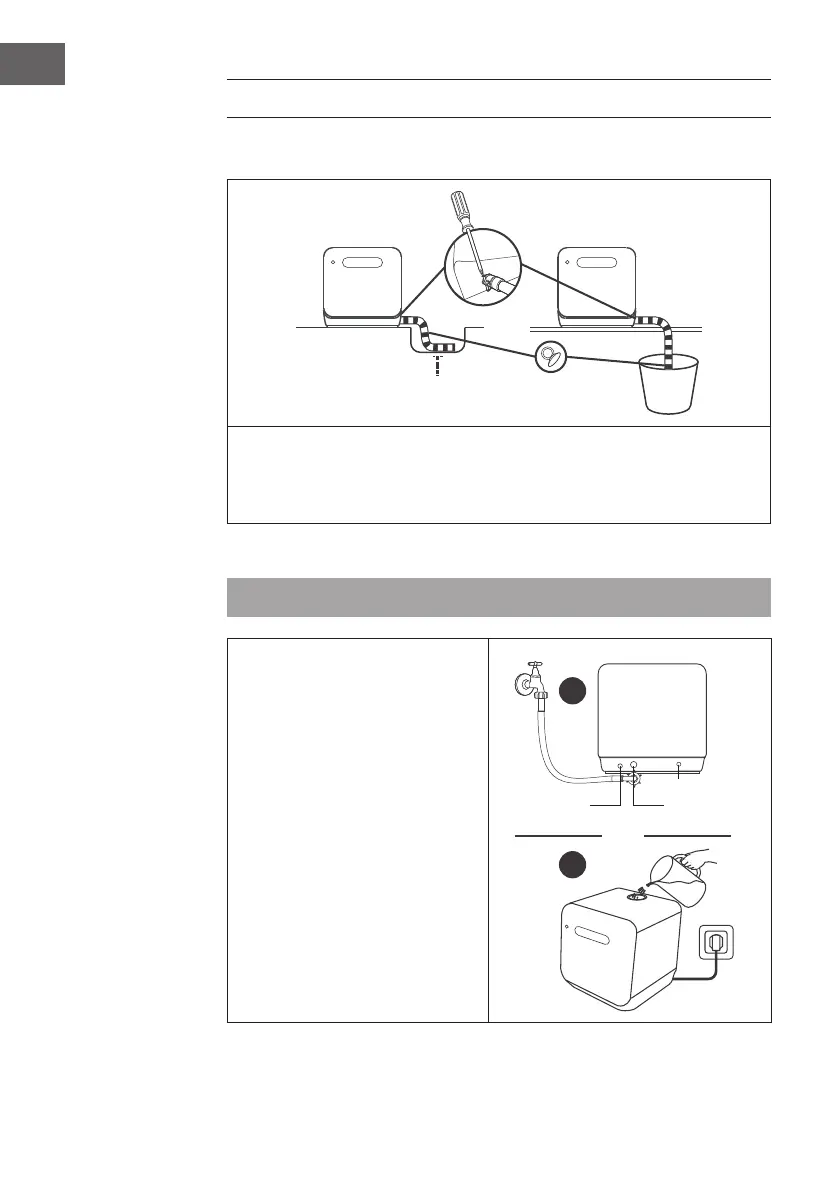
(1) Setting up water drainage
Insert the end of the drain hose into a sink or bucket.
Fix the drain hose with the back pipe of the machine. The interface is tted with
clamps and tightened with a screwdriver.
OR: Fix the drain hose with suction cups.
(2) Setting up the water supply
Note: Before adding water, press the Power button to turn on the dishwasher.
You can ll the device with water in
two ways:
• Permanent connection via the
tap(1)
• Manual lling via the cap at the
top of the device (2)
How to tell if there is enough water in
the tank:
• If the tank is lled with enough
water, a short beep sounds for
3seconds.
2
1
oder
or
Drain pipe
Power cord
Water inlet




 To Next Page