40
EN
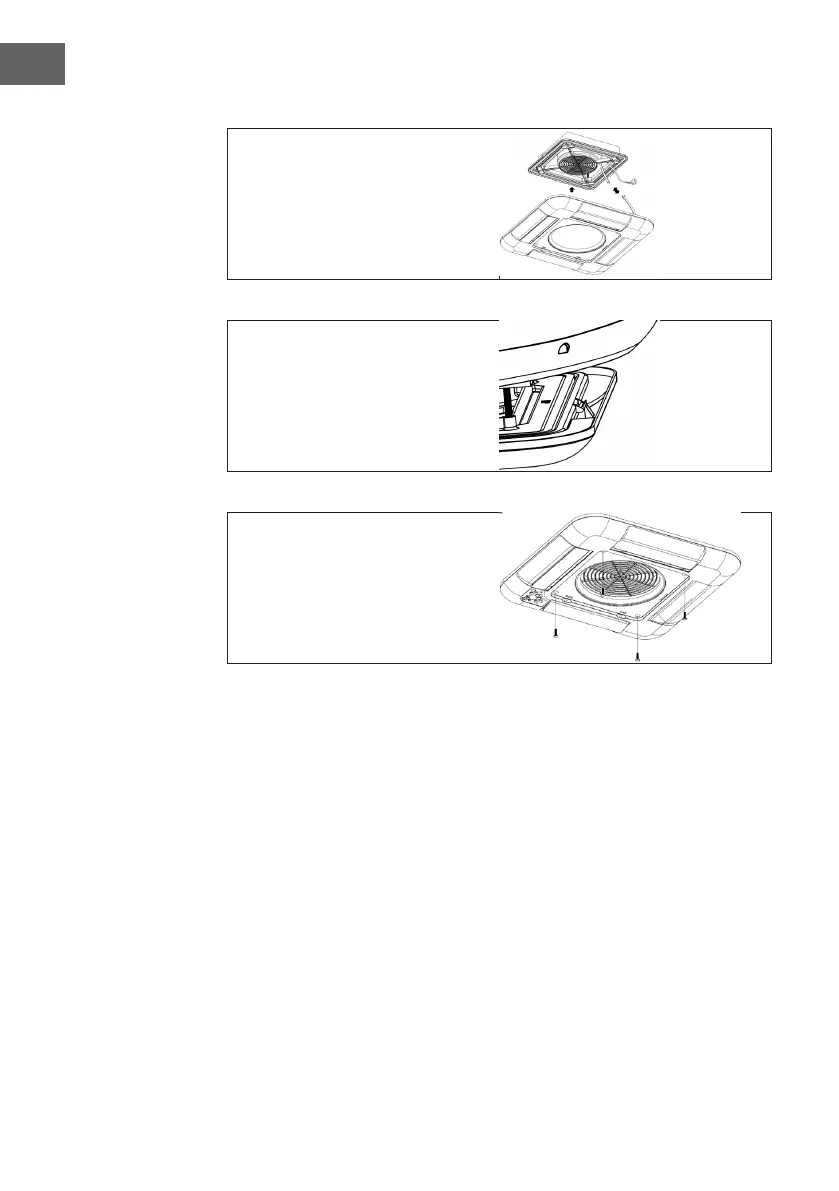
3. Interior panel installation
Connect the display board cable and
the controller cable. (Fig. 14)
Figure 14
Insert the panel into the panel
mounting hook, and you'll hear four
clicks, it is installed well. (Fig. 15)
Figure 15
Fix the panel by 4 x M8 bolts.
Finally, correctly install the lter into
the panel, installation is completed.
(Fig. 16)
Figure 16






 To Next Page