31
EN
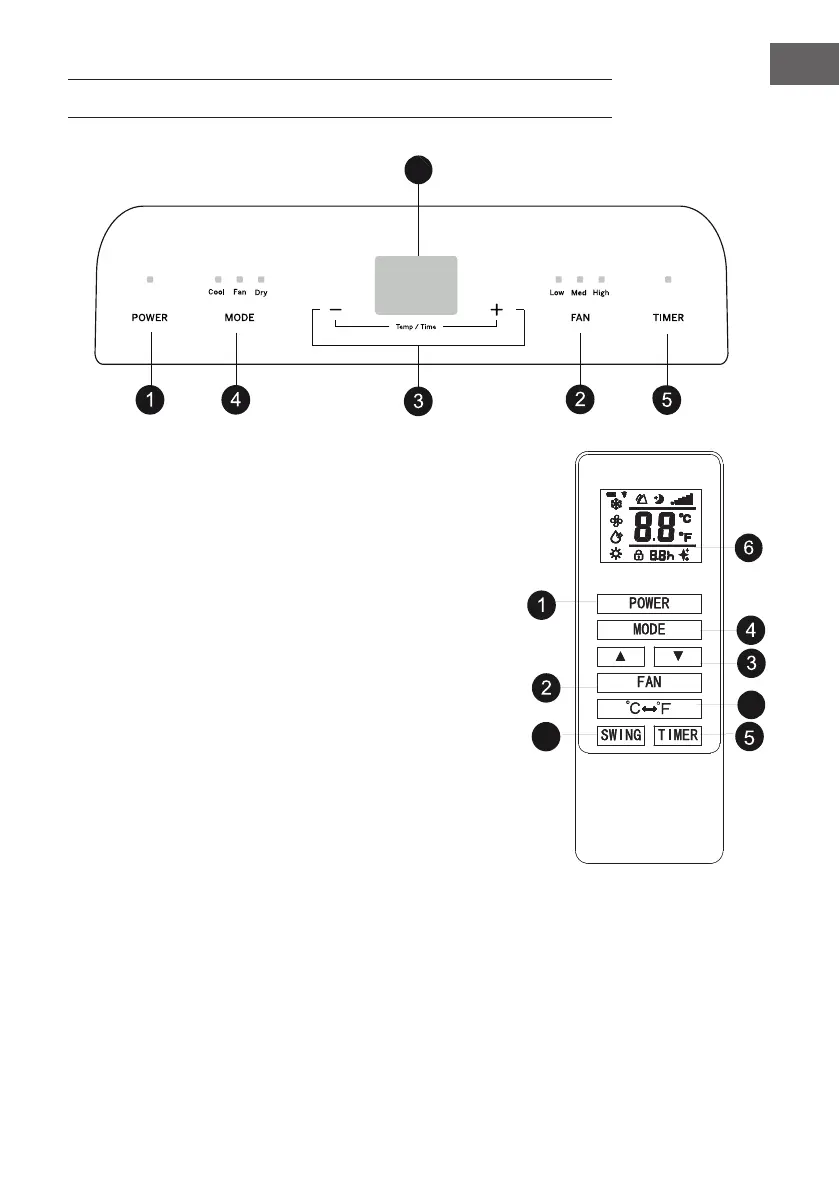
CONTROL PANEL AND BUTTON FUNCTIONS
1 POWER button
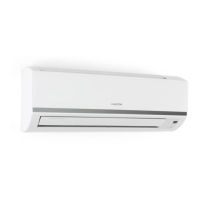
Press this button to switch the air conditioning on and off.
7
8
2 FAN – Speed button
Press this button to set the high, medium or low speed level.
3 TEMP/TIME – Temperature and time adjusting button
Press the button in cooling mode to increase or decrease the
temperature.
Press the button in timer mode to set the ON/OFF time of the
timer.
Press the Plus and Minus (Up and Down) buttons simultaneously
to toggle between degrees Celsius (°C) and degrees
Fahrenheit (°F)
4 MODE button
Press this button to select one of the three modes: COOL
(cooling mode), FAN and DRY (dehumidication mode).
5 TIMER button
Press this button in standby mode to set the start time.
Press this button in the timer start mode to set the timer end time.
6 Temperature/time display window
This window displays the set temperature and time.
7 SWING button
Press this button on the remote control to set the swing function.
8 Temperature unit switch button
Press this button on the remote control to toggle between degrees Celsius (°C) and degrees Fahrenheit
(°F).
Cool
High
Fan
Mode
Dry
Heat
HR
Mid
Low
Fan




 To Next Page