EasyManua.ls Logo

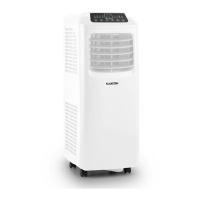
Klarstein Iceblock Prosmart 9 - User Manual

Klarstein Iceblock Prosmart 9
94 pages
Go to English
Print Icon
To Next Page IconTo Next Page
Loading...
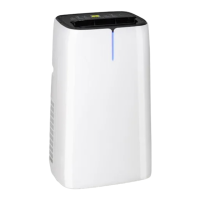
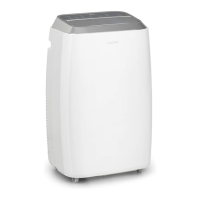
10034643 10034645
Iceblock Prosmart 9/12
Klimaanlage
Air Conditioner
Climatiseur
Climatizador
Climatizzatore

Questions and Answers

  • C
    Cynthia SalasAug 1, 2025
    Why is my Klarstein Iceblock Prosmart 9 not cooling properly?
    • J
      Jeanette StanleyAug 2, 2025
      There are several reasons why your Klarstein Air Conditioner might not be cooling effectively. Check if the doors or windows are properly closed. Also, remove any heat sources from the room and ensure the exhaust hose is connected and not blocked. Make sure the temperature setting isn't too high, and clean the air intake to ensure it's not blocked.
  • M
    Melanie ColonAug 5, 2025
    What does E2 mean on my Klarstein Iceblock Prosmart 9?
    • A
      Amy ChristensenAug 5, 2025
      If your Klarstein Air Conditioner displays code E2, it indicates that the water tank is full during cooling. To resolve this, remove the rubber stopper and empty the water.
  • D
    Dawn CrossAug 10, 2025
    Why is my Klarstein Air Conditioner so loud?
    • S
      Scott LewisAug 10, 2025
      The noise from your Klarstein Air Conditioner could be due to a couple of things. Ensure the unit is placed on a flat, level surface. If the floor is uneven, try to find a more suitable spot. Also, the noise might be from the refrigerant circulating inside, which is normal.
  • K
    Kristi WuAug 13, 2025
    What does E0 mean on my Klarstein Iceblock Prosmart 9?
    • A
      Ann CamposAug 13, 2025
      If your Klarstein Air Conditioner displays code E0, it means the room temperature sensor is defective. Consider replacing the room temperature sensor. Note that the device can still function without a working room temperature sensor.
  • R
    rdiazAug 18, 2025
    What does E1 mean on my Klarstein Iceblock Prosmart 9 Air Conditioner?
    • M
      Mr. Kevin HeathAug 18, 2025
      If your Klarstein Air Conditioner shows error code E1, it indicates that the condenser temperature sensor is defective. You should replace the condenser temperature sensor.
  • G
    Gary DanielsAug 23, 2025
    What does E3 mean on my Klarstein Iceblock Prosmart 9 Air Conditioner?
    • J
      Jeffery CooperAug 23, 2025
      If your Klarstein Air Conditioner displays code E3, it signifies that the evaporator temperature sensor is defective, and you should replace it.
  • C
    Christina JarvisAug 27, 2025
    What does E4 mean on my Klarstein Air Conditioner?
    • K
      Katie ArellanoAug 27, 2025
      If your Klarstein Air Conditioner displays code E4, it indicates that the water tank is full during heating. You should empty the water tank.

Summary

Technical Data

Safety Instructions

General Safety Instructions

Follow general safety guidelines for proper use, operation, and maintenance of the air conditioner to prevent damage or injury.

Instructions on Location

Guidance on selecting an appropriate, safe, and ventilated location for the air conditioner installation.

Device Description

Scope of Supply

Lists all the components included in the product package, ensuring users have all necessary parts.

Control Panel Overview

Control Panel Buttons

Details the functions and labels of each button on the device's control panel for user interaction.

Control Panel Indicators

Explains the meaning of various indicator lights on the control panel, providing status information.

Remote Control Functions

Installation Guide

Air Conditioner Installation

Instructions for placing the air conditioner unit correctly, ensuring proper ventilation and electrical safety.

Exhaust Hose Installation

Guidance on connecting and routing the exhaust hose for efficient heat dissipation and proper operation.

Temporary Installation Steps

Steps for setting up the air conditioner for temporary use, including hose attachment to a window.

Window Slider Set Installation

Information on installing the window slider set for exhaust hose management, noting it's not always included.

Inner Water Tank Function

Explains the role of the inner water tank, its full indicator, and how to drain it if necessary.

Getting Started

Operation Modes

Before Getting Started

Important preparatory steps and conditions to ensure before operating the air conditioner.

Auto Mode Operation

Details how the device automatically selects operation mode based on room temperature.

Cooling Mode

Instructions on how to activate and use the cooling function, including temperature and fan speed adjustments.

Dehumidification Mode

Steps to activate dehumidification mode and how temperature and fan speed are set automatically.

Fan Mode

Instructions for activating the fan mode and adjusting the fan speed for airflow circulation.

Timer Operation

Details on setting automatic switch-on and switch-off times for the device.

Panning Movement Control

Instructions on how to use the swing function for air distribution and how to stop it.

Snooze Mode

Explains the 'Sleep' mode function, which adjusts temperature gradually over time.

Continuous Drainage

Information on continuous drainage for heating mode and when the water tank is full or the pump is damaged.

Device Control by Smartphone

App Download and Connection

Instructions on downloading the Klarstein app for smartphone control, including QR codes for iOS and Android.

Troubleshooting Connection Problems

Cleaning and Care

Cleaning the Air Filter

Procedure for cleaning the air filter, including frequency, method, and drying instructions.

Cleaning the Device Surface

Guidance on cleaning the exterior surface of the air conditioner using a mild detergent and cloth.

Troubleshooting

Notes on Refrigerant R290

Information for Rooms with Refrigerant Pipes

Guidelines for installing the appliance in rooms with refrigerant pipes, focusing on safety and accessibility.

Disposal Considerations

Declaration of Conformity

Provides information on the product's compliance with EU directives and manufacturer details.

Klarstein Iceblock Prosmart 9 Specifications

General IconGeneral
Cooling Capacity9000 BTU/h
Cooling Power2.6 kW
Energy Efficiency ClassA
RefrigerantR290
Noise Level65 dB
Energy Efficiency Ratio (EER)2.6
Operating Temperature16°C - 32°C

Related product manuals