28
EN
Storage
• If the device will not be used for a long time, unplug it from the mains and
pack it away to prevent dust from getting into the housing.
• After packing, store it in a dry, ventilated place.
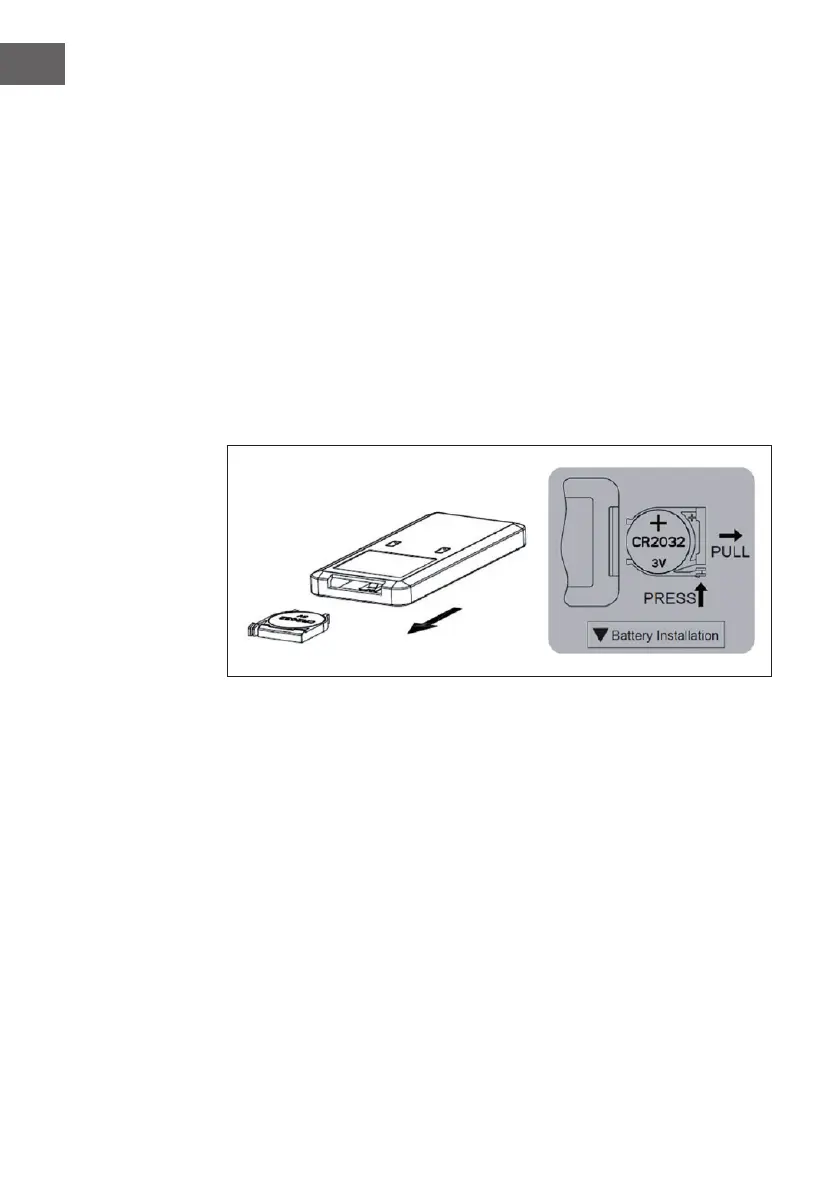
Changing the battery of the remote control
• To change the battery, open the battery compartment by pressing down the
snap lock and pulling out the battery compartment. To do this, observe the
markings on the back of the remote control.
• Insert a new battery (CR2032). Make sure that the positive pole (+) is facing
upwards towards you. Note the polarity markings on the back of the remote
control and in the battery compartment so that you insert the battery the
right way round.
• After inserting the battery, push the battery compartment back into the
remote control.





 To Next Page