30
EN
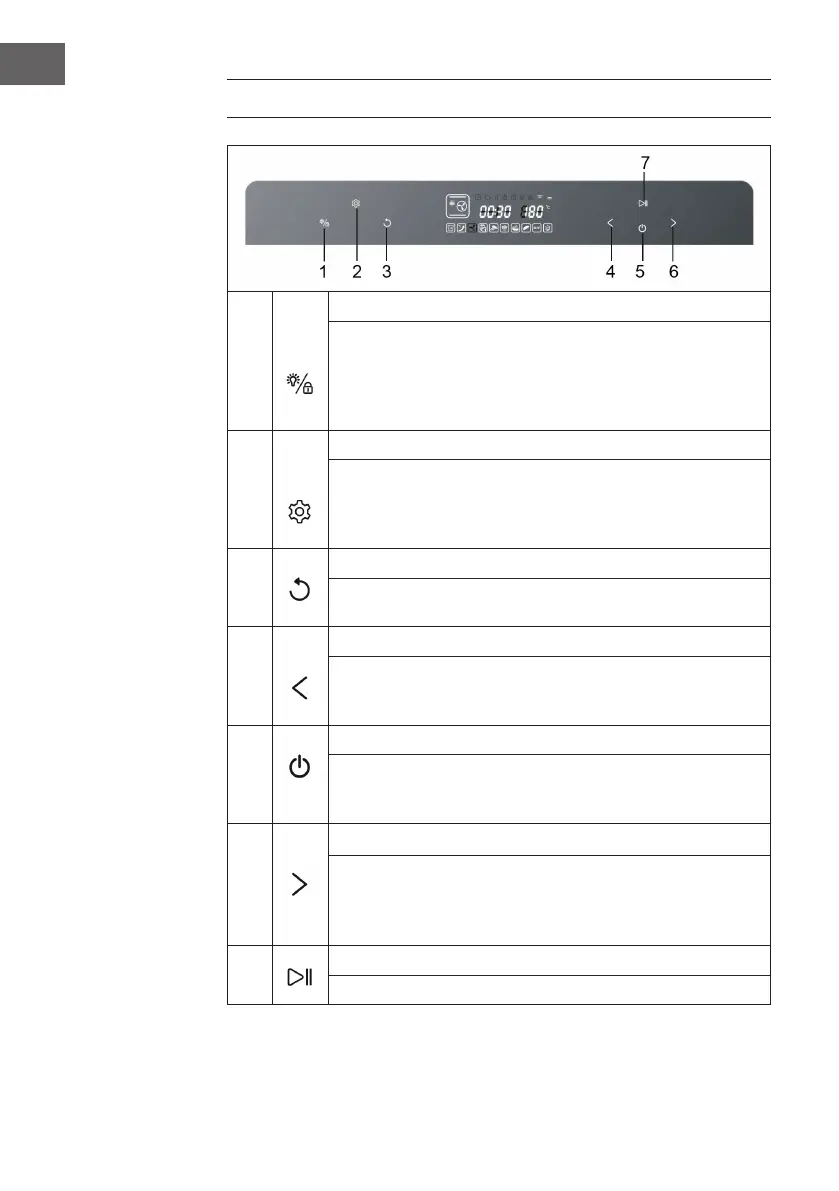
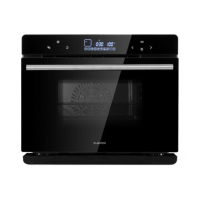
CONTROL PANEL AND KEY FUNCTIONS
1
Oven lamp/child lock key
• Touch it once, oven lamp is ON; touch it again, oven lamp is OFF.
• Oven lamp will be ON for three minutes after the work is over.
• Oven lamp will be ON for three minutes when the oven door is opened.
• The key turns to child lock by holding it down for three seconds; in the
standby mode, hold it down once, it is locked; press it again to unlock.
2
Setting key
• In any programs standby mode, press this key to enter the preset mode
and preset icon is ON.
• After any programs working end, Press this key to enter the time-delay
function sates and the time-delay icon is ON.
3
Back key
Press this key to return to the previous setting mode before start working, and
press it again to return again.
4
Selection key (reverse function)
• Select 9 DIY regular function modes and 10 specic working modes.
• Adjust the time.
• Adjust the temperature.
5
On/Off key
Press this key to activate all icons to light up; In the activation or working
status of the machine press this key to exit the running mode, and the machine
will return to the standby status.
6
Selection key (forward function)
• Select 9 DIY regular function modes and 10 specic working modes in a
forwarding sequence.
• Adjust the time.
• Adjust the temperature.
7
Start/Pause & Enter key
Start/Pause and Enter.


 To Next Page