38
EN
Note: If the water tank has not been inserted or there is insufcient water in it, an
alarm sounds and the water level icon ashes. Open the oven door, remove the tank
and ll it with water to the MAX mark. As soon as you have inserted it and close the
door, the appliance will automatically continue with the program.
When the program is nished, the descaling symbol ashes on the display to remind you
to empty the water tank. Also empty the water that has accumulated in the water sump.
When the program is nished, you will hear a 10 beeps. The appliance will then stop.
You can now open the door and remove the food. After 5 minutes, the appliance
automatically switches to standby mode.
(2) DIY Roast Modes
The temperature can be adjusted between 10-230 °C. The preset temperature is
180°C.
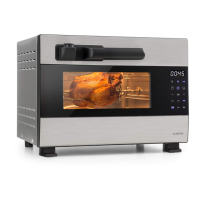
In standby mode, open the oven door, place the food in the oven and close the door.
Press the select key (>) to select one of the roasting functions. The corresponding symbol
will ash on the display. Press the Start/Pause button, the hour indicator will light up.
Press the select button (>) and set the desired time (0-3). The default is 0 hours. Press
the Start/Pause button, the minute indicator will light. Press the selection key (>) and
set the desired time (0-59). The default setting is 30 minutes. Press the Start/Pause
button, the temperature indicator will light. Press the selection key (>) and set the desired
temperature (100-230 °C). The default setting is 180 °C. Press the Start/Pause button
again to conrm and start the program.
When the program is nished, you will hear a 10-fold beep. The device then stops.
You can now open the door and remove the food. After 5 minutes, the appliance
automatically switches to standby mode.
As long as the temperature in the interior is still above 50 °C, the high temperature
warning symbol lights up in the display.


 To Next Page