46
EN
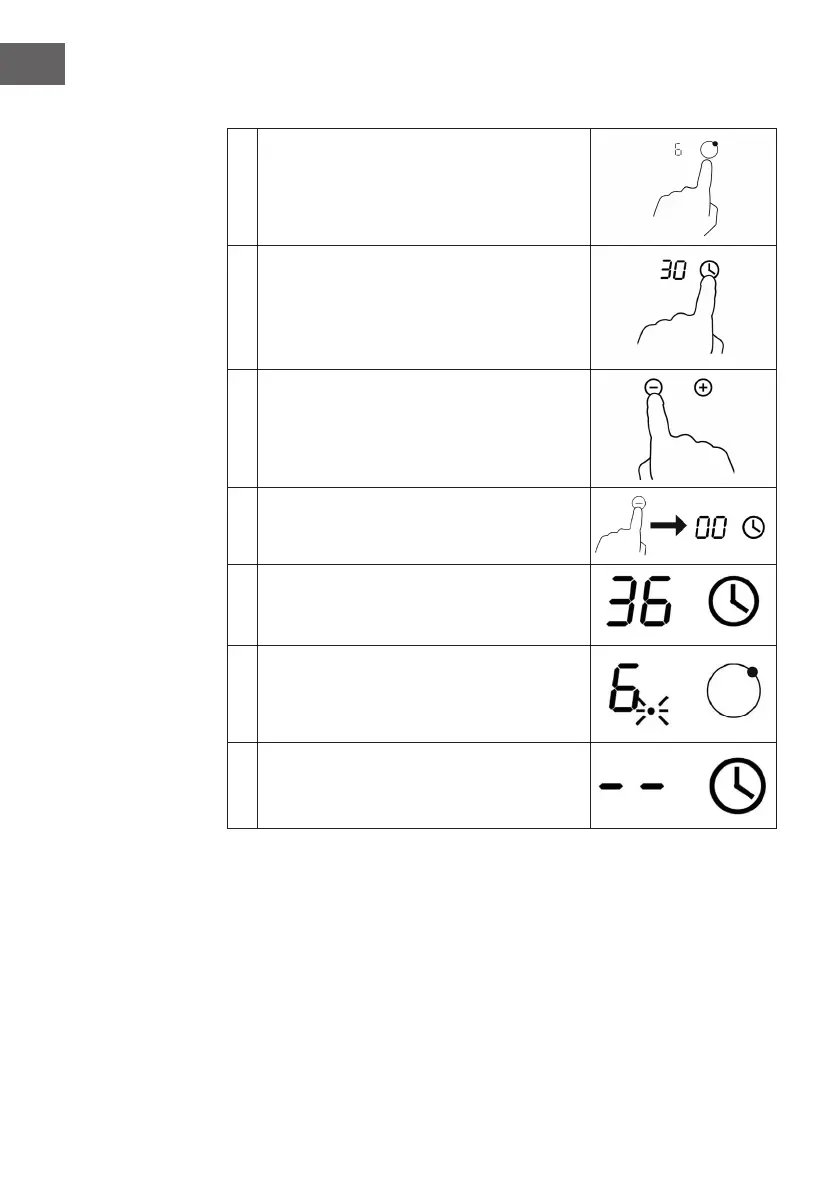
Setting the timer to turn o a hob
1
Touch the key for selecting the hob for which
you want to set the timer (e.g. eld 3).
2 Touch the key for the timer.
3
Set the time by pressing "-" or "+". A single key
press will decrease or increase the value by
one minute. Press and hold the keys to change
the value by 10 minutes.
4
By pressing the "-" key on the control panel,
you cancel the function of the timer. 00"
appears in the display.
5
When the time has been set, the countdown
starts immediately. The display shows the
remaining time. The timer display ashes for
5 seconds.
6
The red dot next to the temperature setting
lights up, indicating which hob has been
selected.
7
When the time has elapsed, the corresponding
hob switches o automatically. The other hobs
continue to operate if they were previously
switched on.



 To Next Page