EasyManua.ls Logo

Klarstein 10029241 - User Manual

Klarstein 10029241
41 pages
Go to English
Print Icon
To Next Page IconTo Next Page
Loading...
10029241
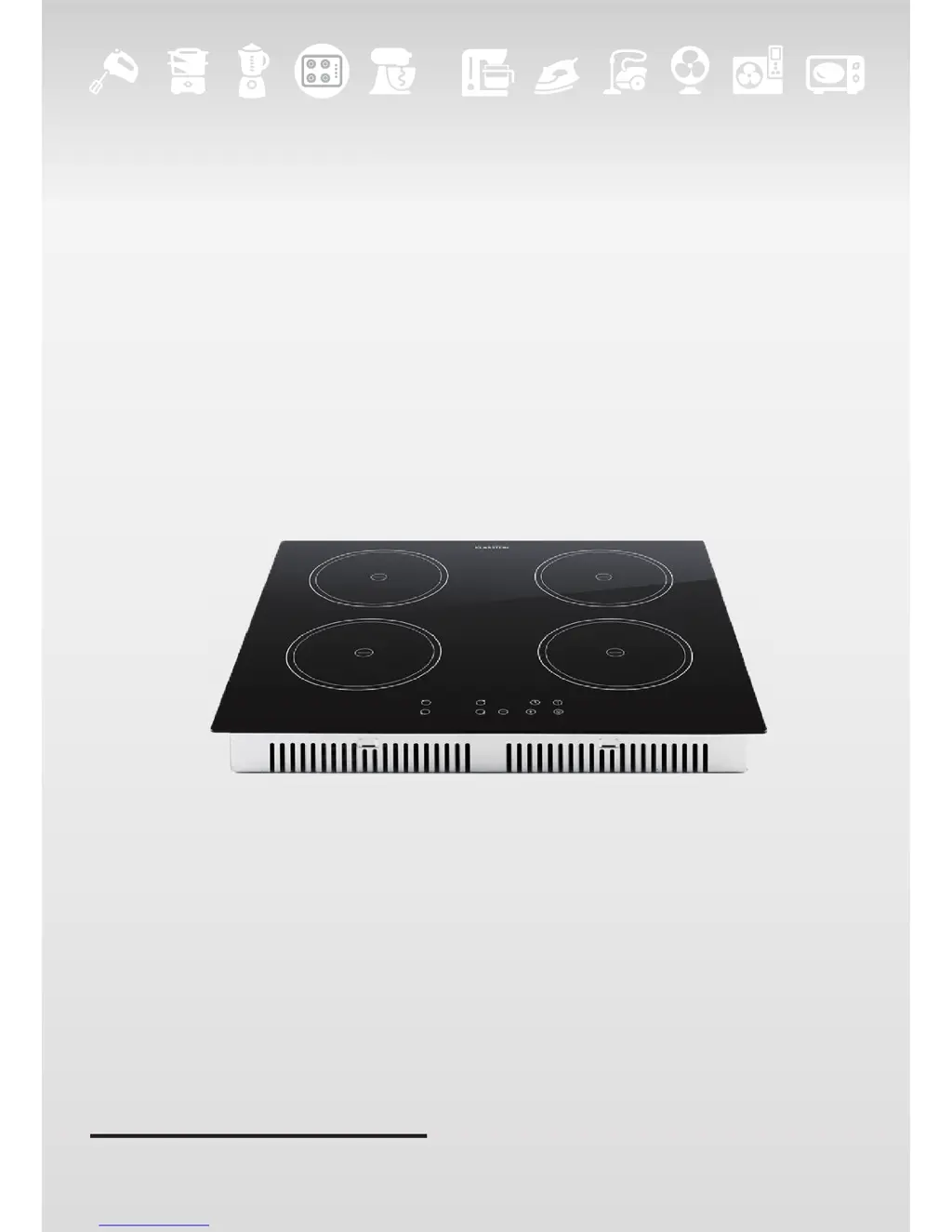
Induktionskochfeld

Questions and Answers

  • C
    Curtis RushAug 2, 2025
    What to do if my Klarstein 10029241 pans do not become hot?
    • H
      Hector TrujilloAug 2, 2025
      If your pans aren't heating up, it could be due to a few reasons. First, ensure you're using cookware specifically designed for induction cooking. If the cookware is suitable, check that the pan's base matches the size of the cooking zone and is centered properly. If the issue persists, there may be a technical fault. In this case, note any error codes, switch off the hob at the wall, and contact a qualified technician.
  • S
    Sarah ThompsonAug 7, 2025
    Why is my Klarstein 10029241 Hob induction hob not turning on?
    • E
      Elizabeth MckinneyAug 7, 2025
      If your Klarstein Hob isn't turning on, the first thing to check is the power supply. Make sure the hob is properly connected and switched on. Also, verify that there isn't a power outage in your home. If you've confirmed power is available and the hob still won't turn on, it's best to call a qualified technician.
  • W
    William LindseyAug 12, 2025
    What to do if Klarstein 10029241 Hob touch controls are unresponsive?
    • S
      Shaun FlemingAug 12, 2025
      If the touch controls on your Klarstein Hob aren't working, start by unlocking the controls. If that doesn't solve the problem, make sure the control area is dry and that you're using the ball of your finger, not the tip, when touching the controls. To prevent scratching, use cookware with flat, smooth bases and avoid abrasive scourers or cleaning products.
  • K
    Katie MilesAug 17, 2025
    Why does my Klarstein 10029241 make crackling noises?
    • C
      Christopher BrownAug 17, 2025
      Crackling or clicking noises from your pans are usually due to the cookware's construction, where different metal layers vibrate. This is normal. A low humming noise on high heat is also typical of induction cooking and should lessen when you reduce the heat. If you hear fan noise, it means the cooling fan is running to prevent overheating, which is also normal. Don't turn off the power while the fan is running.
  • C
    Catherine HendersonAug 22, 2025
    What does error E3 E5 mean on my Klarstein 10029241 Hob?
    • G
      gdavisAug 22, 2025
      If you're seeing E3 or E5, it indicates a high temperature of either the induction coil or IGBT temperature sensor. Allow the hob to cool down, and then restart it. If the error persists, please contact the supplier.
  • D
    David GriffinAug 27, 2025
    What does error F3/F4 F9/FA E1/E2 mean on my Klarstein 10029241 Hob?
    • N
      Nathan RichardAug 27, 2025
      If your hob displays error codes F3, F4, F9, FA, E1, or E2, this indicates a failure of the temperature sensor of either the induction coil or the IGBT, or an abnormal supply voltage. Inspect whether the power supply is normal and power on after the power supply is normal. In other cases, please contact the supplier.

Summary

Technical Data

Security Instructions

Installation

Instructions for connecting the appliance to the mains electricity supply.

Specific Security Instructions

Important safety advice for using the induction hob and preventing hazards.

Health Hazard

Information regarding electromagnetic safety standards and pacemakers.

Hot Surface Hazard

Warnings about hot surfaces and avoiding burns during use.

Cut Hazard

Warning about the sharp blade of the cooktop scraper.

Product Overview

Top View

Diagram illustrating the layout and numbered parts of the cooktop.

Control Panel

Diagram and explanation of the cooktop's control interface.

Functioning

A Word on Induction Cooking

Explanation of how induction cooking technology works.

Before First Use

Steps to take before operating the induction hob for the first time.

Using the Touch Controls

Instructions on how to operate the touch-sensitive controls.

Choosing the right Cookware

Pan Form

Guidelines on the shape and base of cookware for optimal use.

Usage

To start cooking

Step-by-step guide on how to begin cooking with the induction hob.

Finishing Cooking

Instructions on how to properly turn off cooking zones and the entire hob.

Protective Functions

Over-Temperature Protection

How the hob stops operation when overheating.

Detection of Small Articles

How the hob detects and reacts to unsuitable items.

Auto Shutdown Protection

Safety feature that automatically turns off the hob.

Timer

Using the Timer as a Minute Minder

How to use the timer as a simple countdown alarm.

Timer for Cooking Zone

How to set the timer to automatically switch off a specific cooking zone.

Cooking Guidelines

Heat Settings

Care and Cleaning

Troubleshooting

Installation

Installation Equipment Selection

Guidelines for cutting work surfaces and selecting installation materials.

Locating Fixing Brackets

Instructions on placing the unit and avoiding force on controls.

Adjusting Bracket Position

How to fix and adjust brackets for different table top thicknesses.

Connecting to Mains Power Supply

Steps and precautions for connecting the hob to the electrical supply.

Disposal Considerations

Declaration of Conformity

Klarstein 10029241 Specifications

General IconGeneral
BrandKlarstein
Model10029241
CategoryHob
LanguageEnglish

Related product manuals