7
Dwg Name: TI290-1390506ART
Dwg No: 1390506
ECO No: 44944 Rev: A
Pkg Dwg Ref: 1290186
Finish Coat Requirements: N/A
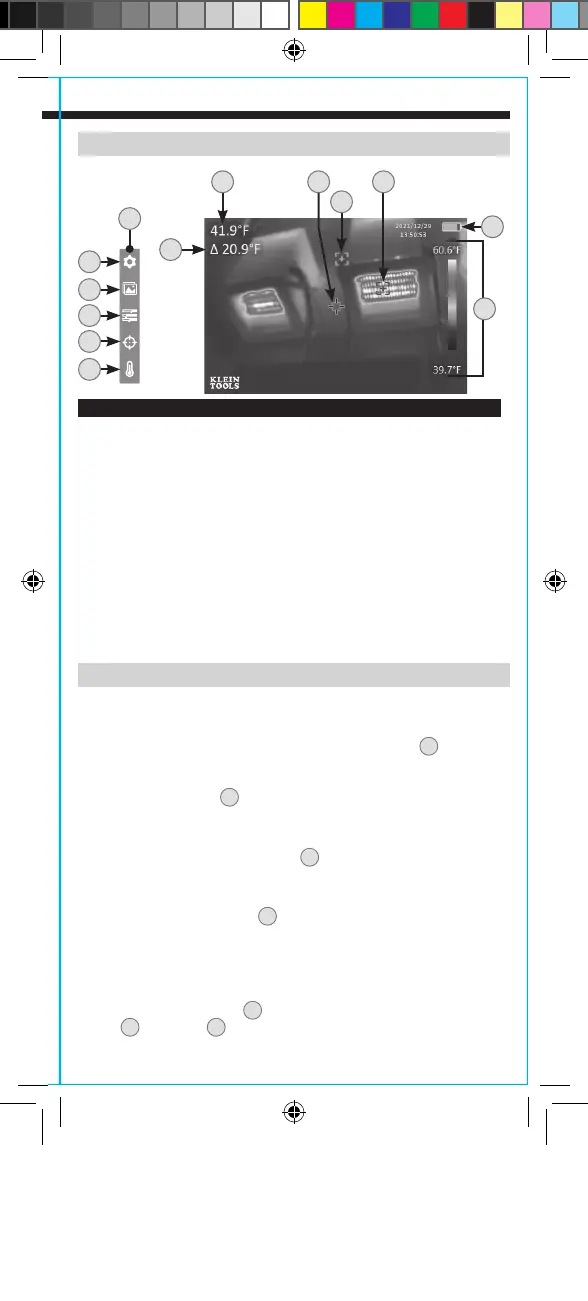
LCD
A.
Center Target Temperature
B1.
Center Temperature Crosshair
B2.
Low Temperature Crosshair
B3.
High Temperature Crosshair
B4.
High/Low Temperature Differential
C.
Live Temperature Scale
D.
Battery Level Indicator
E.
Menu Functions
F.
Temperature Units (°F / °C)
G.
Center Target Temperature and High / Low Temperature On / Off
H.
Color Palettes (Ironbow, Rainbow, Grayscale)
I.
Gallery
J.
Settings
FEATURE DETAILS
OPERATING INSTRUCTIONS
NOTE: Fully charge before first use.
CHARGING
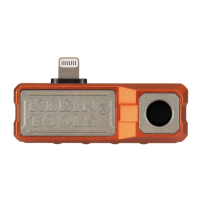
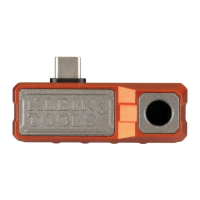
Connect included USB-C cable to USB-C Charging Port
7
, and plug
the other end into a computer, USB AC adapter, or other USB power
supply (not included). While charging, if unit is powered on, the
Battery Level Indicator
D
will show a charging symbol. If powered
off, a battery charging animation will be shown for 10 seconds.
Normal charging time is about 3 hours.
NOTE: Keep the USB-C Port Cover
8
over the charging port when
not in use.
FUNCTION BUTTONS
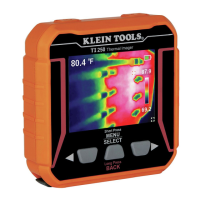
Press Power On / Off Button
2
for 2 seconds to power the unit
on or off. When powering on, the start-up screen will display for
10 seconds as the imager runs self-calibration. When complete,
the display will show the thermal image with the center target
temperature and high / low temperatures.
Press Menu / Select Button
6
to access Menu functions and setup. Use
the Up
4
and Down
5
Scroll Buttons to scroll through the menu.
J
E
I
H
G
F
B3
B2
A B1
D
C
B4
TI290-1390506ART.indd 7TI290-1390506ART.indd 7 6/29/2022 5:24:06 PM6/29/2022 5:24:06 PM


 To Next Page