III. USING THE DRIVER
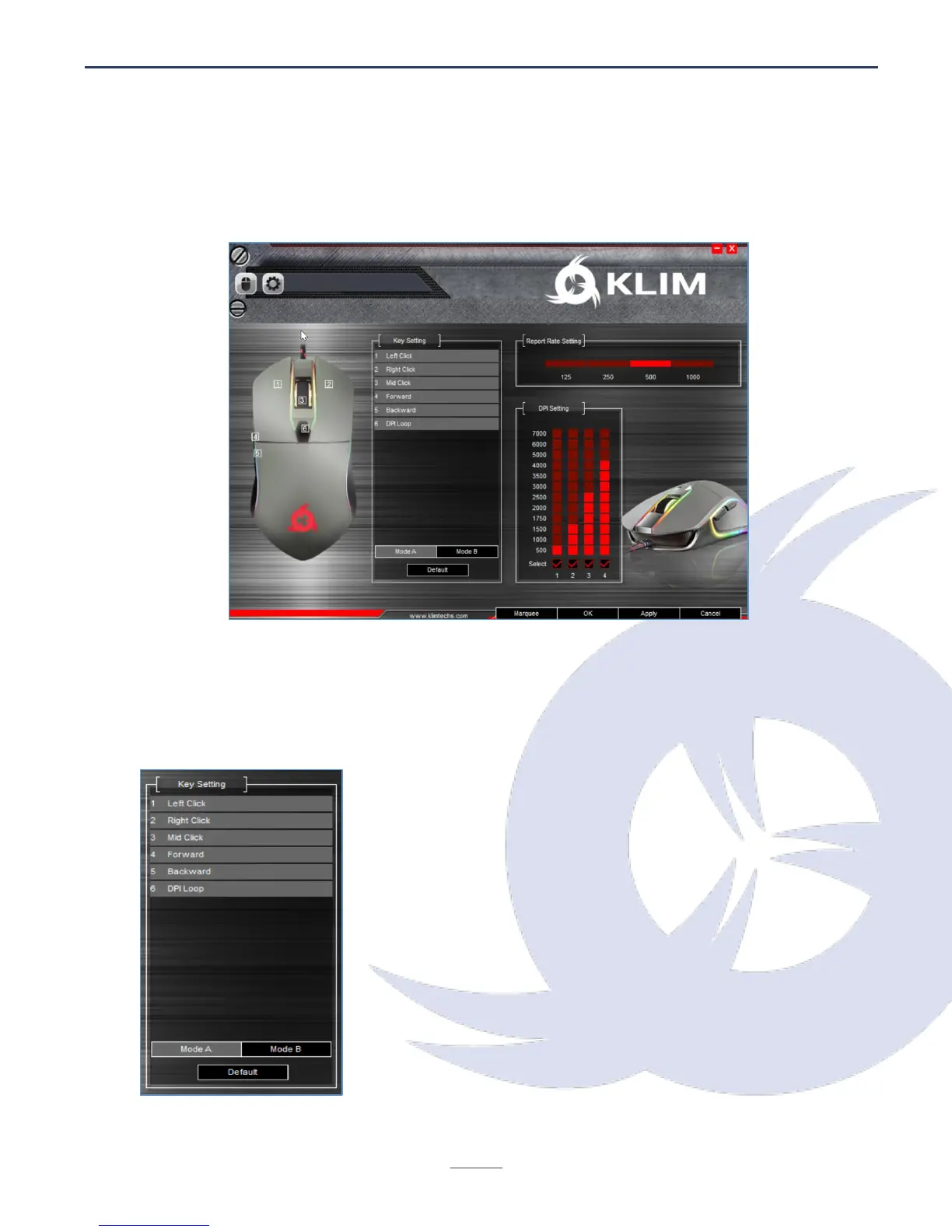
Once you open the driver, it will show its main screen, which allows you to adjust Report
Rate, DPI Settings and change what each button does.
Button Settings
Click on the desired button to customize and select a new function for that button. You
may also assign macros after they are created (refer to section Macros below).
Once you are done customizing the keys, click on Apply to
save the changes.
You may store two different settings (Mode A and Mode B).
To revert back to the original values, click Default.


 To Next Page