·KLINGENBURG
14
Putting in operation of control units KR4 / KR7
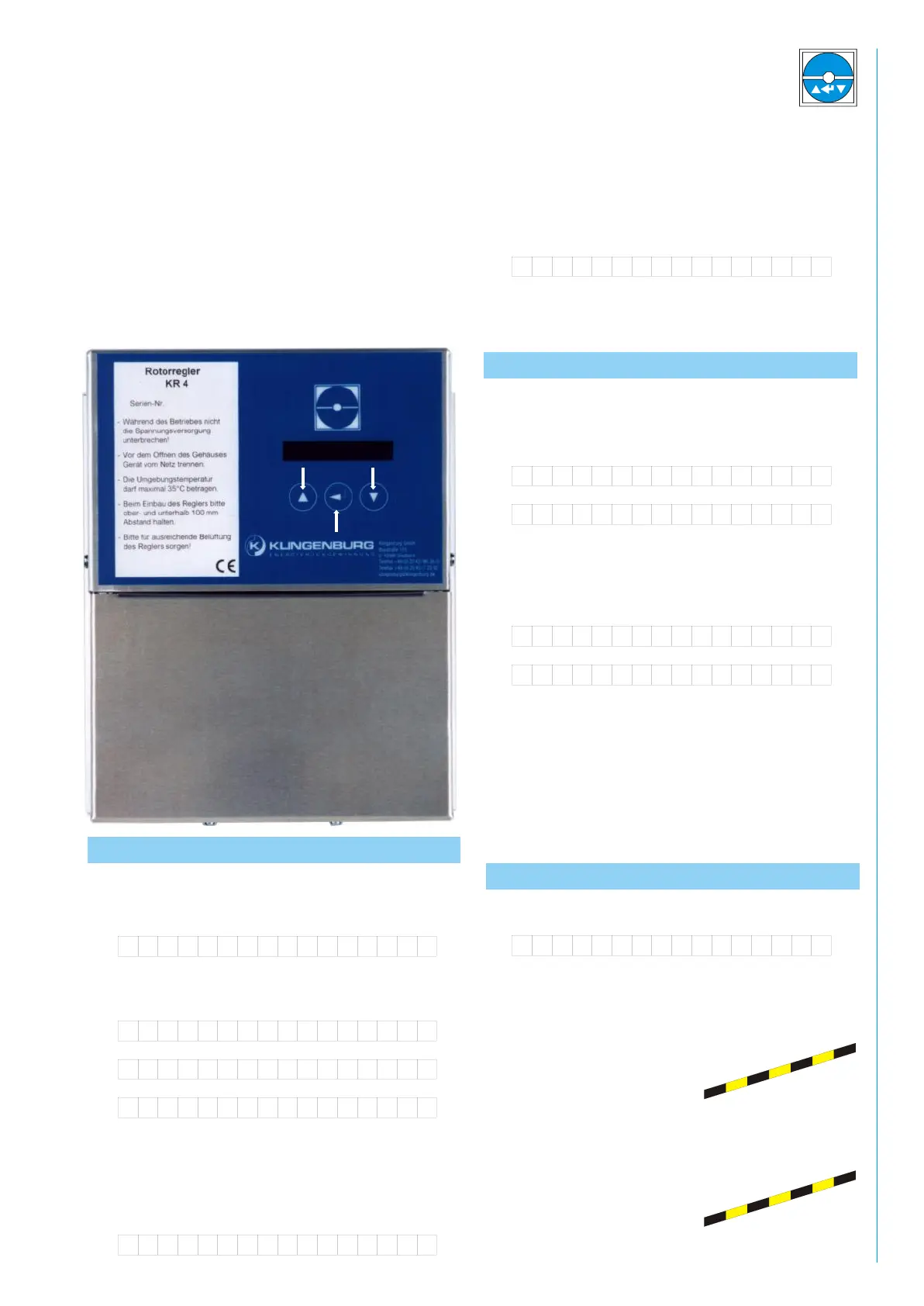
All functions on the KR controller can be accessed using the
three keys. The left-hand and the right-hand keys are used to
select options. The centre key is used to confirm entries.
Programming is initiated by pressing all three keys
simultaneously.
1. Commissioning
Once turned on, the display shows
If the following messages appears,
then the system must be checked according to the message
display.
Begin by pressing all three keys at the same time. After about 5
sec. the display shows the message
After that, the following message appear
After the motor has come to a complete stop, the controller
guides you through the menu items.
Guide to menu items
You can set the display language to either English or German.
To change the display language, use the selection keys
Confirm your choice with the Enter push-button.
After that, the following message appears:
As before, you select by means of the selection push-buttons
and confirm by depressing the” Enter” push-button.
Corresponding to your selection, the control unit leads you
through the series of inquiries “Manual operation” or “External
operation”, as described in the following.
Manual operation
The display shows:
By depressing the selection push-button, a frequency can be
determined. At 80 Hz, the rotor will run a standard 10 rpm.
Attention: Contact with
live elements even after
the power supply has
been cut can be life
threatening. Please
wait 15 minutes!
Motor stop!
SF:00 Hz IF:00HZ
Hardware err:EXX
Contr. blocked!
Motor temp!
Deutsch
English
Manual operation
External drive
Please wait!
Man. frequ: 00Hz
Push-buttons for selection
Enter push-button


 To Next Page