12 Using the Osmometer K-7400
Using the osmometer the first time neither measuring or calibration
values are present. Accordingly the last value will not be displayed.
>>> _____ mOsmol <<<
♦ <next sample>
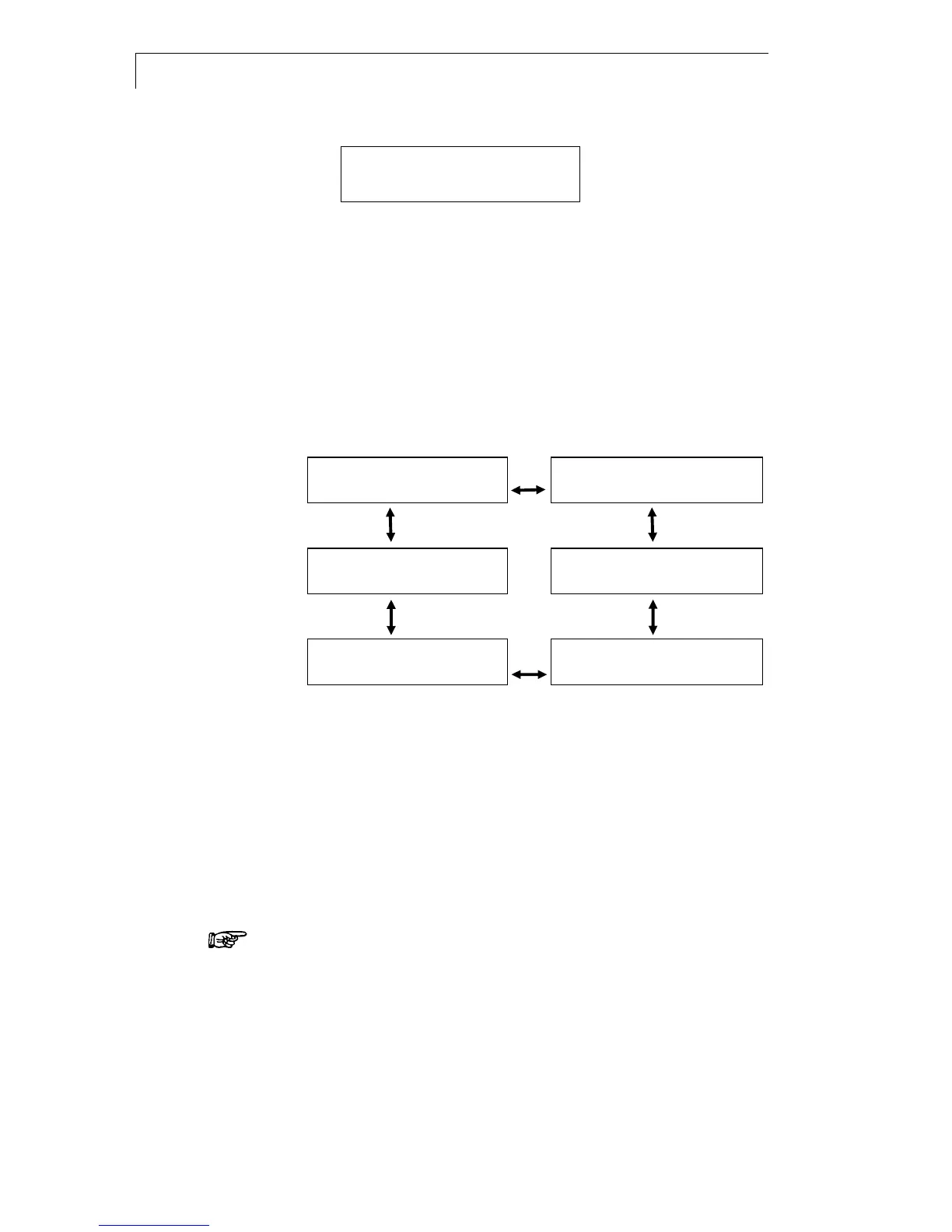
Internal Software Structure
Starting with the cursor on the rhombus field further menus become
accessible in an endless loop by pushing the vertical arrow keys .
Pushing the horizontal arrow keys moves the cursor from field to
field. Only those fields are accessible, which are allowed for changing the
setting. Other fields like the actual measured temperature will be
overleaped.
On any changeable field the possible settings are scrolled using the
keys. The displayed values will be accepted and stored when leaving the
field with one of the keys.
1
>>> 1234 mOsmol <<<
6
CALIBRATE-T sample
♦ <next sample>
♦
<start>
2
TEMP sample: -12.0°C
5
COOL freeze: -5.5°C
♦ [°C] cooler: -2.2°C ♦ [°C] cooling limit: -14.5°C
3
DATE date: 14.03.15
4
CALIBRATE mOsmol
♦ time: 14.55.45 ♦ 0000 0400 ____ ____
Fig. 8 Example menu sequence of the Osmometer K-7400
Screen 2 TEMP displays the actual measured temperatures of the
sample and the cooling compartment. The values can be changed from
[°C] to [°F] with the keys.
Screen 3 DATE enables the setting of date and time. The setting remains
active when switching of the instrument.
Screen 4 CALIBRATE displays the calibration points which are actual in
use. 3 calibration points are possible (second row). The first field is fixed
on „0000“. At least two calibration points are necessary for any
measurement. From this screen the calibration runs will be started, refer
SOP 3 on page 14.
Calibration and measurement must be performed at the same
settings. After changing the settings, a new calibration is required.
In screen 5 COOL the initiation point „freeze“ can be set within the range
from -9.0 to -4.0 °C and the minimum temperature „cooling limit“ within
the range from -18.0 to -12.0 °C, both in steps of 0.5° .
Screen 6 CALIBRATE-T enables the pre-calibration to adapt the
osmometer to the selected measuring head, refer SOP 2 on page 13.


 To Next Page