To Next Page
V
Vincent KelleyAug 2, 2025
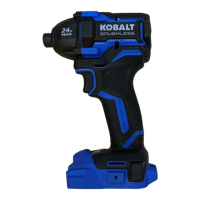
Why my Kobalt KID 124B-03 doesn't work?
- HHunter PriceAug 3, 2025
If your Kobalt Impact Driver isn't working, it's likely due to a depleted battery pack. The solution is to charge the battery pack.

Why my Kobalt KID 124B-03 doesn't work?
If your Kobalt Impact Driver isn't working, it's likely due to a depleted battery pack. The solution is to charge the battery pack.
How to fix overheating of Kobalt KID 124B-03?
If your Kobalt Impact Driver motor is overheating, it's probably because the ventilation slots are blocked. Make sure to clean and clear the ventilation slots. Also, avoid covering the ventilation slots with your hand while you're using the tool.
Why is the LED worklight flashing slowly on my Kobalt KID 124B-03?
If the LED worklight on your Kobalt Impact Driver flashes slowly, it means the battery pack charge is very low. You should charge the battery pack.
What to do if my Kobalt KID 124B-03 Impact Driver motor is overheating?
If the motor of your Kobalt Impact Driver is overheating, the ventilation slots might be obstructed. Clean and clear the ventilation slots, and avoid covering them with your hand during operation.
What to do if the LED worklight flashes slowly on my Kobalt KID 124B-03 Impact Driver?
If the LED worklight on your Kobalt Impact Driver flashes slowly, it means the battery pack charge is very low. You should charge the battery pack.
Why is the LED worklight flashing rapidly on my Kobalt Impact Driver?
If the LED worklight on your Kobalt Impact Driver is flashing rapidly, it indicates that the tool has stopped working to protect its internal circuits. To resolve this, release the trigger switch, allow the tool to cool down, and then start it again.
What to do if my Kobalt Impact Driver slows down or stops when driving a screw?
If your Kobalt Impact Driver suddenly slows down or stops while driving a screw, the tool might be operating in the wrong mode or speed range. Check the selected mode, refer to the “Speed Range Selection” and “Mode Selection” sections.
Learn the tool's features, operation, and safety requirements.
Covers general power tool, work area, electrical, and personal safety.
Guidelines for battery use, care, and tool servicing.
Includes impact driver and drill-specific warnings.
How to attach the battery pack and install accessories.
Explanation of rotation selector, trigger, speed, and mode controls.
Instructions for installing/removing bits and using the LED work light.
Steps for driving screws, drilling, and other operations.
How to use battery indicators, operate in cold, charge battery, and understand charger display.
Procedures for charging, charger display, wall mounting, and cleaning.
How to clean the tool and remove/replace the chuck.
Addresses common problems like no power, bit installation, and overheating.
Details on the product warranty coverage and terms.
 General
| Brand | Kobalt |
|---|---|
| Model | KID 124B-03 |
| Category | Impact Driver |
| Language | English |