44
7.3.5 Loading Verification
Keep Calibrating Weight [the materials weight in the bucket for Span Calibration] unchanged.
BUCKET-UP: Flip the bucket upward to the limit position.
ARM-DOWN: Put the lift-arm down so that the bucket goes down to the lowest position.
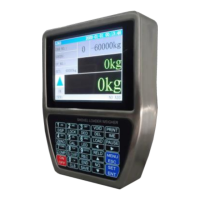
Press key【Load】to enter loading state with the blue sign ‘▲’ displaying.
Lift the lift-arm and bucket with the accelerator at the actual loading operation state and do the
best to keep the accelerator stable.
After the Magnet Block passed by the Weighing Segment, display blue sign ‘▼’ and record
weighing result.
Repeat the above steps, if the weighing errors are in the allowable range, the preliminary
Loading Verification process is completed.
Do Loading Verification with empty bucket, 1/2 bucket materials and a full bucket of materials,
and use truck scale for checking weighing error.
If the weighing errors are in the allowable range, the last Loading Verification process will be
completed.
Press key【Pause】to enter Pause state with red sign ‘■’ displaying.
Press key【Cls】to Clear Screen without saving Loading Record.


 To Next Page