$
Kobo$Arc$User$Guide$85$
5. Tap$Apps.$$
6. Tap$All.$
7. Scroll$down$until$you$find$the$name$of$the$problem$app.$
8. Tap$the$name$of$the$app.$
9. Tap$Force%stop.$
10. Tap$OK.$
11. Try$your$app$again$to$see$if$this$resolved$your$issue.$
Clear%data
When$you$clear$data,$you$sign$out$of$the$app$and$delete$any$app_related$
data,$which$returns$the$app$to$its$original,$new$state.
To$clear$data:
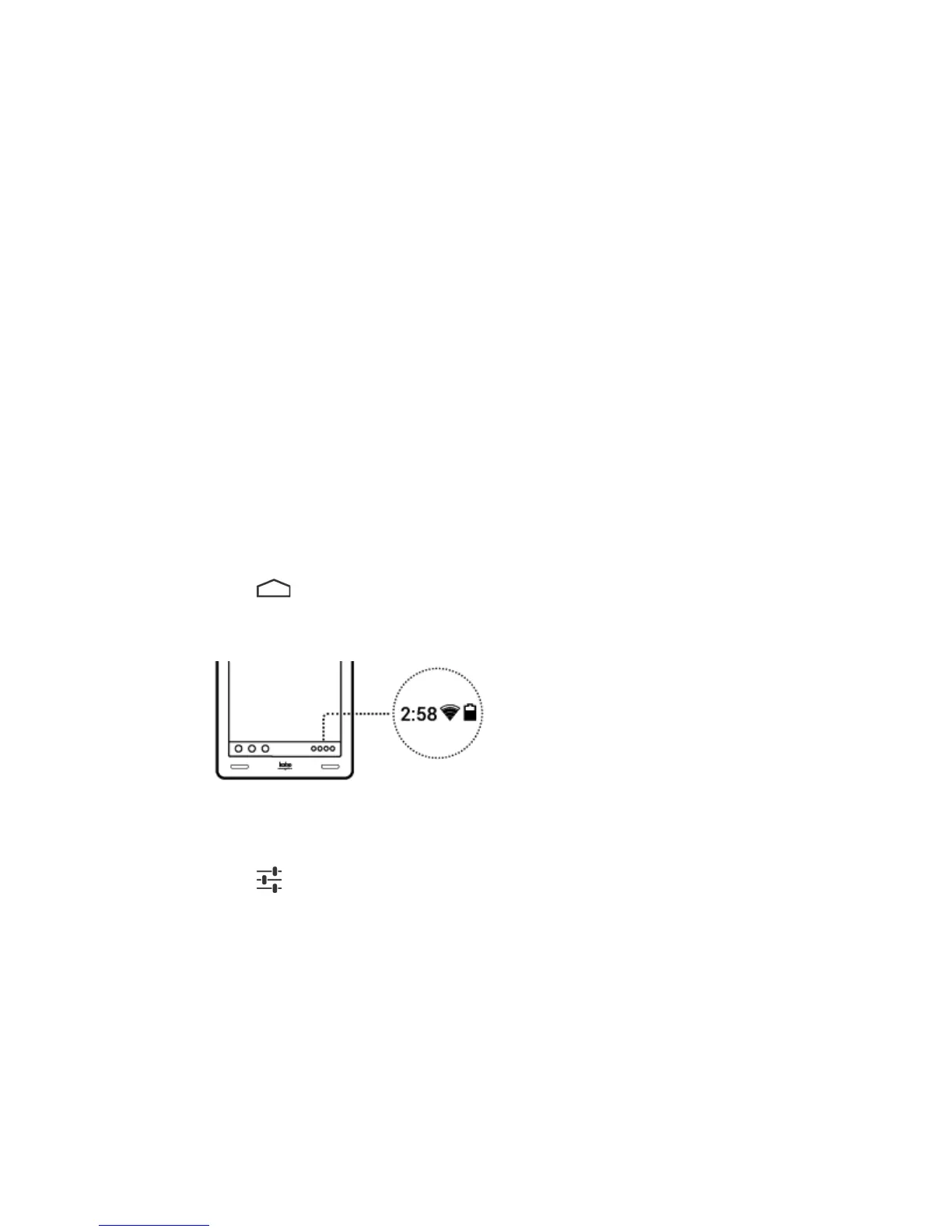
1. Tap$the$ $Home$icon$at$the$bottom$of$the$screen.$
2. Tap$the$System$icons$at$the$bottom$of$the$screen.$
$
3. Tap$the$Status$Details$section$at$the$top$of$the$list$that$appears.$
4. Tap$the$ $Settings$icon$at$the$bottom$of$the$list.$$
5. Tap$Apps.$$
6. Tap$All.$
7. Scroll$down$until$you$find$the$name$of$the$app$that's$causing$
problems.$Tap$the$app's$name.$
8. Tap$Clear%data.$



 To Next Page