56
6.4 SWITCHING ON AND OFF
NOTICE
Damage to the floor from sharp-edged objects!
Sharp-edged objects under the cleaning cloth may cause damage to
the floor.
• Before switching on the device, make sure that there are no small
stones, granulates (e.g. cat litter) or other pointed or sharp-edged
objects under the cleaning cloth.
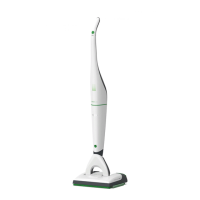
1. Take the cordless vacuum cleaner out of the standby position
as described in the chapter Setting and releasing the standby
position [}53].
2. Switch the cordless vacuum cleaner on.
ð The cordless vacuum cleaner starts running, the LED lights up
as usual and the DuoClean starts operating in dry mode (see
the chapter Dry mode [}57]).
3. Switch the cordless vacuum cleaner off at the handle.
4. Put the cordless vacuum cleaner into the standby position.
6.5 STOPPING BRIEFLY
If you want to stop the DuoClean for a short period of time only
(less than 30 seconds), it is possible to put the cordless vacuum
cleaner in the standby position.
1. Put the cordless vacuum cleaner into the standby position.
ð The DuoClean will switch off automatically. The cordless
vacuum cleaner remains switched on and the LED on the
cordless vacuum cleaner stays on.
2. Put the cordless vacuum cleaner back into the power setting.
ð The DuoClean switches on again automatically and runs in the
mode that was last selected (further information on this can be
found in the chapter Automatic application of moisture and
dry mode [}56]).
6.6 AUTOMATIC APPLICATION OF MOISTURE AND
DRY MODE
Never dampen the cleaning cloth by hand. Moisture may only be
applied to the cleaning cloth by the DuoClean.


 To Next Page